






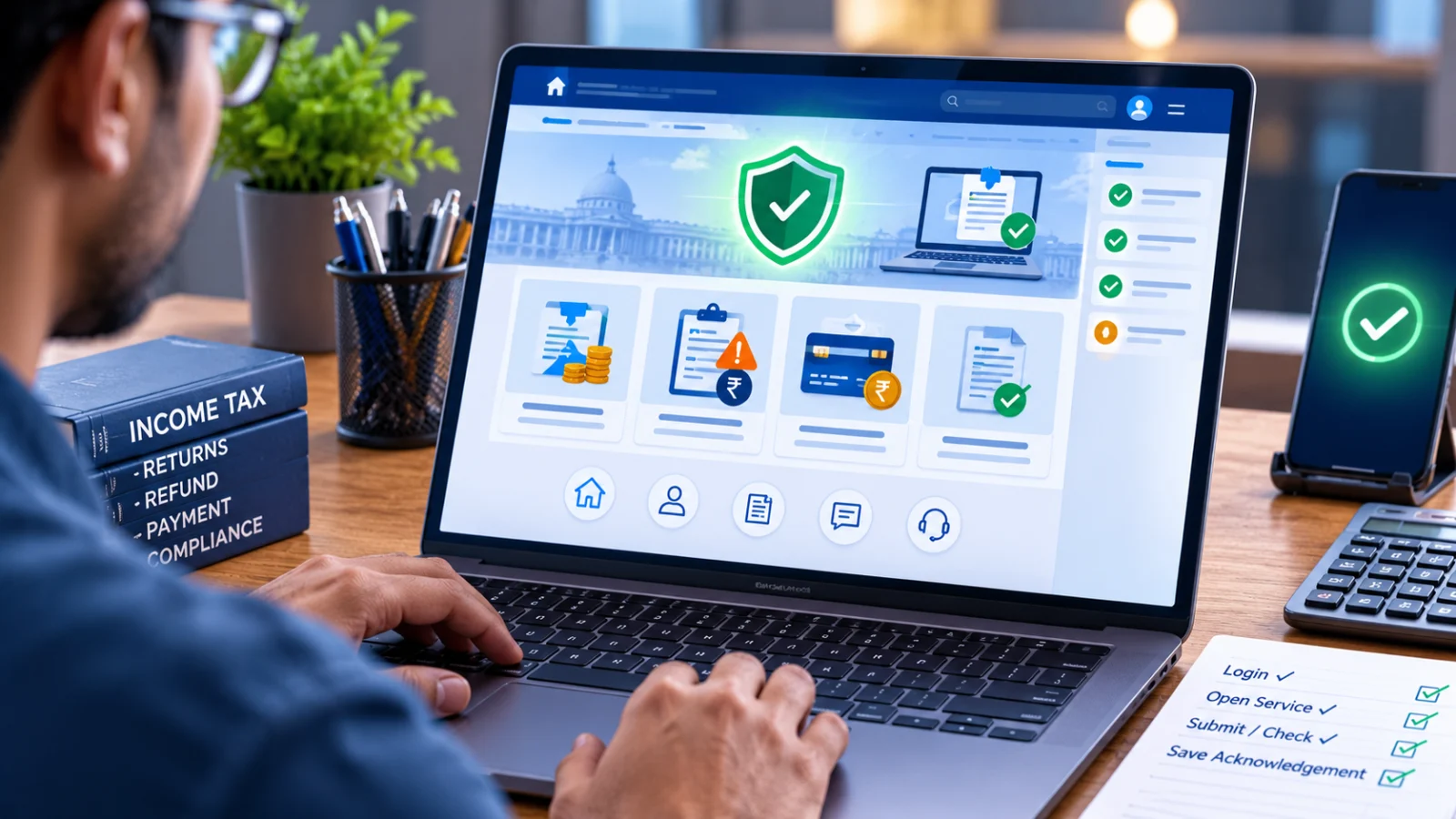
If the Income Tax e-filing portal opens but Refund Status, Refund Reissue, Response to Outstanding Demand or Challan Correction does not work, do not immediately assume the entire portal is down. Public homepage availability and successful completion of a logged-in taxpayer workflow are different states.
Direct answer: first check whether the official Income Tax portal itself is reachable. Then test only the service you need in a fresh authenticated session. Preserve the acknowledgement or exact error, avoid duplicate submissions and use the official grievance or helpdesk route if the same failure continues.
Is the Income Tax e-filing portal working now?
The public Income Tax e-filing homepage was accessible during the September 8, 2026 review and displayed normal taxpayer services, filing utilities and current updates rather than a maintenance-unavailable notice.
That confirms public portal availability. It does not prove that every PAN-specific workflow, bank validation, refund process, challan reconciliation or backend request is completing successfully.
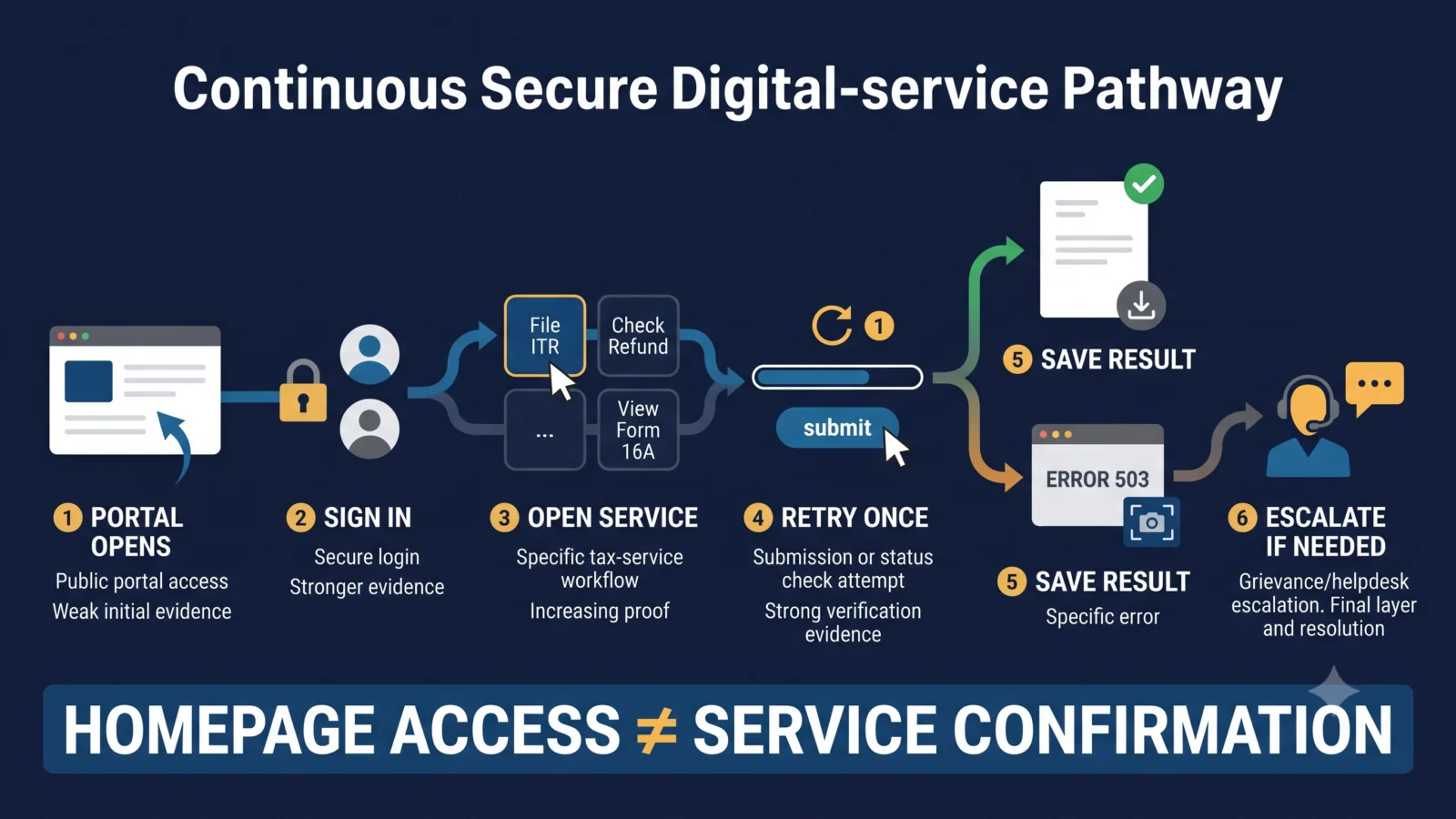
How to tell whether the whole portal is down or only one service is failing
| What you observe | What it establishes | What to do next |
|---|---|---|
| The official homepage does not load | A wider access problem may exist | Retry once, check the official portal later and preserve the error if a deadline is involved. |
| Homepage opens but login fails | The problem may be authentication-specific rather than a full outage | Check credentials, session state and the exact login error. |
| Login works but one service fails | The failure is workflow-specific from your perspective | Preserve the error and follow the service-specific route below. |
| A request was submitted but no acknowledgement appears | The final transaction state is unclear | Check existing requests or status before submitting again. |
| Your account shows a different result from another taxpayer | Public or anecdotal status cannot resolve your PAN-specific state | Use your own account records and official support. |
Income Tax portal service check: the safest workflow
- Open the official portal directly. Avoid an old browser tab or saved session.
- Start a fresh authenticated session.
- Open only the service you need.
- Retry once if the first attempt fails.
- Do not repeatedly resubmit. A slow acknowledgement is not proof that the first request failed.
- Save the outcome. Preserve the acknowledgement, reference number, status or complete error.
- Escalate persistent failure. Use the official grievance or applicable helpdesk route.
What if Income Tax Refund Status is not working?
A failed Refund Status lookup does not establish that the refund itself has failed. It only establishes that you could not retrieve the status through that route at that time.
Check the filed-return and processing information available in your account and use the official Refund Status workflow. If the error continues, preserve the exact message and time before escalating.
Official Refund Status user manual
What if Refund Reissue is unavailable?
Refund Reissue is normally relevant when a refund was issued but failed. Do not create another reissue request simply because an earlier request does not immediately show a final state.
- Confirm that the refund is actually marked failed.
- Check the bank account intended for reissue.
- Open a fresh portal session.
- Check whether an earlier reissue request already exists.
- Submit only when the current workflow shows that a new request is required.
- Preserve the final acknowledgement or exact error.
Official Refund Reissue user manual
What if Response to Outstanding Demand does not work?
The normal portal route is Pending Actions → Response to Outstanding Demand. If the workflow fails, preserve the demand communication, assessment year, reference number, response deadline, time of the attempted action and the exact error.
Do not assume that the demand has disappeared merely because the response screen cannot be opened.
Official Outstanding Demand guidance
What if Challan Correction is unavailable?
Preserve the challan identification details, payment date, bank reference, amount and the field you are trying to correct.
Do not make a duplicate tax payment solely because the challan-correction workflow is unavailable. First establish the status of the original payment and liability.
What evidence should you save when an Income Tax service fails?
- the exact service name;
- date and time of the attempt;
- full screenshot or text of the error;
- assessment year where relevant;
- transaction, challan, acknowledgement or reference number;
- the result of one clean retry;
- the original notice, demand or deadline if the action is time-sensitive;
- the grievance acknowledgement if you escalate.
Why you should avoid duplicate submissions
Many tax workflows create backend requests, acknowledgements or payment records. If the screen is slow or the confirmation page does not immediately appear, submitting the same action repeatedly can make the final state harder to understand.
Before repeating a payment, refund-reissue request or response, check whether the earlier transaction appears in the account or whether a reference was generated.
Does a portal error automatically extend your deadline?
No automatic extension should be assumed. A technical error, maintenance period, grievance ticket or helpdesk call does not itself extend a statutory or communication-specific deadline unless the competent authority provides applicable relief.
For a deadline-sensitive failure, preserve contemporaneous evidence of the attempted action and escalate through the official route as soon as possible.
Current Income Tax e-filing support
The official Contact Us page reviewed on September 8 lists e-filing and Centralized Processing Center support from 08:00 to 20:00, Monday to Friday.
- 1800 103 0025
- 1800 419 0025
- +91-80-46122000
- +91-80-61464700
Because official contact information can change, verify the number and operating hours on the Department’s current Contact Us page before calling.
Income Tax Department Contact Us
How to raise a grievance for a persistent portal problem
If the same service repeatedly fails after a clean retry, use the grievance process available through the official portal. Describe the exact service, transaction, assessment year, error, attempted time and any applicable deadline.
A concise evidence-backed grievance is more useful than a generic statement that the Income Tax portal is not working.
What the August 2026 maintenance windows tell us
The Income Tax Department had scheduled maintenance periods in August 2026, including the August 4–5 service-specific window and a later August 16 whole-portal maintenance window. Those scheduled windows ended.
The useful lesson is broader than those dates: after any maintenance or service interruption, public homepage restoration should not be treated as proof that every authenticated workflow is functioning for every taxpayer.
Public portal access cannot prove every backend service works
- TPS cannot test private taxpayer accounts.
- PAN-specific Refund Reissue, demand-response and challan-correction completion cannot be independently verified from the public homepage.
- Connected-bank and payment-reconciliation systems may have separate states.
- An isolated user error does not prove a national outage.
- A public homepage does not provide a universal restoration certificate for every service.
Verification method
ThePulseSignal checked the official Income Tax e-filing homepage, latest-news page and Contact Us page on September 8, 2026. The public portal was accessible and displayed normal portal activity rather than a maintenance-unavailable notice. The official Refund Status, Refund Reissue, Outstanding Demand and grievance guidance were checked to preserve service-specific recovery routes.
Limitations and unresolved facts
- Private logged-in taxpayer workflows were not independently tested.
- Public access cannot prove universal backend availability.
- Individual refund, demand, challan, bank-validation and payment-reconciliation states remain account-specific.
- Temporary outages can occur without immediately appearing on a public notice page.
- Support numbers, hours and workflow labels can change and should be rechecked on the official portal.
Frequently asked questions
Is the Income Tax portal down if the homepage opens but Refund Status fails?
Not necessarily. That establishes a problem with your attempted Refund Status workflow, not a confirmed whole-portal outage.
Should I retry a failed Income Tax service?
Retry once in a fresh session. If it continues to fail, preserve the error and use the official support or grievance route.
Should I submit Refund Reissue twice if no confirmation appears?
No. Check whether the first request exists before creating another request.
Can I make another tax payment if Challan Correction is unavailable?
Do not make a duplicate payment solely because correction is unavailable. Verify the original payment and liability first.
Does a portal outage extend an Income Tax deadline?
Not automatically. Applicable relief must come from the competent authority.
Are the August 2026 maintenance windows still active?
No. Those scheduled maintenance windows ended. This guide now focuses on verifying individual e-filing services whenever a taxpayer encounters a portal problem.
Official sources
- Income Tax e-filing portal
- Income Tax Department latest news
- Income Tax Department Contact Us
- Refund Status manual
- Refund Reissue manual
- Outstanding Demand guidance
Related ThePulseSignal guide
ITR Filing Deadline 2026: August 31 Passed — What to Do Now
Bottom line: when the Income Tax portal appears not to work, identify whether the problem is portal-wide or service-specific, retry once, preserve evidence and use the official workflow or grievance route. Do not assume that a public homepage proves every service works, and do not create duplicate tax or refund transactions while the first request’s status is unclear.
Last verified: September 8, 2026.