






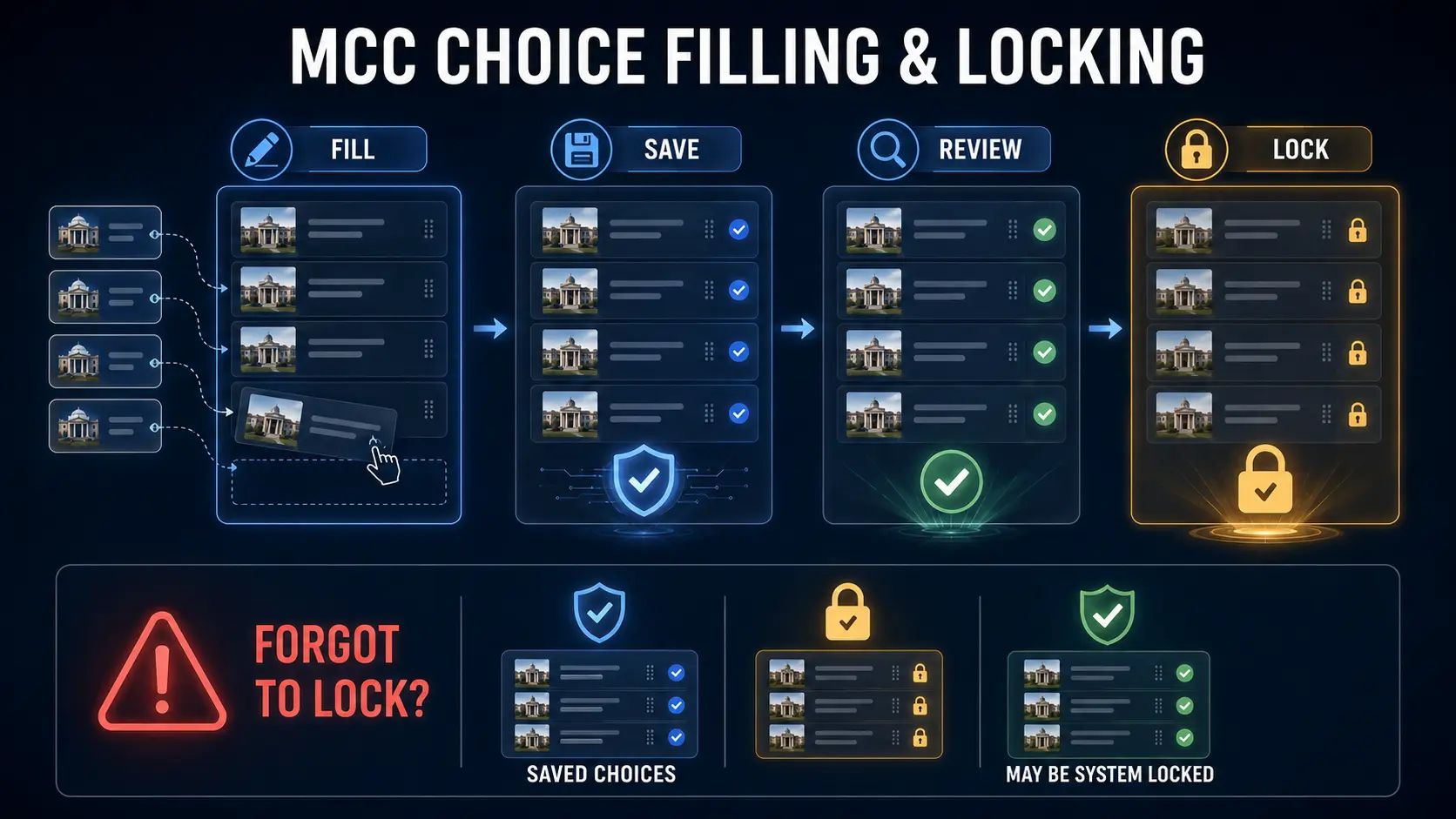
MCC choice filling and locking are two different stages of medical counselling. Choice filling is when you select and arrange colleges and courses in preference order. Saving keeps that working list in the system. Locking finalises the list for that counselling round. MCC guidance also says that if submitted and saved choices are not manually locked before the scheduled deadline, the system can automatically lock those saved choices.
The important distinction is between forgetting to manually lock saved choices and not submitting choices at all. They do not have the same consequence.
What if I forget to lock MCC choices?
If you have already submitted and saved your choices, MCC’s counselling guidance says those saved choices are automatically locked according to the notified schedule if you do not manually lock them.
Saved choices are different from no choices
If you registered but failed to submit choices, MCC states that you will not receive a seat allotment. Automatic locking does not create choices for you.
On this page
MCC choice filling and locking: what is the difference?
| Status | What it means | Can you still edit? | Does it represent a final list? |
|---|---|---|---|
| Available choices | Colleges/courses currently displayed to you as selectable options. | Not applicable | No |
| Filled choices | Choices you have added to your preference list. | Yes, while editing is permitted | Not necessarily |
| Saved choices | Your current submitted working preference list has been stored. | Normally yes before locking/deadline | Can become final through manual or system locking |
| Manually locked | You have intentionally finalised the list. | No | Yes |
| System locked | MCC automatically finalised the saved list at the scheduled deadline. | No | Yes |
How MCC choice filling and locking works
Register
Complete the required MCC counselling registration and applicable payment for the round.
Open available choices
View the courses and institutions available under your eligibility.
Fill choices
Add colleges and courses you are genuinely willing to accept.
Arrange preference
Place choices from highest preference to lowest preference.
Save and review
Save the working list and check every institution, course and preference position.
Lock
Finalise the list only when you are satisfied with the order. If eligible saved choices remain unlocked at the deadline, MCC’s current guidance provides for automatic locking according to the notified schedule.
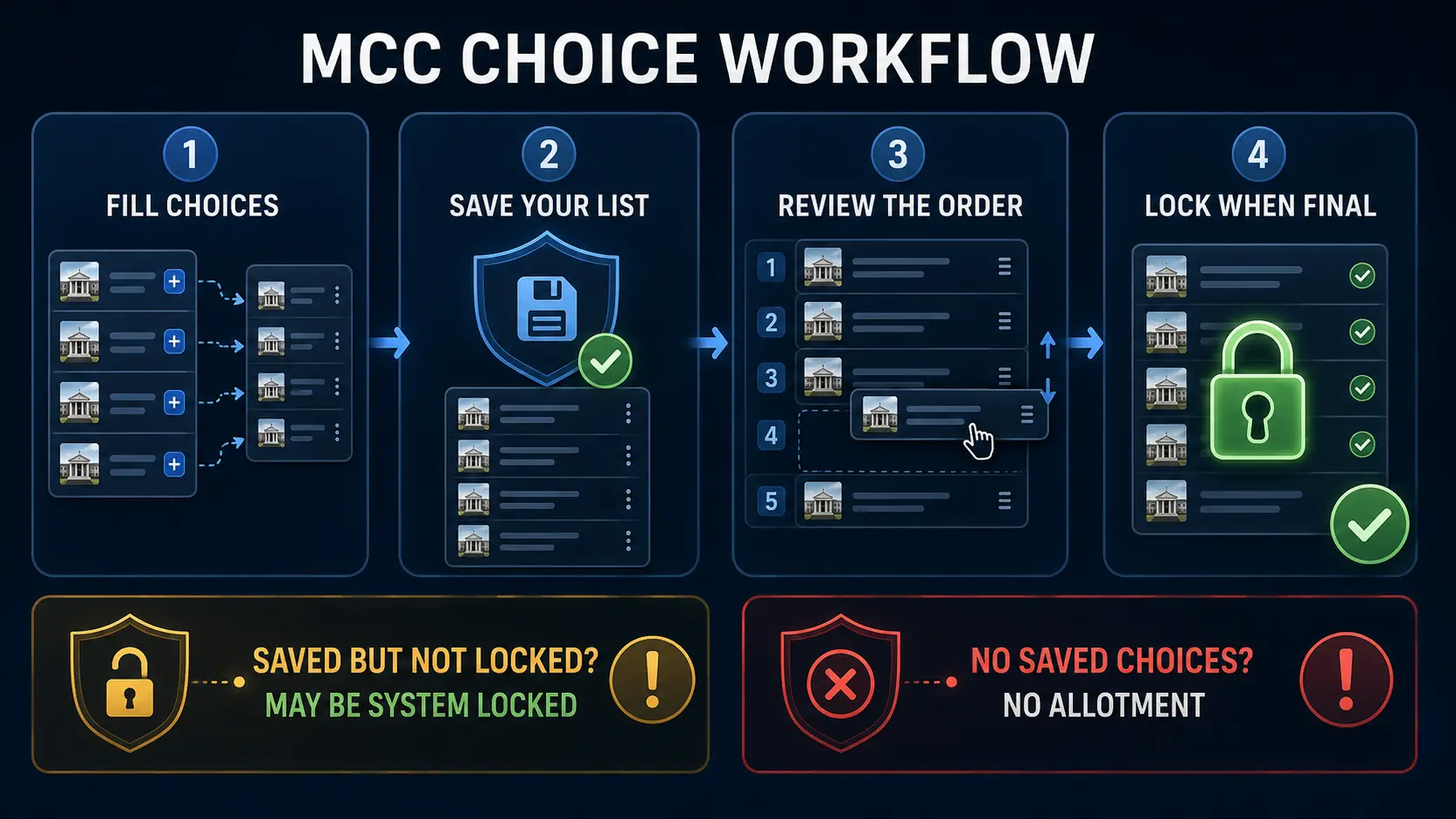
What happens if you forget to manually lock MCC choices?
MCC’s published counselling guidance states that where a candidate has submitted and saved choices but has not manually locked them, those choices are automatically locked according to the notified choice-locking schedule.
This is not the same as having no preference list. The last saved submitted choices can become the system-locked list when MCC performs automatic locking.
Do not deliberately depend on automatic locking. MCC advises candidates to review their choices carefully and complete the process within the notified window rather than waiting until the final minutes.
What if you registered but did not submit any choices?
This is the more serious scenario.
MCC’s guidance states that a candidate who fails to submit choices after registration will not receive a seat allotment from an empty preference list.
Saved choices + forgot manual lock: MCC’s system-locking rule can finalise the saved list according to the notified schedule.
No submitted choices: there is no preference list for MCC to process for allotment.
Can MCC choices be changed after locking?
No. MCC guidance says candidates may modify, add, remove or reorder choices during the permitted choice-submission period before the choices are locked.
Once the list is locked, MCC says the choices cannot be modified or changed.
This is why locking should be treated as the final confirmation step, not something to click immediately after adding the first set of colleges.
Why does the order of MCC choices matter?
Your preference list is not merely a list of acceptable colleges. It is a ranked order.
MCC advises candidates to arrange choices from higher preference to lower preference. The order therefore needs to reflect what you actually want, not what you believe you are most likely to receive.
Do not put a college or course above another option unless you would genuinely prefer it. An incorrect preference order can result in allotment of a seat that was technically higher on your own list even if another available option would have suited you better.
Why does MCC still show “unlocked” after the deadline?
Candidates can sometimes see a dashboard status that still appears unlocked shortly after a choice-locking deadline while the system processes the final state.
The controlling rule is more important than a temporary display state: MCC says submitted and saved choices that are not manually locked are automatically locked according to the notified schedule.
If the portal continues to show an unexpected status, preserve evidence of your submitted and saved choices and check the latest MCC notices and candidate instructions rather than relying only on social-media reassurance.
Do the same choices automatically continue into every MCC round?
No. Candidates should not assume that a preference list from one round automatically becomes their choice list for every later round.
MCC’s 2026 guidance specifically provides for fresh choice submission and locking for Round 2 and subsequent rounds. Follow the schedule and instructions for the round in which you are participating rather than relying on an earlier locked list.
For the current 2026 national counselling schedule and allotment stage, see ThePulseSignal’s NEET UG 2026 Round 1 counselling guide.
Seven mistakes to avoid before locking MCC choices
- Confusing registration with choice submission. Registration alone does not provide MCC with a college preference list.
- Adding colleges you would never join. A preference can become an actual allotment.
- Ranking by probability instead of true preference. Arrange the list according to what you genuinely prefer.
- Ignoring course differences. Check both institution and course before locking.
- Waiting until the final minutes. Portal congestion or login problems can become costly when the deadline is near.
- Locking before the list is final. Once locked, the list cannot ordinarily be edited.
- Failing to preserve proof. Download or print the final locked-choice list when the facility becomes available.
Official MCC sources
How this was verified
ThePulseSignal checked MCC’s current UG counselling portal and the 2026 UG Information Bulletin for the rules governing choice filling, saving and locking.
MCC’s 2026 guidance states that candidates must fill institution, college and course choices in order of preference. Saved choices can be modified until they are locked. If submitted choices are not manually locked, MCC says they are automatically locked according to the notified schedule.
MCC also states that a candidate who does not register and fill choices will not receive a seat allotment. Once choices are locked, they cannot be modified or changed.
The guidance also provides for fresh choice submission and locking in Round 2 and subsequent rounds, so candidates should not assume that an earlier round’s locked preference list automatically carries forward.
The exact dates for choice filling and locking are round-specific. Candidates should always use the current MCC schedule for the counselling round in which they are participating.
Limitations and unresolved facts
- MCC may change counselling rules, round structures, portal interfaces or locking timings in future admission cycles.
- This evergreen guide intentionally does not publish a permanent choice-filling deadline. Candidates should use the current MCC schedule for each round.
- Rules for state counselling authorities can differ from MCC’s All India counselling process.
- Portal status messages can change during processing. A dashboard showing “unlocked” should be checked against the latest MCC notice and current counselling schedule.
- This page explains the mechanics of choice filling and locking; it does not predict which college a candidate will receive.
Frequently asked questions
What is the difference between MCC choice filling and locking?
Choice filling creates and orders your college/course preference list. Locking finalises that list for the counselling round.
What happens if I forget to lock MCC choices?
If you submitted and saved choices, MCC guidance says those saved choices are automatically locked according to the notified schedule.
Will MCC automatically create choices if I registered but filled nothing?
No. Automatic locking applies to saved submitted choices. Registration without submitting a choice list does not create preferences for allotment.
Can I change my MCC choices after locking?
No. MCC states that choices cannot be modified after they have been locked.
Can I change saved choices before locking?
Yes. During the permitted choice-submission period, candidates can normally add, remove or reorder choices before locking.
What does system locked mean in MCC counselling?
It means MCC’s system has automatically finalised the candidate’s saved submitted choices according to the notified locking schedule.
Should I manually lock even if MCC has auto-locking?
Yes, it is safer to review and manually lock your final list within the notified window rather than intentionally relying on automatic processing at the deadline.
Does the order of choices matter?
Yes. MCC instructs candidates to arrange choices from higher preference to lower preference, so the order should reflect what you genuinely want.
Do my locked choices automatically carry into Round 2?
No. MCC’s 2026 guidance provides for fresh choice submission and locking for Round 2 and subsequent rounds. Follow the instructions for the specific round in which you are participating.