






Someone reading my WhatsApp is a serious concern, but one suspicious event does not automatically prove that another person has access to your chats. Start with evidence: inspect Linked Devices, think about any QR code or device-linking request you approved, review unexpected verification activity, and consider whether somebody had access to your phone or a computer where WhatsApp was open.
The important question is not simply “have I been hacked?” Different symptoms point to different possibilities. An unfamiliar linked device is strong evidence of authorised companion access. An unexpected verification code can indicate an attempted registration but does not prove success. A clean Linked Devices screen is useful evidence too, but it does not inspect every possible phone, computer, SIM or advanced device-security problem.
Direct answer
How do I check if someone is reading my WhatsApp?
Start with Linked Devices. WhatsApp’s multi-device architecture allows linked companion devices to receive encrypted messages independently. If an unfamiliar device is listed, remove it. Then investigate QR or device-linking activity, verification attempts, physical phone access and computer exposure.
Current evidence benchmark
WhatsApp now warns about suspicious device linking
Meta said in March 2026 that scammers may try to get victims to enter a device-linking code or scan a QR code that links the scammer’s device to the victim’s WhatsApp account. WhatsApp has introduced warnings for suspicious linking requests.
Confirmed
- WhatsApp supports independently linked companion devices.
- Users can view linked companion devices and remotely log them out.
- A QR code can be used legitimately when linking a new device.
- Meta has confirmed scammers abuse QR codes and device-linking codes.
- WhatsApp provides stronger Strict Account Settings for people facing rare sophisticated attacks.
Not confirmed by one symptom alone
- An unexpected verification code does not prove someone successfully took over the account.
- A strange notification does not prove someone is reading the chats.
- A clean Linked Devices list does not diagnose the entire phone or computer.
- Someone knowing a private detail does not establish which access route was used.
- Ordinary suspicious behaviour should not automatically be labelled sophisticated spyware.
Table of contents
- 9 critical checks
- Check Linked Devices
- QR and device-linking scams
- Unexpected verification codes
- Suddenly logged out
- No unknown linked device
- Physical phone access
- WhatsApp Web and computer risk
- Sophisticated spyware
- What to do now
- Related WhatsApp security guides
- How this was verified
- Limitations
- FAQs
Someone reading my WhatsApp? Start with these 9 checks
If you suspect someone reading my WhatsApp, use the symptom first. Do not jump immediately to the most frightening explanation.
| What you notice | Check first | What it means |
|---|---|---|
| Unknown device under Linked Devices | Device name and recent activity | Strong evidence that another companion device is authorised |
| You scanned an unfamiliar QR code | Linked Devices immediately | The scan may have authorised another device |
| You entered a device-linking code | Linked Devices and recent prompts | Meta specifically warns that scammers abuse this route |
| Unexpected WhatsApp verification code | Registration activity | Possible registration attempt; not proof that it succeeded |
| WhatsApp suddenly logged you out | Account and phone-number control | Requires urgent investigation |
| Messages appear sent without you | Linked devices and device integrity | Strong reason to investigate, but the mechanism is not yet established |
| Linked Devices shows nothing unfamiliar | Phone, computer and physical-access routes | Rules out an obvious listed companion device, not every possible cause |
| A suspicious program ran on your computer | Computer integrity and active WhatsApp session | A compromised endpoint can create a different security problem |
| You believe you are specifically targeted | Updates and stronger security settings | High-risk users may need a more specialised response |
Someone reading my WhatsApp through Linked Devices?
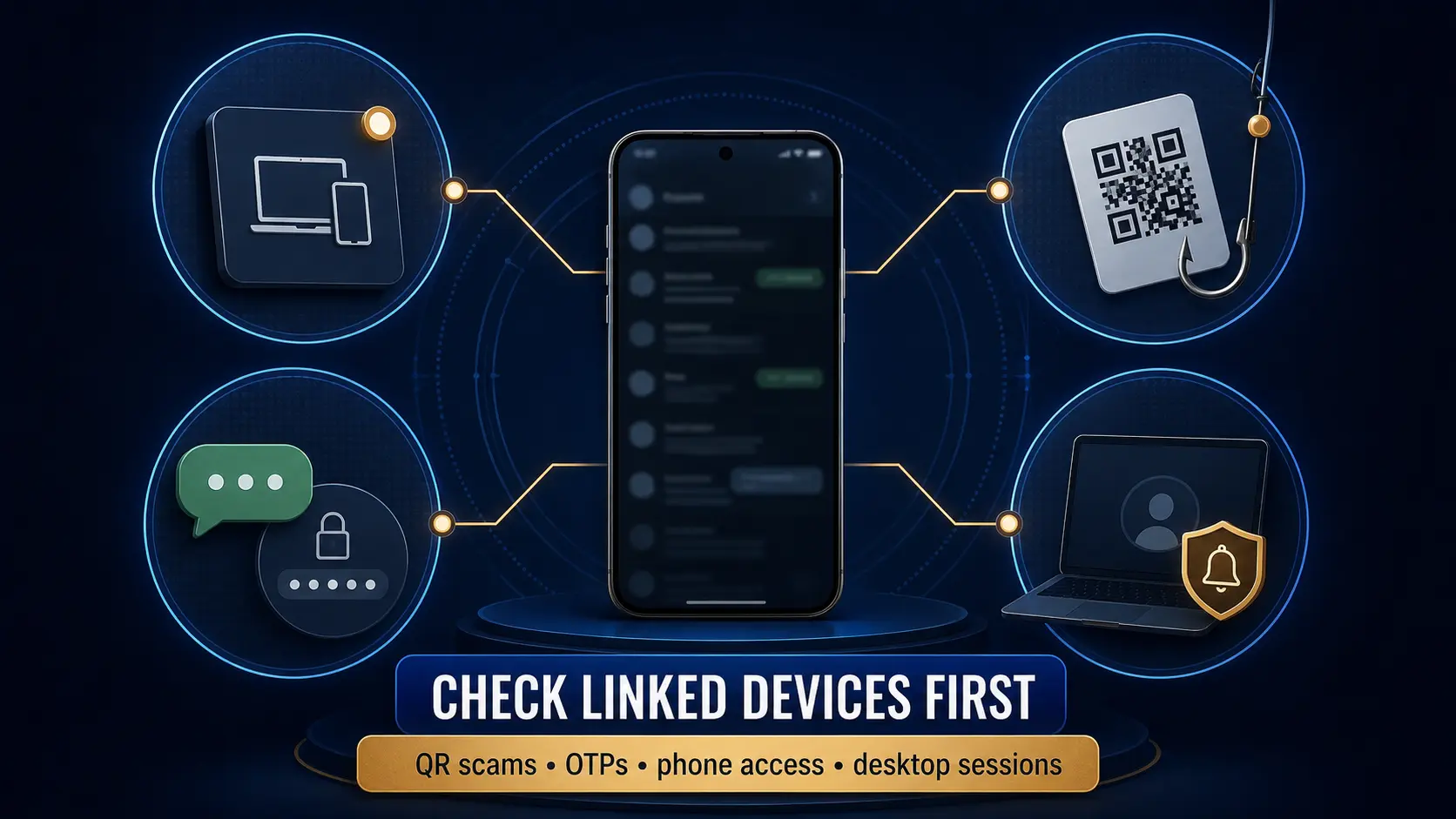
Linked Devices is the strongest first platform-level check when you suspect someone reading my WhatsApp from another phone, browser or computer.
Meta’s multi-device architecture gives each companion device its own device identity. Messages can be encrypted separately for the devices associated with an account, allowing companion devices to work independently while preserving end-to-end encryption.
Meta also says users can see companion devices linked to their account, see when they were last used and remotely log them out.
Use the current WhatsApp app on your phone and inspect the Linked Devices section. If you see a device you do not recognise, preserve a screenshot if safe to do so and log the device out.
Official technical basis
Meta’s engineering documentation explains that WhatsApp maintains the device identities associated with an account and that users can review and remotely disconnect companion devices.
Can a QR code let someone read your WhatsApp?
Yes, if the QR scan authorises a WhatsApp companion device. That does not mean every QR code can magically read WhatsApp. The relevant risk is a QR code presented as part of WhatsApp’s device-linking process.
Meta warned in March 2026 that scammers may trick people into sharing a phone number and then entering a device-linking code, or may persuade them to scan a QR code under false pretences. The result can be the scammer’s device being linked to the victim’s account.
Scammer creates a reason
The user is told to vote, verify, receive support or complete another apparently legitimate task.
Linking request appears
The user is asked to scan a QR code or enter a WhatsApp device-linking code.
Another device is authorised
If the request is approved, the new device may become part of the account’s linked-device environment.
Important distinction
This is not an attacker breaking WhatsApp encryption. The attacker is abusing a legitimate account-linking mechanism by persuading the account owner to authorise the wrong device.
Clone app, Web Scanner or GhostPairing?
If your concern is specifically about QR pairing, Web Scanner apps, companion devices, Dual App confusion or GhostPairing, use our Can Someone Clone Your WhatsApp? explainer. That page focuses on the mechanism, while this page focuses on diagnosing whether access exists.
Does an unexpected WhatsApp verification code mean someone is inside?
No. An unexpected registration or verification code is a warning sign, but by itself it does not prove someone reading my WhatsApp.
It may mean another person entered your phone number while attempting to register WhatsApp. What matters next is whether anything else changed: were you logged out, did your SIM stop working, did account settings change, or did an unfamiliar linked device appear?
Never share a verification code with another person merely because they claim to work for support, your employer, a bank, a government department or WhatsApp.
Got a code you did not request?
If the unexpected code itself is your main problem, use our dedicated WhatsApp Verification Code I Didn’t Request guide. It explains the difference between an attempted verification event and stronger evidence of successful compromise, including repeated codes, logout, SIM problems, sharing the code, and device-linking-code confusion.
What if WhatsApp suddenly logged you out?
A sudden unexplained logout deserves more attention than an isolated OTP. It can be connected to account re-registration or another account-control issue, although the exact cause still needs evidence.
If you are unexpectedly logged out, check whether your phone number and SIM still work normally. Treat requests for registration codes, PINs or recovery information as suspicious until verified.
If you have lost account control
If you are already logged out, cannot receive the verification code, see an unknown two-step verification PIN, or repeatedly regain and lose control, move from diagnosis to our Recover a Hacked WhatsApp Account guide. It separates recovery based on what you still control.
Someone reading my WhatsApp but Linked Devices is clean?
This is one of the most important boundaries in the article.
A clean Linked Devices list means you do not currently see an obvious unfamiliar companion device in that interface. It does not prove that every other possible security route has been eliminated.
If you still have evidence suggesting someone reading my WhatsApp, review other realistic possibilities:
- someone directly used your unlocked phone;
- WhatsApp was open on a computer you do not fully control;
- your phone or computer has a wider security problem;
- information was exposed through screenshots, notifications or another person;
- a previous access event has already ended;
- you are observing an app or synchronisation problem rather than unauthorised access.
Editorial interpretation
“Linked Devices is clean” should narrow the investigation, not end it and not escalate it automatically to spyware. Move from the most directly testable explanations toward the rarer ones.
Could someone read WhatsApp after using your unlocked phone?
Yes. Remote hacking is not required if another person can directly open an unlocked device.
Physical access can allow someone to read visible chats, inspect notifications, change settings or potentially attempt to link another device. Therefore, when the concern involves a partner, colleague, family member or anyone who has had unsupervised access to the phone, physical access belongs near the beginning of the diagnostic process.
This is also why a claim such as “they knew exactly what I wrote” does not establish the technical mechanism. The information may have been exposed through several routes.
Can a compromised computer affect WhatsApp Web or Desktop?
Potentially. Endpoint compromise is different from somebody simply linking a second device through a QR scam.
If you ran an unexpected executable, suspicious ZIP attachment or fake business document on a Windows computer where WhatsApp Web or Desktop was active, the computer itself needs to be treated as part of the investigation.
This is particularly relevant to the separate I4C Boss Scam WhatsApp warning, where malicious files and an active WhatsApp Web environment are part of the security concern.
Do not mix attack routes
QR/device linking, phone-number takeover and malware on a computer are different mechanisms. Saying only “WhatsApp was hacked” can hide the action the user actually needs to take.
Can sophisticated spyware read WhatsApp?
Sophisticated spyware is a genuine security threat, but it should not be the default explanation for ordinary suspicious behaviour.
In June 2026, WhatsApp said it had disrupted NSO-linked social-engineering attempts and described commercial spyware as a serious threat. Meta has also introduced Strict Account Settings, which it says is particularly useful for people who may face rare and sophisticated cyber attacks, such as journalists or public figures.
Meta recommends keeping apps and devices updated and says people who believe they may face sophisticated targeting should consider Strict Account Settings.
Evidence boundary
An unexplained message, a single verification code or the absence of an unfamiliar linked device is not evidence that sophisticated spyware is present.
What to do if you suspect someone reading my WhatsApp
Inspect Linked Devices
Remove anything you do not recognise and preserve useful evidence first.
Review recent linking activity
Think about QR scans, device-linking codes and unusual verification prompts.
Secure physical access
Make sure other people cannot casually unlock and inspect your phone.
Check your computer
If WhatsApp Web/Desktop was used on a shared or suspicious computer, include that device in the investigation.
Preserve evidence
Keep screenshots of suspicious linked devices, verification prompts and unexplained activity before it disappears.
Update WhatsApp and the device
Current software reduces exposure to already-fixed security flaws.
Official resources
- Meta Engineering — How WhatsApp enables multi-device capability
- Meta — WhatsApp device-linking scam warnings
- WhatsApp Strict Account Settings
- WhatsApp — Fighting Spyware update
Related WhatsApp security guides
How this was verified
ThePulseSignal reviewed Meta’s technical explanation of WhatsApp multi-device architecture, including companion-device identities, QR linking, device-list visibility and remote logout.
Meta’s March 11, 2026 anti-scam announcement was checked directly. It confirms that scammers may attempt to persuade users to enter a WhatsApp device-linking code or scan a QR code under false pretences, which can link the scammer’s device to the account.
Meta’s January 27, 2026 Strict Account Settings announcement was reviewed to distinguish ordinary account-security checks from protections intended for people facing rare sophisticated attacks.
WhatsApp’s June 8, 2026 spyware update was checked to confirm that sophisticated commercial spyware remains a genuine threat while avoiding the unsupported conclusion that ordinary unexplained WhatsApp behaviour proves spyware infection.
Community discussions and third-party security material were used during research to identify recurring reader questions. They were not used as the controlling evidence for the technical claims in this article.
Last verified: August 8, 2026, approximately 12:11 AM IST.
Limitations and unresolved facts
- This article cannot determine the cause of a specific person’s WhatsApp concern without access to their devices and account evidence.
- A clean Linked Devices screen does not independently assess malware, physical phone access, computer compromise or every historic access event.
- An unexpected verification code does not prove successful account takeover. The dedicated verification-code guide explains this narrower event in more detail.
- Someone knowing the contents of a message does not by itself establish how the information was obtained.
- WhatsApp and operating-system interfaces can change, so menu wording and security controls should be checked against the current app version.
- Sophisticated spyware is a documented threat but should not be inferred from ordinary suspicious behaviour without stronger evidence.
- This article owns diagnosis of possible unauthorized access. Verification-code intent, clone/QR mechanics and hacked-account recovery are handled in separate dedicated guides to keep search intent clear.
Frequently asked questions
How can I know if someone is reading my WhatsApp?
Check Linked Devices first. An unfamiliar active device is one of the clearest platform-level warning signs. Then review QR/device linking, verification activity, physical phone access and computer exposure.
Can someone read my WhatsApp from another phone?
A legitimately linked companion device can receive WhatsApp messages. Meta also warns that scammers may try to trick users into authorising a scammer’s device through QR codes or device-linking codes. For the mechanism, see our WhatsApp clone and linked-device explainer.
Can someone read my WhatsApp without appearing in Linked Devices?
A clean Linked Devices list rules out an obvious currently listed unfamiliar companion session, but it does not diagnose every other possible phone, computer or physical-access issue.
Does an unexpected WhatsApp verification code mean someone hacked me?
No. It can indicate an attempted registration or verification event, but the code alone does not prove that the attempt succeeded. If this is the main issue you are investigating, use our unexpected WhatsApp verification code guide.
Why do I keep getting WhatsApp verification codes I did not request?
Repeated verification events deserve attention, but they still do not prove successful access by themselves. Review Linked Devices, account security and phone-number control, and see the WhatsApp Verification Code I Didn’t Request guide for the dedicated attempt-versus-takeover workflow.
Can scanning a QR code give someone access to WhatsApp?
Yes, if the QR code is part of WhatsApp’s device-linking process and you authorise another device. Meta specifically warns about scammers abusing this mechanism.
Can someone who knows my phone password read my WhatsApp?
If another person can unlock your device and WhatsApp is accessible, direct physical access is an important possibility even without remote hacking.
Does no unknown Linked Device mean my WhatsApp is definitely safe?
No. It is useful evidence, but it is not a complete forensic assessment of the phone, computer, SIM, past sessions or physical access.
Should I assume spyware if nothing appears in Linked Devices?
No. Sophisticated spyware is real, but ordinary users should not jump from an unexplained symptom directly to a spyware conclusion without stronger evidence.
What if I have already lost access to my WhatsApp account?
If you have been logged out, cannot receive the verification code, see an unknown two-step PIN or repeatedly lose control after recovery, use the hacked WhatsApp account recovery guide.