






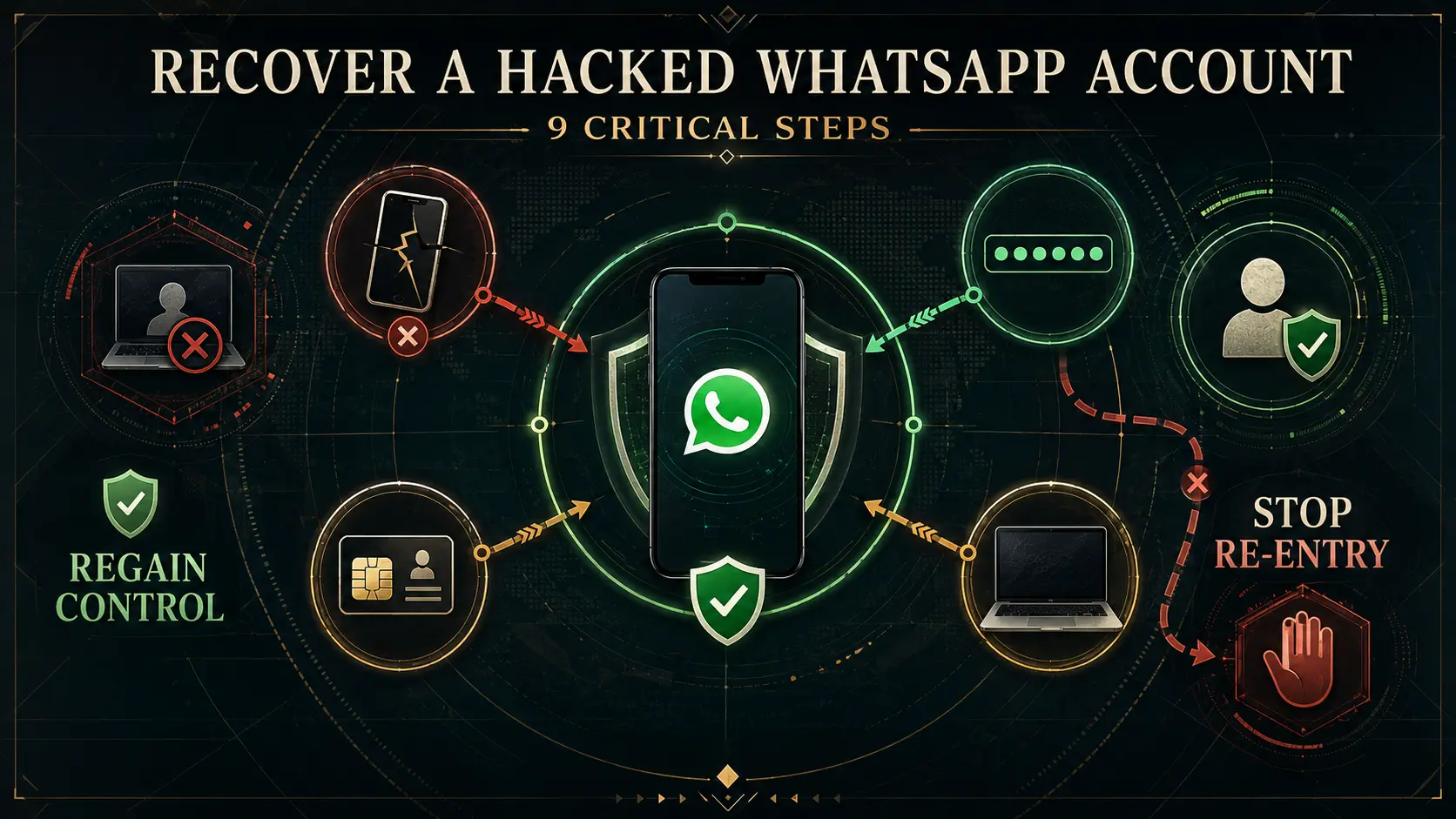
Recover a hacked WhatsApp account by first identifying what you still control: are you still logged in, have you been logged out, can your phone number still receive the six-digit verification code, or has your SIM/number also stopped working? The correct first action changes with each situation.
If you need to recover a hacked WhatsApp account, do not start by paying a “recovery hacker,” repeatedly requesting codes, reinstalling random security apps or assuming two-step verification alone will solve every access route. WhatsApp’s current security guidance says users who lose account access should re-register their phone number. After recovery, you still need to inspect Linked Devices and identify how access happened so the attacker cannot simply return.
Direct answer
How do I recover a hacked WhatsApp account?
If your phone number still works, WhatsApp’s official recovery path is to log back in and re-register that number using the six-digit verification code delivered by SMS or phone call. If you are still logged in and only see an unfamiliar Linked Device, remove that device first and secure the account.
Recovery benchmark
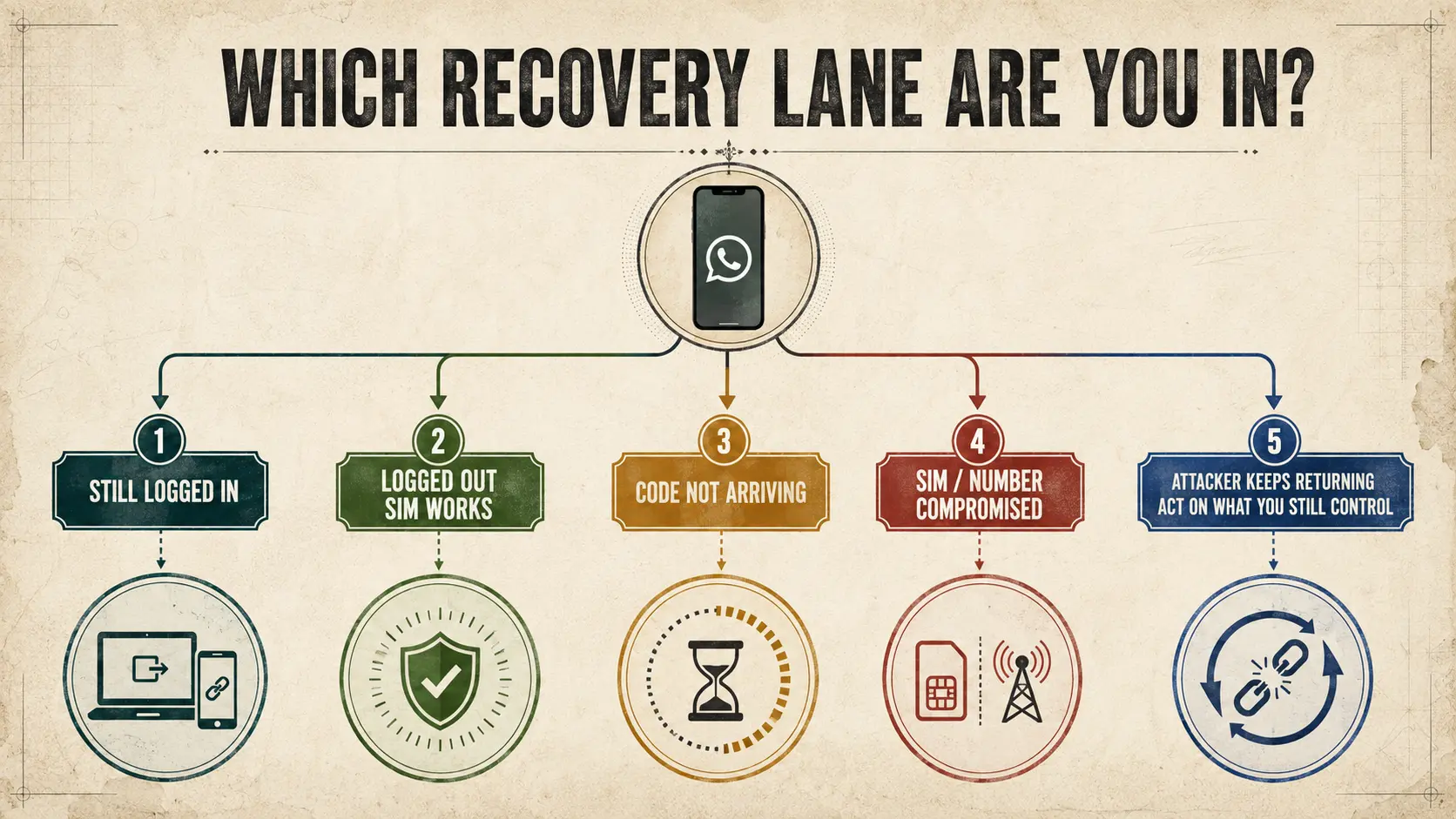
Choose the recovery lane before acting
The most important distinction is whether you control the phone number. A working SIM and available verification code create a different recovery path from a SIM-swap or phone-number takeover. Linked-device abuse is different again because the primary account may still remain accessible.
Confirmed / do now
- Re-register your number if you have lost WhatsApp account access.
- Use the official six-digit SMS or phone-call verification flow.
- Review and remove unfamiliar Linked Devices.
- Enable or review two-step verification after regaining control.
- Warn contacts if the attacker impersonated you.
- Report cyber financial fraud immediately in India.
Do not do
- Do not share verification codes with anyone.
- Do not pay strangers claiming they can “hack the hacker back.”
- Do not install remote-access software sent by supposed support agents.
- Do not assume reinstalling WhatsApp fixes a compromised SIM or device.
- Do not assume two-step verification eliminates every linked-device or endpoint risk.
- Do not repeatedly request codes without considering an active timer or number problem.
Table of contents
- Choose your recovery lane
- Still logged in
- Logged out but SIM works
- Unexpected verification code
- Verification code not arriving
- SIM or number compromised
- Unknown linked device
- Unknown two-step PIN
- Attacker keeps returning
- Warn your contacts
- Report fraud in India
- Preserve evidence
- Related WhatsApp guides
- How this was verified
- Limitations
- FAQs
Recover a hacked WhatsApp account: choose your situation first
| Your situation | First action | What comes next |
|---|---|---|
| Still logged in, unknown Linked Device | Preserve evidence and remove the unfamiliar device | Review two-step verification and investigate how it was linked |
| Unexpected verification code, still logged in | Do not share the code; inspect account status | Determine whether this was only an attempted verification event or whether stronger compromise evidence exists |
| Logged out, SIM/number still works | Log back in and verify your number | Review Linked Devices and account-security settings |
| Logged out, code not arriving | Check the displayed timer, phone/SIM service and official recovery options | Avoid endless repeat requests; investigate number delivery or carrier issues |
| SIM suddenly lost service | Secure your mobile number with the carrier | Then recover WhatsApp |
| Unknown two-step PIN appears | Follow WhatsApp’s official two-step recovery flow | Do not guess repeatedly or pay a bypass service |
| Attacker keeps returning after recovery | Investigate the unresolved re-entry path | Check Linked Devices, number control, email, phone, computer and physical access |
| Contacts were asked for money | Warn them through another trusted channel | Preserve messages and report fraud where applicable |
| Money was transferred in India | Call 1930 immediately | File/report through the National Cyber Crime Reporting Portal |
Recover a hacked WhatsApp account when you are still logged in
If you are still inside WhatsApp, do not immediately log yourself out. First inspect Linked Devices.
If an unfamiliar computer, browser, tablet or phone appears, capture the useful device details if safe and then log that device out. WhatsApp’s security materials provide Linked Devices as the account-level place to review companion access.
If you are unsure whether the suspicious activity actually proves unauthorized access, use our someone reading my WhatsApp diagnostic guide before assigning a cause.
If the suspicious access appears to involve QR linking, a Web Scanner or companion-device pairing, see Can Someone Clone Your WhatsApp? for the mechanism.
Recover a hacked WhatsApp account after being logged out
WhatsApp’s current security page says that if you lose access to the account, you should re-register your phone number.
The current compromised-account recovery flow referenced by WhatsApp and reproduced in a May 2026 police advisory is:
- Open WhatsApp and choose to log back in.
- Enter your full phone number if prompted.
- Receive the six-digit code through SMS or phone call.
- Enter that verification code in the official WhatsApp flow.
Use the official WhatsApp compromised-account recovery page rather than instructions sent by strangers through DMs.
Important
A registration code belongs inside the official WhatsApp recovery process. Never send the code back to a caller, contact, “support agent,” colleague or person claiming it accidentally came to you.
What if you received a WhatsApp verification code you did not request?
If you are still logged in and the main event is an unexpected phone-number verification code, you may not yet be in the recovery state this article is designed to handle.
An unexpected verification code can indicate an unrequested verification or registration event, but the code alone does not prove that another person successfully accessed the account.
What matters next is whether the account state changed: were you logged out, did your SIM stop working, did an unfamiliar Linked Device appear, did account settings change, or were messages sent without you?
Attempt vs takeover
Use our dedicated WhatsApp Verification Code I Didn’t Request guide if the code itself is your main concern. It explains repeated codes, what happens if you shared the code, entering a code in your own WhatsApp app, SIM problems, and the difference between phone-number verification and device-linking codes.
If that unexpected code is followed by an unexplained logout or loss of account control, return to the recovery steps on this page.
What if the WhatsApp verification code does not arrive?
This is one of the most common recovery confusions. Current user reports show people becoming trapped in increasingly long resend timers after repeated code requests, including after a SIM replacement.
If you are trying to recover a hacked WhatsApp account and the code is not arriving:
- confirm the registered number and country code;
- confirm the SIM can receive ordinary calls and SMS;
- check whether WhatsApp currently offers SMS or phone-call verification;
- respect the recovery timer displayed in the app rather than continuously triggering more attempts;
- if the SIM itself was recently replaced or stopped working, investigate the mobile-number side as well.
What this article will not invent
We are not assigning a universal reason for a verification code delay. A resend timer can appear in several situations, and a public article cannot determine why a specific number is not receiving the code.
What if your SIM or phone number is compromised?
If your mobile service suddenly disappears, calls/SMS stop working, or your carrier says the number has been moved or replaced without your approval, the first problem is control of the number itself.
Do not treat this as only a WhatsApp setting problem. Secure the carrier account and regain control of the registered phone number before relying on SMS-based account recovery.
This distinction also answers a common reader question: if the SIM continues to work normally while repeated WhatsApp takeovers occur, a SIM-swap explanation becomes less obvious, and you should investigate other re-entry routes rather than declaring the cause without evidence.
What if the attacker used Linked Devices or GhostPairing?
You may need to recover a hacked WhatsApp account even when the primary phone never completely logged out.
Device-linking abuse can create a companion session while the main account continues working. That is why checking Linked Devices remains necessary after account recovery.
If you were tricked into a QR scan or device-linking code, our WhatsApp clone and linked-device guide explains the difference between companion access, Web Scanner apps, GhostPairing and full account takeover.
What if WhatsApp asks for a two-step verification PIN you did not set?
Do not treat an unknown PIN as proof that recovery is impossible.
WhatsApp maintains a separate official Help Center article for two-step verification. The compromised-account recovery flow may ask for a two-step verification PIN after the phone-number verification step.
Use the official WhatsApp two-step verification guidance and any recovery options shown in your current app.
Importantly, do not confuse the two-step verification PIN with the six-digit registration code sent by SMS or phone call. They protect different stages of account access.
Why does the attacker keep returning after you recover WhatsApp?
This is one of the strongest unresolved reader problems. Users can successfully regain access, enable two-step verification, add a recovery email and remove linked devices, yet still worry about another takeover.
If you repeatedly need to recover a hacked WhatsApp account, stop treating each recovery as an isolated event. Look for the unresolved re-entry path.
Linked Devices
Check again after every recovery. Do not assume the previous device list remains unchanged.
Phone-number control
Confirm the SIM and carrier account remain under your control.
Recovery email
Secure the email account connected to WhatsApp security or recovery features.
Phone integrity
Review unfamiliar applications, permissions and physical access to the device.
Computer exposure
If WhatsApp Web/Desktop was active on a compromised computer, that endpoint needs separate attention.
Social engineering
Check whether somebody repeatedly persuades you or another person with access to approve codes, links or devices.
Editorial interpretation
Two-step verification is valuable protection, but repeated compromise after recovery means the investigation should expand beyond one setting. Do not claim the attacker “bypassed 2FA” until the actual re-entry mechanism is known.
What if the hacker messaged your contacts?
After you recover a hacked WhatsApp account, inspect what happened during the period you did not control it.
If contacts received loan requests, emergency-payment requests, investment messages or unusual links from your account:
- warn contacts through WhatsApp after recovery and, for important contacts, through another trusted channel;
- tell them not to send money based on the compromised messages;
- ask affected contacts to preserve relevant screenshots;
- do not delete useful evidence before recording it.
Compromised WhatsApp accounts can be used to impersonate the genuine user and request money from contacts.
What should users in India do if money was lost?
If the compromise caused financial fraud in India, account recovery is only one part of the response.
The National Cyber Crime Reporting Portal says victims of cyber financial fraud should call 1930 immediately. The portal also provides online cybercrime reporting.
Use the National Cyber Crime Reporting Portal.
I4C also provides a Report Suspect facility for identifiers including suspicious WhatsApp numbers, phone numbers, email addresses, websites and social-media URLs.
Financial fraud
Do not wait for WhatsApp account recovery to finish before reporting an ongoing financial fraud. Account recovery and fraud reporting are separate actions.
What evidence should you preserve?
Before and after you recover a hacked WhatsApp account, preserve what you can without exposing more sensitive information publicly.
- screenshots of unfamiliar Linked Devices;
- unexpected verification-code notifications;
- the time you were logged out;
- profile or group-setting changes you did not make;
- unknown chats created during the takeover period;
- messages the attacker sent to contacts;
- payment requests or transaction details;
- SIM/carrier alerts;
- recovery timers or account-review notices shown in the official app.
Do not post your OTP, recovery PIN, complete phone number or sensitive account screenshots publicly while asking for help.
Does a hacked WhatsApp mean your email or banking is hacked too?
No — not automatically.
A WhatsApp compromise does not by itself prove that your email, banking apps or entire phone are also compromised. But the answer changes if the incident involved a stolen SIM, malicious software, stolen email access, a compromised device or shared passwords.
If several unrelated accounts show suspicious activity, broaden the investigation beyond WhatsApp.
Official recovery and security resources
- WhatsApp — official security features and recovery guidance
- WhatsApp Help Center — recover a compromised account
- WhatsApp Help Center — two-step verification
- National Cyber Crime Reporting Portal — India
- I4C — Report Suspect
Related WhatsApp security guides
How this was verified
ThePulseSignal checked WhatsApp’s current official security page, which states that users who lose account access should re-register their phone number and links directly to WhatsApp’s compromised-account recovery guidance.
The official WhatsApp compromised-account Help Center page was opened directly and confirmed as the current recovery source. Because its body text was not exposed in the public retrieval interface used for this verification, the operational login sequence was cross-checked against a May 8, 2026 Singapore Police advisory that explicitly directs users to that WhatsApp Help Center page and reproduces the WhatsApp recovery steps.
WhatsApp’s official two-step verification Help Center page was also checked as the controlling source for PIN-related recovery rather than relying on unsupported bypass instructions.
For India-specific response, ThePulseSignal checked the National Cyber Crime Reporting Portal. It currently directs victims of cyber financial fraud to call 1930 and provides online reporting. Its Report Suspect facility explicitly accepts suspicious WhatsApp numbers and other cyber identifiers.
Recent user discussions were reviewed to identify recurring recovery problems including repeated verification codes, sudden logout, resend timers, SIM replacement, unknown chats after recovery, recurring takeover despite two-step verification, account-review status and concern about whether other accounts are also compromised. Those discussions were used to shape the questions answered here, not as proof of the technical cause of any individual incident.
Last verified: August 8, 2026, approximately 1:01 AM IST.
Limitations and unresolved facts
- This article cannot determine why a specific WhatsApp account was compromised without account, device and carrier evidence.
- An unexpected verification code does not by itself prove successful account takeover; the separate verification-code guide owns that narrower attempt-versus-takeover question.
- The exact reason a verification code fails to arrive cannot be diagnosed from a public article.
- Recovery timers and available verification options can vary with the current WhatsApp flow and account state.
- An unknown two-step PIN should be handled through WhatsApp’s current official recovery process; this article does not provide or endorse bypass methods.
- Repeated takeover after enabling two-step verification does not by itself prove that two-step verification was technically defeated.
- A functioning SIM makes some number-takeover explanations less obvious, but it does not identify the actual compromise mechanism.
- A hacked WhatsApp account does not automatically prove that email, banking apps or the whole phone are compromised.
- Chat-history restoration depends on device and backup circumstances and is not guaranteed by this article.
- WhatsApp support interfaces and account-review processes can change.
- User reports were used only to identify recurring questions and must not be treated as verified diagnoses.
Frequently asked questions
How do I recover a hacked WhatsApp account?
If you have lost access but still control the registered number, use WhatsApp’s official log-back-in and phone-number verification flow. After regaining access, review Linked Devices and secure the account.
I keep getting WhatsApp verification codes. Am I already hacked?
Not necessarily. Unexpected codes can indicate registration or verification attempts. If you are still logged in, use the WhatsApp Verification Code I Didn’t Request guide to assess attempt versus successful compromise. The situation becomes more serious if you are then logged out, account settings change, unfamiliar devices appear or you lose control of the number.
I got a WhatsApp verification code but I am still logged in. Do I need recovery?
Not necessarily. If the code itself is the only event and you still control the account, start with the unexpected verification-code guide. Recovery becomes relevant if you lose account control or other stronger compromise evidence appears.
Why did WhatsApp log me out even though I never shared an OTP?
An unexplained logout needs investigation, but the symptom alone does not establish how it happened. Check number control, Linked Devices, account-security changes and the wider device environment.
Why am I not receiving the WhatsApp recovery code?
Check that the registered number and SIM work normally, use only the recovery choices currently shown in the official app, and follow any displayed timer. A public guide cannot determine the specific reason your code is delayed.
Can I recover a hacked WhatsApp account if the attacker enabled two-step verification?
Use WhatsApp’s official compromised-account and two-step verification recovery flows. Do not pay anyone offering to bypass the PIN.
Why does my WhatsApp keep getting hacked after I recover it?
Repeated compromise means you should investigate the re-entry route: Linked Devices, phone-number control, recovery email, device security, computer exposure, physical access and repeated social engineering.
Should I reinstall WhatsApp after being hacked?
Reinstallation is not a universal fix. It does not by itself secure a compromised SIM, remove malware from another device, explain repeated takeover or replace the official account-recovery process.
Should I change my phone number after a WhatsApp hack?
Not automatically. Whether a number change is necessary depends on whether you still securely control the mobile number and what the actual compromise route was.
Did the hacker read all my old WhatsApp chats?
WhatsApp’s current security page says past conversations stored on your phone cannot be read merely by someone trying to access the account. Linked-device, backup and device-compromise situations need separate analysis.
Should I warn my contacts?
Yes if the attacker sent messages, requested money or impersonated you. Important contacts should be warned through another trusted channel where practical.
My hacked WhatsApp sent messages to unknown numbers. What should I do?
Preserve evidence, regain account control, review Linked Devices, secure the account and inspect what happened during the period of lost control. Unknown chats prove activity occurred but do not by themselves identify the compromise method.
WhatsApp says my account is under review after suspicious activity. What should I do?
Use only the status and recovery options displayed by the official WhatsApp app or Help Center. Do not pay third parties claiming they can accelerate or override an account review.
Does a WhatsApp hack mean my bank account is also hacked?
No. A WhatsApp compromise does not automatically compromise banking or email. Investigate those accounts separately if the incident also involved a stolen SIM, malicious software, stolen credentials or suspicious activity outside WhatsApp.
What should I do if money was stolen through my hacked WhatsApp in India?
Call 1930 immediately for cyber financial fraud and report through the National Cyber Crime Reporting Portal. Do not wait for WhatsApp recovery to finish first.