






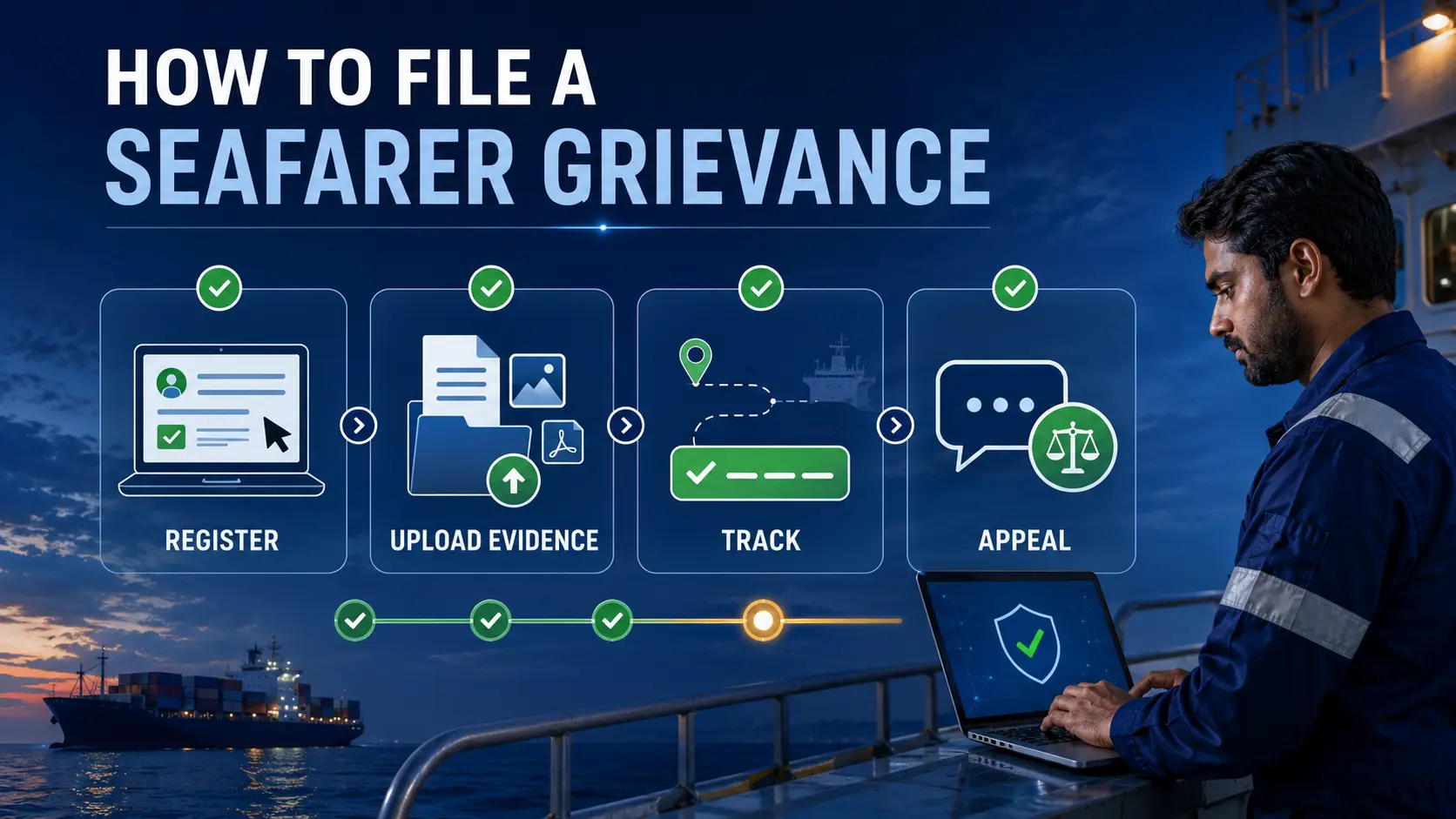
An e-Navik seafarer grievance can be filed through registered login, the unregistered complaint route, urgent 24×7 assistance or public tracking. The portal accepts complaints from registered maritime users and also provides an unregistered route for students, next of kin, foreign seafarers, flag states, ITF, international associations and foreign NGOs.
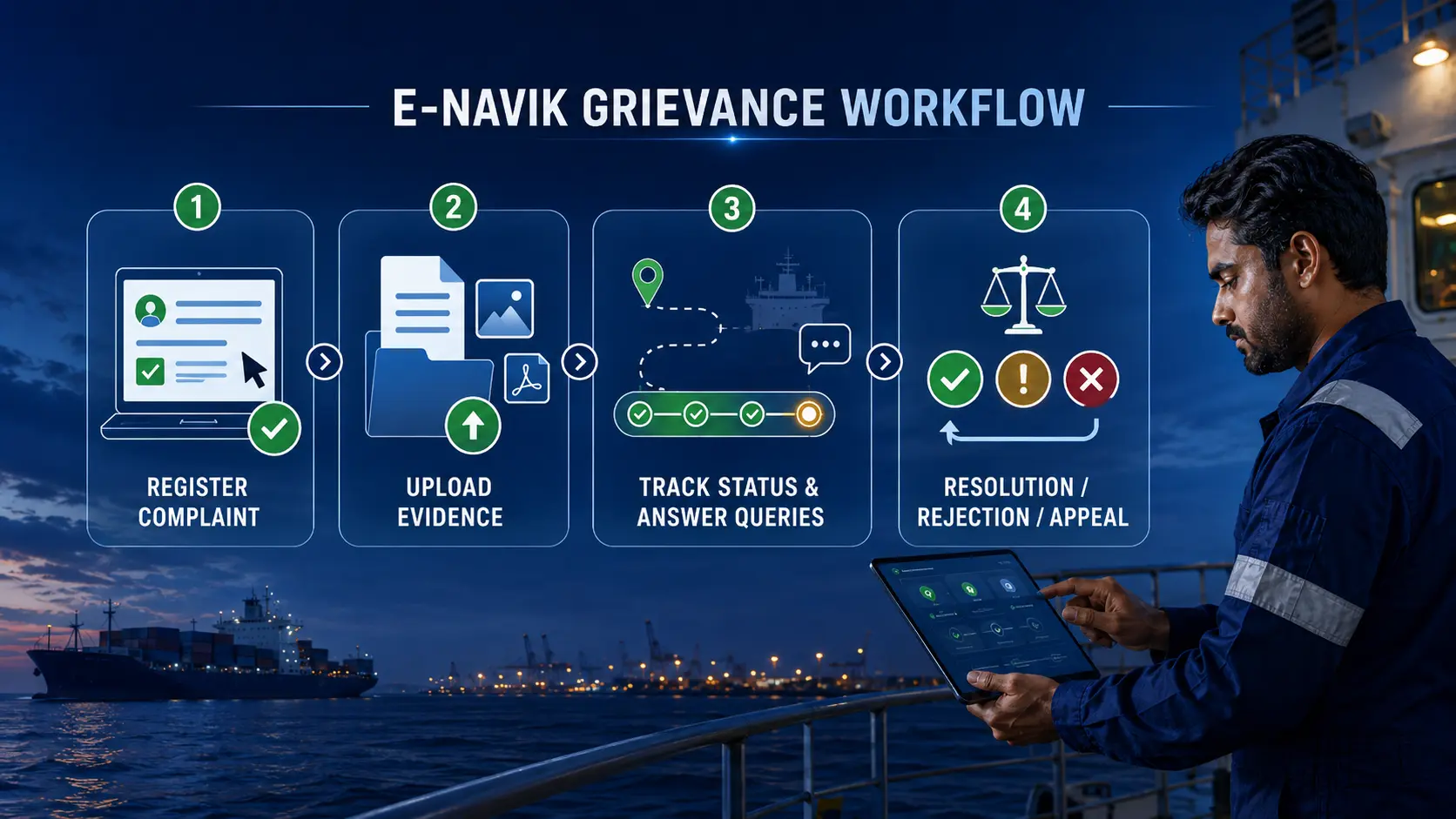
The official e-Navik seafarer grievance workflow allows users to describe the incident, select the relevant category and office, upload supporting documents, state the expected outcome, receive a unique grievance number, respond to officer queries, track progress and appeal a resolved or rejected decision where the option is available.
Direct answer
Use e-Navik for a formal maritime grievance that needs registration, tracking and a documented response.
Use the registered route when you already have valid portal credentials. Use the unregistered route when you belong to an eligible complainant category and do not have registered-user access. For urgent safety or welfare assistance, use the 24×7 helpdesk in addition to the online grievance route.
Official support channels
India toll-free: 1800-889-7768
International toll-free for the US: +1-888-988-0256
WhatsApp: +91 8655856830
Email: enavik.24×7@gov.in
Portal: online grievance registration and tracking
Emergency warning: Do not wait for an ordinary portal workflow when a seafarer faces an immediate threat to life, safety, abandonment, detention, missing-person risk or urgent repatriation need. Contact the official 24×7 support route and the appropriate local authority, Indian mission, port, flag-state or emergency service as the situation requires.
In this e-Navik seafarer grievance guide
- What e-Navik is
- Which route should you use?
- Which complaints are covered?
- What to prepare
- Registered-user workflow
- Unregistered-user workflow
- How grievance tracking works
- How to answer an officer query
- Resolved, rejected and appeal
- RPSL, wage and abandonment complaints
- Common filing mistakes
- How this was verified
- Limitations
- FAQs
What is the e-Navik seafarer grievance portal?
The e-Navik seafarer grievance portal is the Directorate General of Shipping’s grievance-redressal system for maritime users. The official mechanism provides online complaint registration, a unique tracking ID, automated acknowledgement, status tracking, escalation monitoring and a documented grievance lifecycle.
The public grievance mechanism is broader than a simple helpline. It is designed to preserve the complaint, supporting evidence, correspondence, departmental action, resolution or rejection remarks and any later appeal or feedback.
Important distinction: Filing a grievance does not automatically establish that the complaint is correct, create compensation, cancel a contract, release wages, restore a certificate or guarantee a particular outcome. It starts a traceable administrative review process.
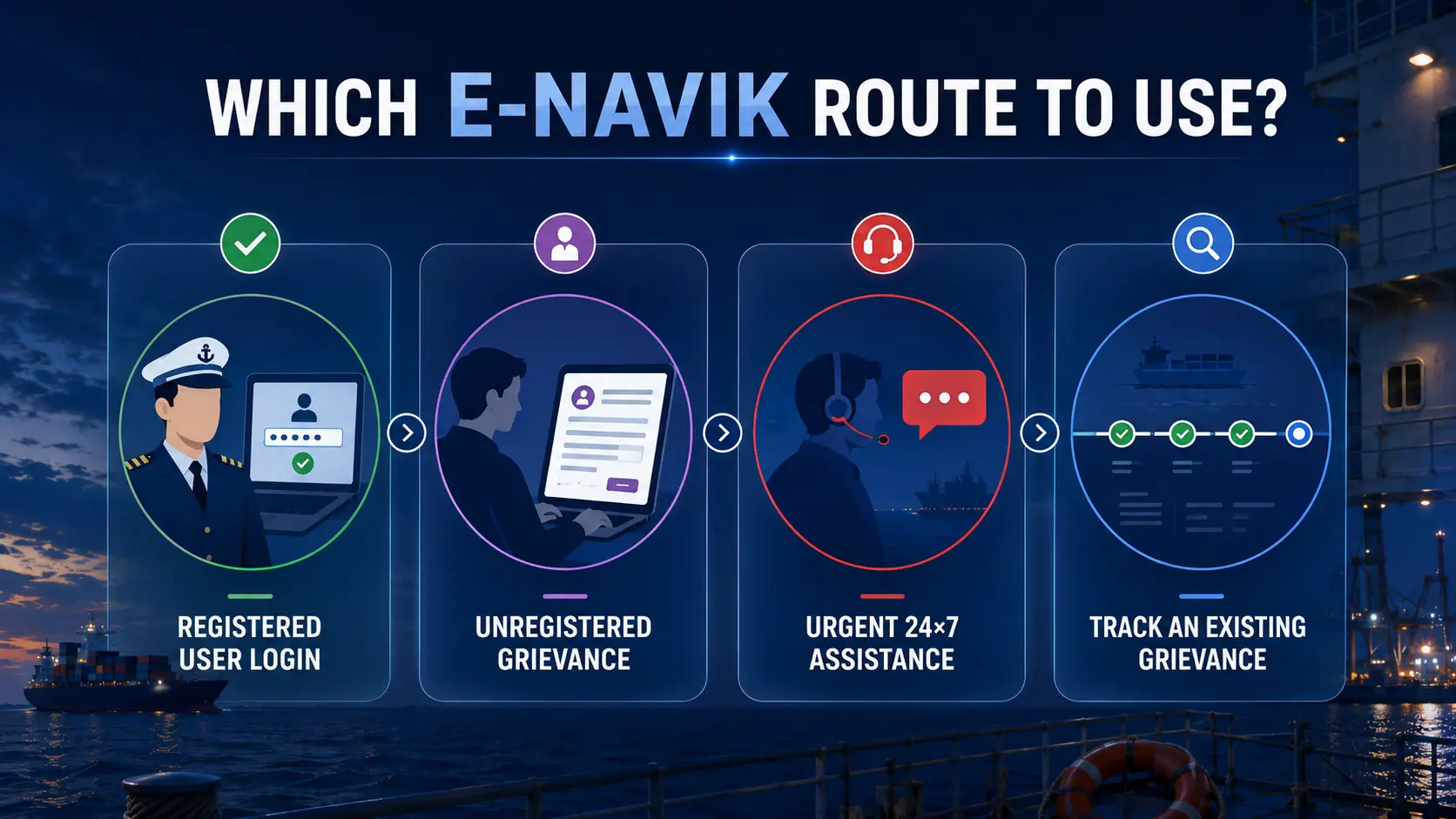
Which e-Navik seafarer grievance route should you use?
Registered-user login
Use this route if you are a registered seafarer, Maritime Training Institute, RPSL entity, shipping company or union with valid portal credentials.
Unregistered grievance
Use this route if you are an eligible student, next of kin, flag-state representative, foreign seafarer, ITF representative, international association or foreign NGO without registered-user access.
24×7 urgent assistance
Use the official helpline, WhatsApp or email when the matter involves immediate safety, welfare, abandonment, detention, repatriation or another urgent situation.
Track an existing grievance
Use the unique grievance or ticket number to view status, officer queries, submitted responses, resolution or rejection information.
| Your situation | Best starting route | What to preserve |
|---|---|---|
| You are a registered Indian seafarer with login credentials | Registered-user login | Credentials, complaint evidence, incident details and expected outcome |
| You are the next of kin of a seafarer | Unregistered grievance | Relationship proof, seafarer details, vessel/employer information and incident evidence |
| You are a maritime student without registered access | Unregistered grievance | Institute details, enrolment evidence, payment records and communications |
| You are a foreign seafarer or foreign organisation | Unregistered grievance | Identity, vessel, employer, flag, location and supporting records |
| The matter is urgent or safety-critical | 24×7 support plus formal grievance where practicable | Location, vessel, contact person, emergency facts and evidence already available |
| You already submitted a complaint | Tracking route or registered dashboard | Grievance ID, acknowledgement, correspondence and query responses |
Which complaints can an e-Navik seafarer grievance cover?
The official mechanism identifies a broad range of grievance types, including:
- recruitment and placement issues;
- complaints against RPSL agencies;
- fraudulent certification or documentation;
- illegal recruitment practices;
- wage disputes;
- abandonment;
- arrest or detention;
- death or missing-seafarer cases;
- certification matters;
- welfare concerns;
- other service-related issues or suggestions.
Choose the category carefully. The registered workflow asks for a category, subcategory and the office applied to. A vague or incorrect classification can make routing slower or trigger a request for clarification.
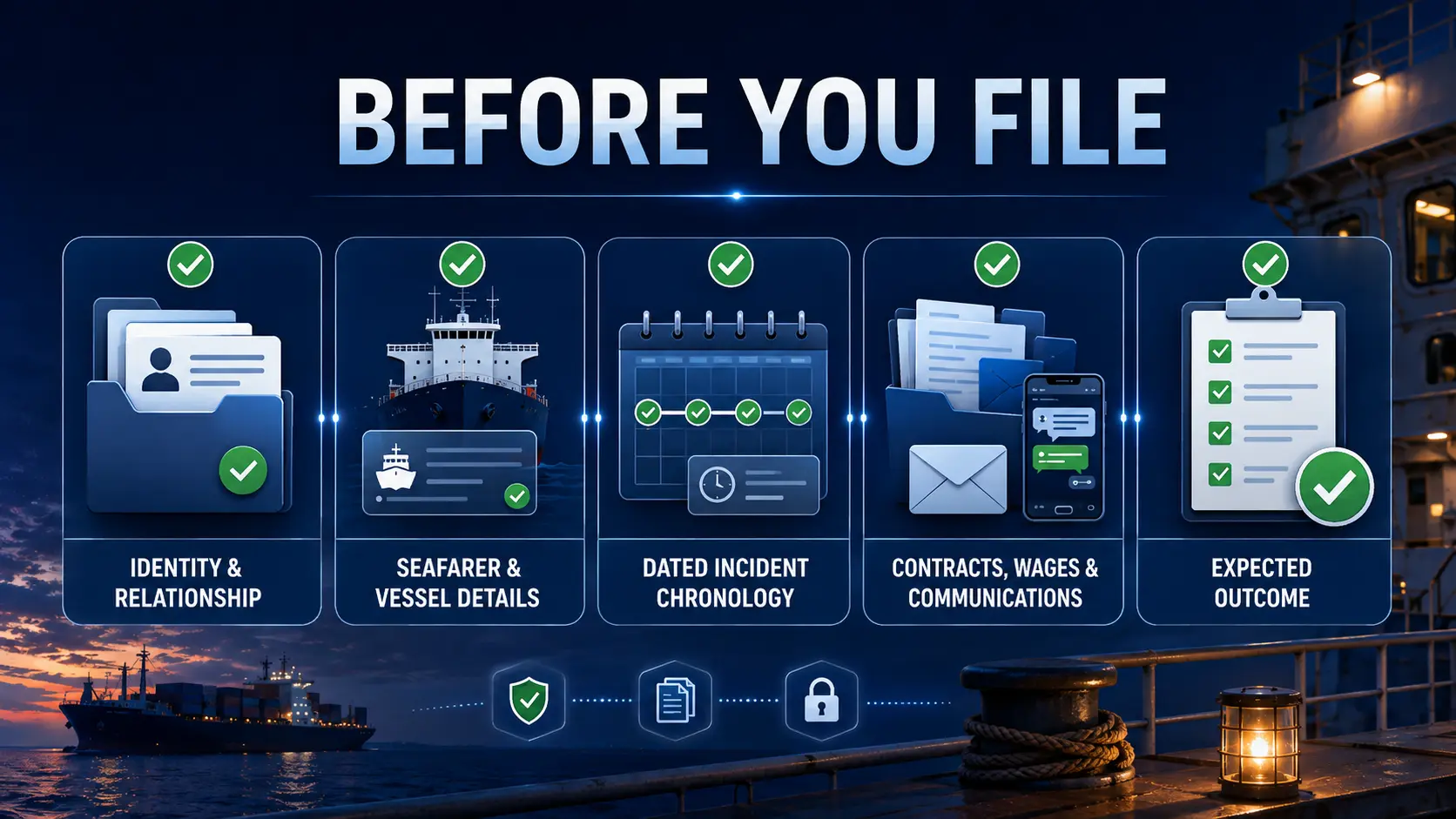
What should you prepare before filing an e-Navik seafarer grievance?
Identity and relationship
Keep the complainant’s name, mobile number, email and address ready. A next-of-kin complaint should also identify the relationship to the seafarer.
Seafarer and vessel details
Prepare the seafarer’s identity details, INDoS or CDC information where available, vessel name, IMO number, employer, RPSL entity, flag and current or last-known location.
Incident chronology
Write a short date-by-date sequence covering what happened, who was contacted, what response was received and what remains unresolved.
Supporting documents
Use relevant contracts, wage records, appointment letters, emails, chats, travel documents, medical records, certificates, receipts, photographs or official communications.
State the expected outcome clearly. The official form asks what result the complainant seeks. Examples may include a response, wage review, repatriation assistance, correction of a service record, investigation, document verification or another specific administrative action.
How to file an e-Navik seafarer grievance as a registered user
The registered-user manual applies to registered seafarers, MTIs, RPSL entities, shipping companies and unions.
- Open the official e-Navik portal. Use the portal address reached from the DG Shipping or DGMA website rather than a search advertisement or copied login page.
- Select Login. Enter the registered username, password and captcha where displayed.
- Open Register Grievance. Read the grievance guidelines and select OK to continue.
- Check the prefilled user information. The manual says information is fetched according to the registered user type.
- Select the category and subcategory. Choose the office to which the grievance should be applied or routed.
- Enter the incident location. Use the most specific location supported by the facts, including vessel, port, city, country or sea area where relevant.
- Write the detailed description. Present the chronology, persons or entities involved and unresolved issue without unsupported accusations.
- State the expected outcome. Ask for a specific review, response, assistance or corrective action.
- Upload supporting documents. Use readable files and preserve the originals.
- Submit and confirm. The manual shows a second confirmation action before final submission.
- Save the grievance tracking number. Keep a screenshot and copy outside the portal.
How to file an e-Navik seafarer grievance without registered login
The unregistered workflow is available to specific complainant types identified in the official manual:
- students;
- next of kin;
- flag-state representatives;
- foreign seafarers;
- ITF representatives;
- international associations;
- foreign NGOs.
1
Select Register Grievance
Start from the public portal and open the unregistered grievance route.
2
Choose complainant type
Select the category that matches your legal or factual relationship to the matter.
3
Verify contact details
Enter the requested identity and contact information and complete OTP verification where required.
4
Complete and submit
Add seafarer, incident and grievance details, upload documents, accept declarations and confirm submission.
For a next-of-kin complaint, the manual shows fields including complainant type, title, full name, relationship to the seafarer, mobile number, email address, address, city, state and PIN code. It then requires OTP verification before the seafarer and grievance details are completed.
Unregistered does not mean anonymous. The workflow can require identity, contact and OTP verification. Do not use false identity information or submit a complaint on behalf of another person without a genuine basis.
How does e-Navik seafarer grievance tracking work?
After successful submission, the system displays a grievance tracking number. Registered users can use the dashboard, while unregistered users can use the tracking facility described in the public manual.
| Status or area | What it generally means | Reader action |
|---|---|---|
| Pending | The grievance remains under review or requires further processing | Check the grievance details and correspondence history |
| Query raised | An officer requires more information or supporting evidence | Reply through the portal and upload relevant documents |
| Resolved or closed | The concerned department has recorded a resolution or closure | Read the remarks; submit feedback or appeal if the option is available and the resolution is unsatisfactory |
| Rejected | The concerned officer has recorded rejection remarks | Review the reason and use the appeal option where available |
| Grievance filed against | A registered entity can see a grievance filed against it | Review the complaint and respond to queries or upload supporting records |
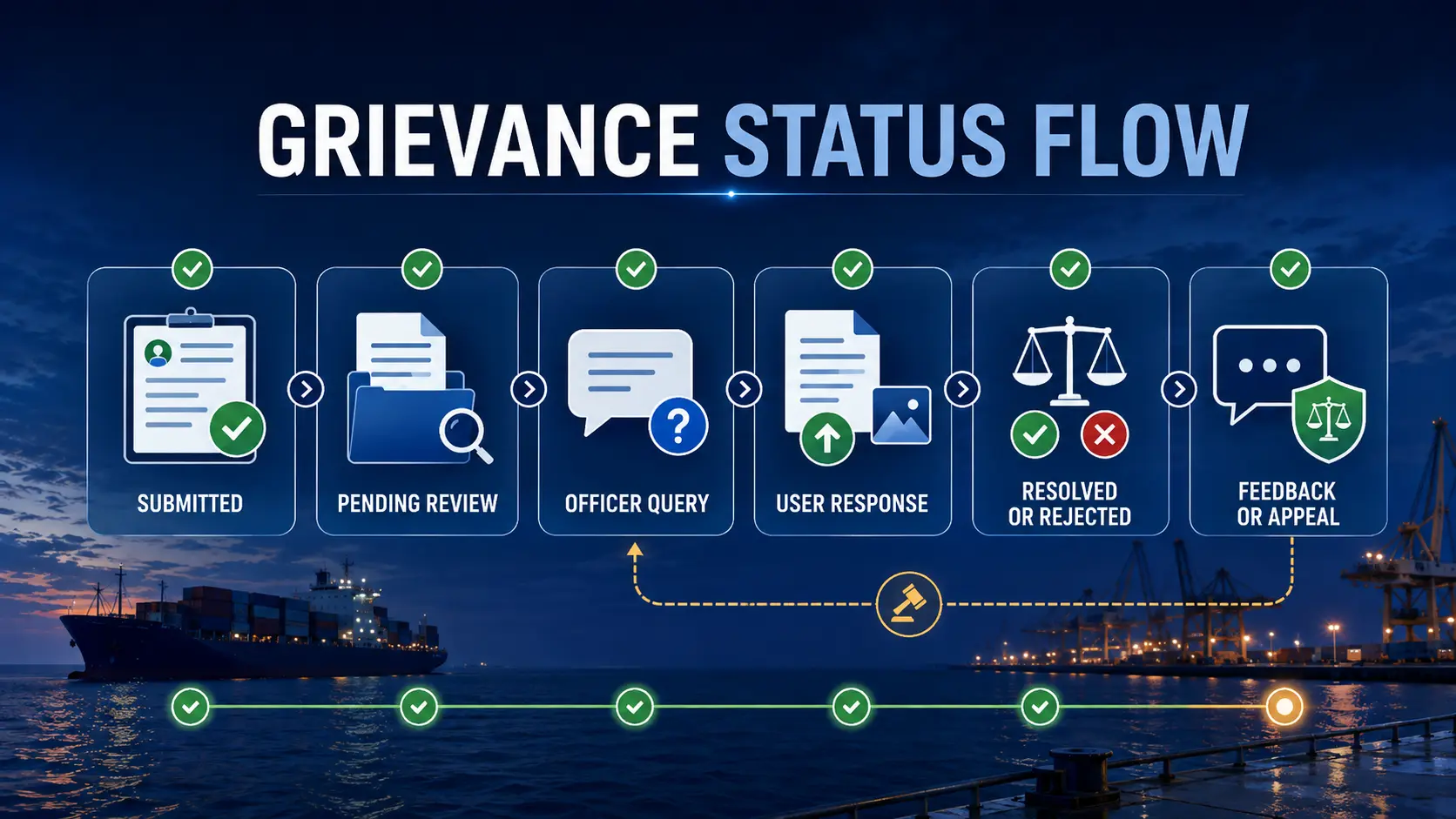
Save the tracking number outside the portal. A screenshot, email copy or secure note prevents loss of access when a browser session expires or a device is unavailable.
How to answer a query on an e-Navik seafarer grievance
The registered-user manual shows a Reply to Query function inside the grievance details and correspondence history. The user can provide a written response, upload relevant supporting material and send the reply.
- Read the exact question. Do not send a generic repetition of the original complaint.
- Answer each requested point. Use numbered responses when the officer asks several questions.
- Attach only relevant evidence. Use clear file names and avoid unreadable screenshots.
- Explain unavailable evidence. State why a document cannot be produced rather than leaving the request unanswered.
- Preserve the submitted response. Save the text, attachments and submission time.
Do not ignore a portal query. A grievance can remain unresolved or be rejected when the deciding authority lacks required facts. The official manuals show query-response functionality as part of the grievance lifecycle.
What happens when an e-Navik seafarer grievance is resolved or rejected?
Resolved grievances appear in the Resolved section. The user can view the resolution details and remarks. The registered manual shows feedback and appeal options when the user is satisfied or dissatisfied.
Rejected grievances appear in the Rejected section with rejection remarks. The manual also shows an appeal button for a user who is dissatisfied with the rejection decision.
Editorial interpretation: An appeal button does not establish that every grievance has the same appeal deadline, appellate authority or evidentiary requirement. The public manuals demonstrate the feature but do not provide a complete legal appeal code for every grievance type.
How should RPSL, wage or abandonment complaints be prepared?
Complaint against an RPSL agency
Identify the RPSL entity accurately and preserve the licence or registration details where available. Attach recruitment communications, fee receipts, employment agreement, joining instructions, payment records and any contradictory promises.
Unpaid or disputed wages
Prepare the employment agreement, wage account, payslips, bank credits, onboard records, sign-off date and a month-by-month calculation of the amount claimed. Separate wages, overtime, leave pay, compensation and reimbursement instead of giving one unexplained total.
Abandonment or repatriation
Provide the vessel name, IMO number, flag, port or sea area, employer, RPSL, crew condition, unpaid-wage period, food and medical situation, passport or CDC status and attempts to contact the company, master, agent, flag state, port state or Indian mission.
For immediate welfare risk, use parallel emergency channels. A formal grievance is valuable for traceability, but urgent food, medical, detention, safety or repatriation problems may require simultaneous contact with the 24×7 helpdesk and the competent local or diplomatic authority.
Common e-Navik seafarer grievance mistakes to avoid
- using the wrong complainant type;
- filing a vague complaint without dates, names or location;
- uploading unreadable or unrelated documents;
- making legal or criminal conclusions that the evidence does not establish;
- leaving the expected outcome blank or overly broad;
- submitting duplicate grievances before checking the first tracking ID;
- failing to respond to an officer query;
- sharing passwords, OTPs or sensitive identity documents with unofficial agents;
- using an unofficial portal clone or search advertisement;
- assuming that “resolved” necessarily means the user received every requested remedy.
How this e-Navik seafarer grievance guide was verified
Verification notes
ThePulseSignal reviewed the Directorate General of Shipping or DGMA e-Navik grievance overview, the live public portal, the registered-user manual dated April 16, 2026, the unregistered-user manual dated April 16, 2026, the public support page and the official contact page.
The registered manual was used for login, grievance creation, category selection, incident details, document upload, tracking, officer-query response, resolved and rejected status, feedback and appeal features.
The unregistered manual was used to confirm the eligible complainant types, OTP-based contact verification shown for the next-of-kin workflow, supporting-document upload, declaration and consent, tracking and query-response features.
The public e-Navik overview was treated as the controlling source for the currently published 24×7 support channels and the broad categories of grievances covered.
No private user account was used, no grievance was submitted and no candidate-specific case outcome was tested.
Official sources reviewed
Limitations and unresolved facts
The public manuals verify the portal workflow, but they do not guarantee a specific outcome or resolution time for an individual grievance.
- The article did not use a registered private account.
- No grievance was submitted for testing.
- The complete live category and subcategory list was not exported.
- File-size limits and every accepted document format were not established from the public text reviewed.
- The manuals demonstrate appeal functionality but do not provide a complete legal appeal framework for every complaint type.
- Response times may vary by urgency, evidence, department and case complexity.
- A grievance does not replace police, court, labour, consular, port-state, flag-state or emergency action when another authority has jurisdiction.
- Support contacts and portal routes can change and should be rechecked before use.
- DG Shipping or DGMA may update terminology, categories or login arrangements without changing the article URL.
Related ThePulseSignal guides
eSamudra seafarer registration
A separate guide will cover INDoS login, mobile and email OTP, migrated profile verification and outdated contact details.
Indian seafarer safety and assistance
Check the Indian seafarer Strait of Hormuz guide for official assistance, maritime risk and evidence-preservation context.
e-Navik seafarer grievance: frequently asked questions
Can a seafarer file a complaint on e-Navik?
Yes. Registered seafarers are among the user types covered by the registered grievance manual.
Can a person file without registered-user login?
Yes, but the public unregistered route is designed for specified complainant types such as students, next of kin, flag states, foreign seafarers, ITF, international associations and foreign NGOs.
Can next of kin file a grievance?
Yes. The unregistered manual includes a next-of-kin workflow with identity, relationship, contact, OTP, seafarer and grievance details.
Can I complain against an RPSL agency?
The official grievance mechanism expressly includes complaints against RPSL agencies and recruitment or placement issues.
Can e-Navik be used for unpaid wages?
Yes. Wage disputes are among the grievance types identified by the official mechanism.
Can I report abandonment or detention?
Yes. The official mechanism includes abandonment, arrest and detention matters. Urgent situations should also use the 24×7 support channels and relevant emergency or diplomatic authorities.
How do I track the grievance?
Save the unique grievance tracking number displayed after submission and use the dashboard or public tracking facility applicable to your route.
What happens if an officer asks for more information?
Open the grievance details, use Reply to Query, provide the requested response, upload relevant evidence and preserve the submitted reply.
Can I appeal a resolved grievance?
The registered-user manual shows an appeal option when the user is dissatisfied with a resolution.
Can I appeal a rejected grievance?
The registered-user manual also shows an appeal option after rejection. The public material reviewed does not establish one universal deadline for every grievance type.
What is the e-Navik helpline number?
The official page lists domestic toll-free 1800-889-7768, international toll-free for the US +1-888-988-0256, WhatsApp +91 8655856830 and email enavik.24×7@gov.in.
Does filing a grievance guarantee compensation or resolution?
No. Filing creates a traceable review process but does not guarantee a specific remedy, payment, legal finding or completion time.
Bottom line: An e-Navik seafarer grievance should be factual, evidence-backed, correctly routed and tracked until the portal records a resolution, rejection or appeal outcome.
Last verified: August 5, 2026, approximately 11:27 AM IST.