






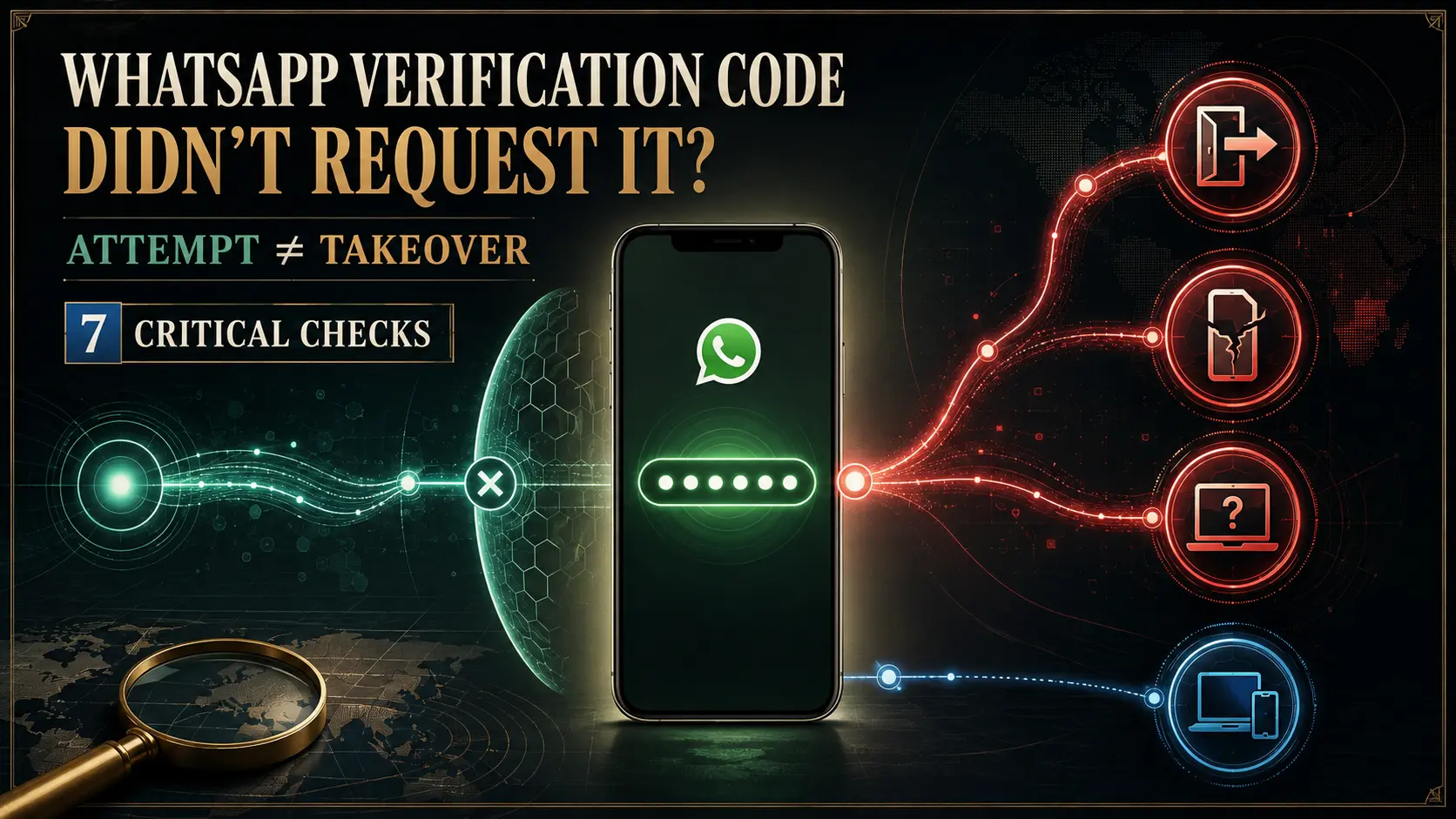
WhatsApp verification code I didn’t request is a warning worth checking, but receiving a code by itself does not prove that somebody successfully entered your account. It can mean that a phone-number verification or registration process was triggered. What happens next — whether you remain logged in, lose account access, see an unfamiliar Linked Device or lose control of your SIM — determines how serious the situation is.
If your concern is WhatsApp verification code I didn’t request, do not send the code to anybody, do not enter it into a website sent by another person, and do not assume every WhatsApp-related code has the same purpose. A registration verification code and a device-linking code are different security events.
Direct answer
Does an unexpected WhatsApp verification code mean I was hacked?
Not by itself. WhatsApp says it may prompt users to verify identity when it detects suspicious or unauthorized attempts to take over an account. An unexpected code is therefore evidence that deserves attention, but additional evidence is needed before saying another person successfully gained access.
What changes the risk
Attempt vs possible successful compromise
If the code is followed by an unexplained logout, unfamiliar Linked Device, security-setting change, messages you did not send or loss of phone-number control, move beyond “attempted verification” and investigate possible compromise immediately.
Do now
- Do not share the verification code with anyone.
- Keep using the official WhatsApp app.
- Check whether you are still logged in.
- Inspect Linked Devices for anything unfamiliar.
- Confirm your SIM can still receive calls and SMS.
- Review two-step verification and recovery settings.
Do not assume
- The code alone proves somebody entered your chats.
- Repeated codes automatically mean spyware.
- Every WhatsApp code is an account-registration OTP.
- A working SIM proves the account cannot be compromised.
- A clean Linked Devices screen explains every possible security route.
- Ignoring one code guarantees that nothing else happened.
Table of contents
- What the unexpected code means
- Attempt vs compromise
- Still logged in
- Repeated verification codes
- Code followed by logout
- If you shared the code
- Entered it in your own app
- Registration vs device-linking code
- What if your SIM stops working?
- What if recovery codes stop arriving?
- 7 critical checks
- Related WhatsApp security guides
- How this was verified
- Limitations
- FAQs
WhatsApp verification code I didn’t request: what does it actually mean?
The safest interpretation is: a WhatsApp phone-number verification event occurred that you did not initiate. That is useful evidence, but it is not enough to identify who caused it or whether access succeeded.
WhatsApp’s current security page says it prompts users to verify identity when suspicious or unauthorized account-takeover attempts are detected. It also says users who lose account access should re-register their phone number.
Read the official WhatsApp security guidance.
Evidence boundary
“Someone requested verification” and “someone successfully took over my account” are not interchangeable statements. Look for what changed after the code appeared.
WhatsApp verification code I didn’t request: attempt or compromise?
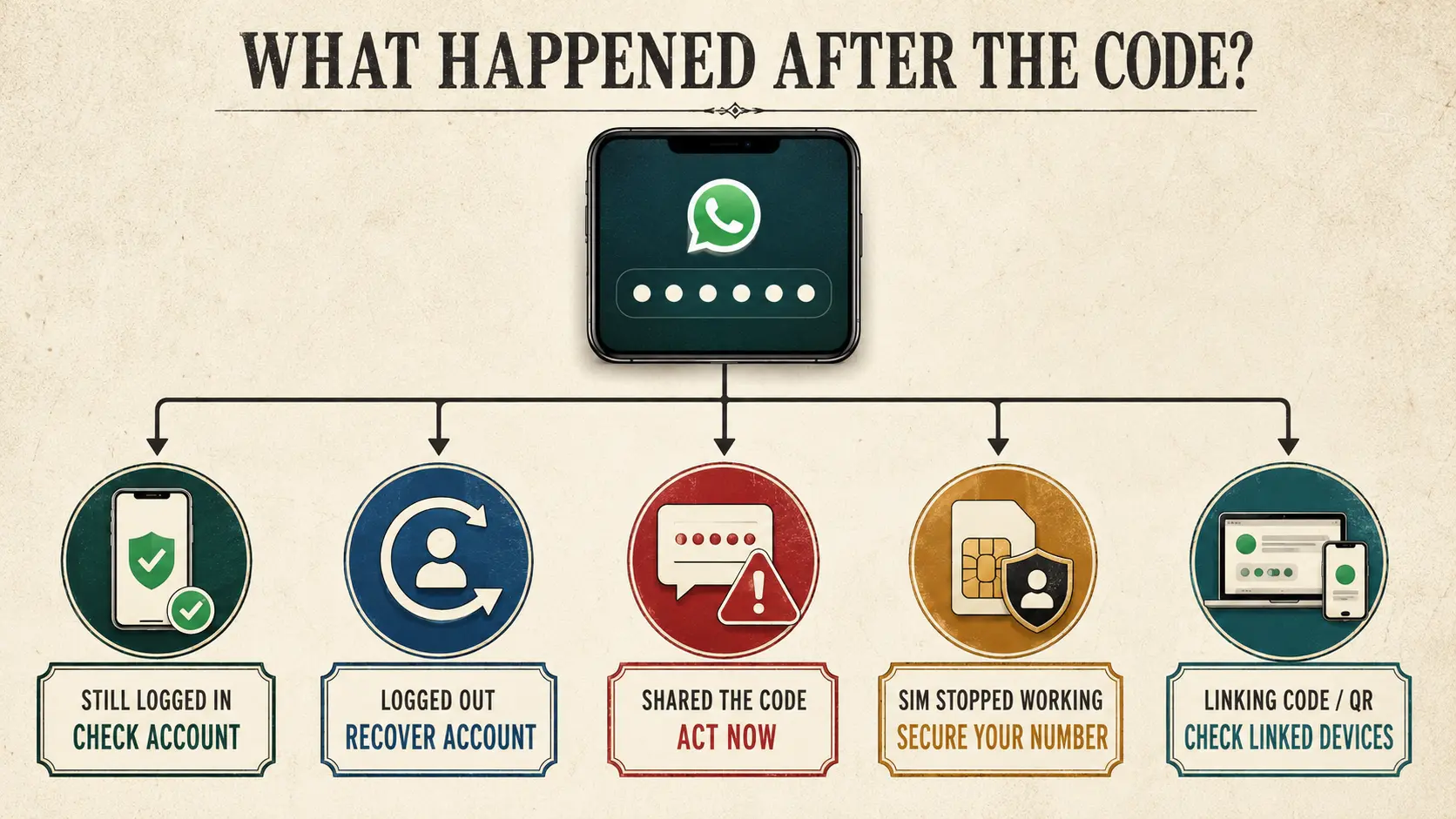
| What happened | What it supports | What to do next |
|---|---|---|
| One unexpected verification code; still logged in | An unrequested verification/registration event may have been triggered | Do not share the code; check account security |
| Repeated codes; still logged in | Repeated attempts or repeated verification activity may be occurring | Review security settings and monitor for stronger evidence |
| Code followed by unexplained logout | Higher-risk account-control event | Move to account recovery immediately |
| Code plus unfamiliar Linked Device | A separate companion-device access problem may exist | Preserve evidence and remove the unfamiliar session |
| You gave the code to another person | Account-takeover risk rises materially | Check access and recover the account if needed |
| You entered the code only inside your own official WhatsApp recovery screen | Different from sending the code to another person | Confirm account status and continue official recovery flow |
| Your SIM suddenly stops receiving calls/SMS | Phone-number control also needs investigation | Contact the mobile carrier before relying on SMS recovery |
| You were asked for a “linking code” after visiting a website | Could be device-linking social engineering rather than registration | Check Linked Devices and do not approve unknown pairing |
What if you got the code but are still logged in?
If your situation is WhatsApp verification code I didn’t request but WhatsApp still works normally, start with observation rather than declaring that your account was hacked.
Check:
- whether Linked Devices contains an unfamiliar session;
- whether your profile, security settings or groups changed;
- whether messages were sent without you;
- whether your phone number still works normally;
- whether you recently initiated any legitimate WhatsApp setup on another device.
If you have suspicious symptoms but do not know whether somebody actually has access, use our Someone Reading My WhatsApp? diagnostic guide.
Why do I keep receiving WhatsApp verification codes I didn’t request?
Repeated unrequested codes deserve more attention than one isolated event, but they still do not identify the attacker or prove successful access by themselves.
Current user reports show people receiving verification notifications repeatedly and remaining logged in for a period before later experiencing a logout. That pattern is useful as evidence of reader confusion, not proof that every repeated-code case follows the same technical path.
If WhatsApp verification code I didn’t request happens repeatedly, review two-step verification, your recovery email, Linked Devices and phone-number security. Do not send the code to anyone who contacts you claiming to “stop” the attempts.
Do not invent the attacker
The presence of repeated verification codes does not tell you whether the cause is a scammer, mistaken number entry, automated abuse or another account event. Diagnose from the evidence you actually have.
What if the verification code is followed by a WhatsApp logout?
This is the point where the situation changes materially.
A user who only received an unexpected code is asking about a possible attempt. A user who is suddenly logged out has an account-access problem that requires recovery.
WhatsApp’s current Security page says that if you lose access to your account, you should re-register your phone number.
Recovery threshold crossed
If you are logged out, cannot regain access, see an unknown two-step verification PIN or repeatedly lose control, use our Recover a Hacked WhatsApp Account guide rather than continuing to treat this as only an unexpected-code question.
What if you accidentally shared the WhatsApp verification code?
If you gave the registration code to another person, treat the situation more seriously.
Do not wait for that person to admit what they did. Check whether you remain logged in, inspect Linked Devices, review account settings and watch for messages you did not send.
If you lose access, use WhatsApp’s official compromised-account recovery guidance and re-register the phone number through the official app.
Do not pay somebody online claiming they can “recover” the account by hacking it back.
What if I entered the code into my own WhatsApp app?
This is a recurring source of confusion.
Entering a verification code into the official WhatsApp flow on your own device is not the same action as reading that code to another person, forwarding it through a message, typing it into an unknown website, or approving an unfamiliar device-linking request.
However, context still matters. If you were unexpectedly logged out before the code appeared, confirm that you are using the genuine WhatsApp application and then review the account state after signing back in.
Reader confusion answered
The important question is not merely “did I type a code?” It is where did you type it, what kind of code was it, and what happened to the account afterward?
Verification code vs device-linking code: they are not the same
This distinction is critical when investigating WhatsApp verification code I didn’t request.
Meta said in March 2026 that scammers may persuade people to enter a device-linking code or scan a QR code under false pretences, which can connect the scammer’s device to the victim’s WhatsApp account.
That is different from the phone-number registration/recovery flow.
Registration / verification
Phone-number identity
This concerns verifying or re-registering the WhatsApp account associated with the phone number.
Device linking
Companion-device access
This concerns authorising another device to become part of the account’s linked-device environment.
Read Meta’s official WhatsApp device-linking scam warning.
If the incident involved a QR code, pairing request, Web Scanner app or “clone” claim, use Can Someone Clone Your WhatsApp? for the mechanism.
What if your SIM stops working after the code appears?
If a WhatsApp verification code I didn’t request event is followed by loss of cellular service, inability to receive normal calls or SMS, or an unexplained carrier change, the investigation should extend beyond WhatsApp.
Confirm that you still control the registered mobile number with your carrier. If the phone number itself has been moved or replaced without your authorization, securing number control becomes a priority before depending on SMS-based account recovery.
Do not claim a SIM swap merely because a WhatsApp code appeared. The carrier-side evidence must support it.
What if you now need a WhatsApp code but it will not arrive?
This is another distinct state.
Current Reddit reports show users who were logged out and then became stuck waiting for SMS, voice-call or other verification options.
If that happens:
- confirm the SIM receives ordinary calls and SMS;
- confirm the number and country code;
- use only verification options shown in the official WhatsApp app;
- respect any displayed resend timer;
- do not repeatedly trigger attempts in the hope of bypassing the timer;
- move to the dedicated recovery guide if account access has already been lost.
A public article cannot determine the precise reason a specific WhatsApp verification code is delayed.
7 critical checks after a WhatsApp verification code you didn’t request
Do not share the code
Keep registration or verification credentials private.
Check whether you remain logged in
This separates an isolated attempt from a more serious account-control event.
Inspect Linked Devices
Look for any browser, computer, phone or companion device you do not recognise.
Check the SIM
Confirm calls and SMS still work and that the carrier account remains under your control.
Review two-step verification
Use WhatsApp’s security settings and protect the associated recovery email.
Separate linking from registration
Remember whether a QR code or device-linking code was involved.
Escalate if access changes
Unexpected logout, unknown settings or repeated takeover belongs in the recovery workflow.
Official WhatsApp security resources
- WhatsApp — Security Features, Safety Tools & Tips
- WhatsApp Help Center — recover a compromised account
- Meta — WhatsApp suspicious device-linking warnings
Related WhatsApp security guides
How this was verified
ThePulseSignal checked WhatsApp’s current official Security page. It states that WhatsApp prompts users to verify their identity when it detects suspicious or unauthorized attempts to take over an account. The same page states that users who lose account access should re-register their phone number.
The current official WhatsApp compromised-account Help Center page was separately opened and confirmed as the platform’s account-recovery destination.
Meta’s March 2026 anti-scam announcement was checked to distinguish account verification from device linking. Meta confirms that scammers may attempt to persuade users to enter a WhatsApp device-linking code or scan a QR code that links the scammer’s device to the account.
Recent Reddit discussions were reviewed to identify recurring unanswered questions: receiving a code without requesting it, being logged out after the notification, entering a code into one’s own WhatsApp app, repeated verification notifications, and becoming unable to receive recovery codes. These reports shaped the questions answered here but were not treated as proof of the technical cause of any individual incident.
Last verified: August 8, 2026, approximately 1:28 AM IST.
Limitations and unresolved facts
- An unexpected WhatsApp verification code does not by itself identify who initiated the event.
- Receiving a code does not alone prove that another person successfully accessed the account.
- Repeated codes do not automatically prove malware, spyware or a SIM swap.
- The exact reason a particular verification code fails to arrive cannot be diagnosed from a public article.
- WhatsApp can change registration, verification, recovery and timer behaviour.
- A clean Linked Devices list does not assess every historic access event, physical-access route or device-security issue.
- A working SIM does not by itself determine whether another WhatsApp security mechanism was involved.
- A device-linking code and a phone-number verification/registration flow should not be treated as interchangeable.
- Reddit reports were used only to identify reader confusion and not as technical proof.
Frequently asked questions
Why did I get a WhatsApp verification code I didn’t request?
An unrequested phone-number verification or registration event may have been triggered. The code alone does not tell you who initiated it or prove that access succeeded.
Does a WhatsApp verification code I didn’t request mean I was hacked?
No, not by itself. Look for stronger evidence such as unexplained logout, unfamiliar Linked Devices, account-setting changes, messages you did not send or loss of phone-number control.
What happens if I ignore a WhatsApp verification code I didn’t request?
Do not share the code. Also check whether anything else changed in your account. Ignoring the code is not a substitute for checking Linked Devices and account status if other suspicious symptoms exist.
What if I accidentally gave someone my WhatsApp verification code?
Check the account immediately. If you lose access, use WhatsApp’s official compromised-account recovery process and re-register your phone number.
I entered the verification code into my own WhatsApp. Did I give the hacker access?
Entering a code into the genuine WhatsApp verification flow on your own device is different from sending the code to another person or typing it into an unknown website. Check your account state and Linked Devices afterward.
Why do I keep getting WhatsApp verification codes every day?
Repeated events deserve investigation, but the codes alone do not identify the cause. Review two-step verification, Linked Devices, your recovery email and phone-number security.
Can someone hack WhatsApp with only my phone number?
Knowing the number alone should not be described as enough to read your chats. An attacker would need an account-registration, device-linking, device-compromise or other access route.
Is a WhatsApp device-linking code the same as a verification code?
No. Device linking authorises a companion device. Phone-number verification or re-registration concerns the account associated with the registered number. Meta specifically warns about scams abusing device-linking codes.
What if I get a verification code and then WhatsApp logs me out?
Move from monitoring to recovery. Check your SIM and phone-number control and use the official WhatsApp account-recovery process.
What if I am still logged in and Linked Devices is clean?
That is useful evidence against an obvious currently listed companion session, but continue checking if you have other concrete signs of compromise.
Does repeated WhatsApp OTP activity mean spyware?
No. Sophisticated spyware exists, but repeated verification activity by itself does not establish spyware infection.
What if WhatsApp will not send me a recovery code anymore?
Check that the SIM receives normal calls and SMS, use only the options shown by the official WhatsApp app, follow displayed timers and use the dedicated account-recovery workflow.