






Can someone clone your WhatsApp? Yes, another person can sometimes gain access to the same WhatsApp account from another device, but “WhatsApp cloning” is a loose phrase rather than one specific attack. The real mechanism may be a linked companion device, QR pairing, a Web Scanner app, deceptive device linking, account re-registration or a broader device compromise.
If you are asking can someone clone your WhatsApp because somebody appears to know your private messages, first identify which access route is actually possible. A phone’s normal Dual App feature is not the same as spying, while an unknown Linked Device or a device you were tricked into pairing is a much stronger security signal.
Direct answer
Can someone clone your WhatsApp and read messages?
Another authorised companion device can receive WhatsApp messages through the platform’s multi-device system. A scammer may therefore gain access if the account owner is tricked into linking the attacker’s device. That is different from secretly breaking WhatsApp’s end-to-end encryption.
Current evidence benchmark
Device-linking abuse is officially recognised
Meta has warned that scammers may persuade users to enter a device-linking code or scan a QR code that connects the scammer’s device to the victim’s account. CERT-In has separately warned about a campaign called GhostPairing that abuses WhatsApp’s device-linking process.
Confirmed
- WhatsApp supports multiple linked companion devices.
- Users can inspect linked devices and remotely log them out.
- QR codes are legitimately used during WhatsApp device linking.
- Scammers can abuse legitimate device-linking workflows through social engineering.
- Some third-party Web Scanner apps publicly describe QR-based access to the same account.
Do not assume
- A manufacturer Dual App feature automatically means someone is spying.
- Every app marketed as a “WhatsApp clone” breaks encryption.
- Someone can simply type your phone number into any app and read your chats.
- An unexplained battery drain proves WhatsApp was cloned.
- Every linked-device problem is the same as a full account takeover.
Table of contents
- What WhatsApp cloning means
- Clone app vs linked device vs takeover
- Web Scanner and clone apps
- QR-code linking
- GhostPairing
- Dual App confusion
- 7 critical checks
- How to remove suspicious access
- Verification code vs linking code
- When you need account recovery
- Related WhatsApp security guides
- How this was verified
- Limitations
- FAQs
Can someone clone your WhatsApp? First define “clone”
The question can someone clone your WhatsApp becomes much easier to answer once the word “clone” is separated into different mechanisms.
WhatsApp itself supports companion devices. Meta’s official technical documentation explains that linked companion devices have their own device identities and can function independently while messages remain protected through end-to-end encryption.
You can read Meta’s official WhatsApp multi-device technical explanation for the underlying architecture.
So another device receiving your WhatsApp messages does not automatically mean somebody has defeated WhatsApp’s encryption. It may mean the account was legitimately or deceptively linked to another device.
Editorial interpretation
“Cloned WhatsApp” is usually a symptom description rather than a technical diagnosis. The useful question is whether another device was authorised, fraudulently authorised, the main account was taken over, or the phone itself was compromised.
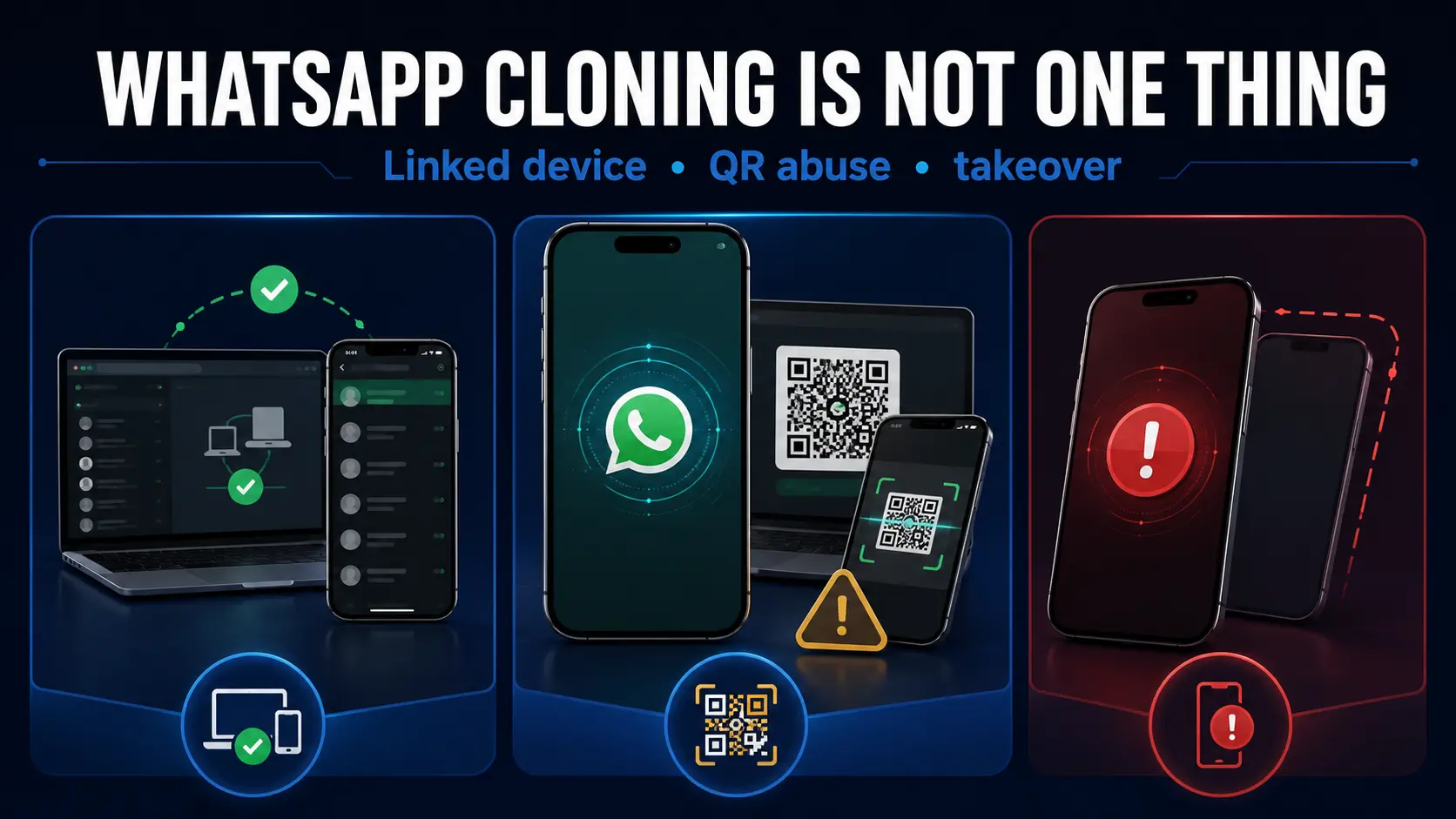
Clone app vs linked device vs account takeover
| What people call it | What may actually be happening | Typical authorisation | What to inspect |
|---|---|---|---|
| WhatsApp clone app | Often a Web/Linked Devices wrapper | QR scan or device-linking step | Linked Devices |
| WhatsApp on another phone | Official companion-device access | Account owner authorises pairing | Linked Devices |
| GhostPairing | Fraudulent companion-device authorisation | Victim is socially engineered into approving the link | Linked Devices and recent pairing activity |
| Dual App / App Clone | A second application instance created by the phone | Normal phone feature/account setup | Which number/account the second app actually uses |
| Account takeover | Main WhatsApp account is registered or controlled elsewhere | Registration/verification control | Unexpected logout, number control and verification activity |
| Device spyware or malware | The phone itself is compromised | Different mechanism entirely | Device security, not only Linked Devices |
Can someone clone your WhatsApp using a Web Scanner app?
Potentially, but the important detail is how the app obtains access. Current app-store listings for products marketed as “Web Scanner,” “Dual Messenger” or WhatsApp clone tools commonly describe QR-based linking or synchronising the same account after connection.
That suggests many such products work as wrappers around WhatsApp Web or linked-device functionality rather than secretly cracking end-to-end encryption.
For example, current Google Play listings publicly describe QR scanning and synchronising the linked account. These listings are evidence of how the products market their workflow, not independent proof that every version behaves identically.
This distinction matters when asking can someone clone your WhatsApp. If somebody had temporary access to your unlocked phone and used it to approve a QR-based session, the resulting access may feel like “cloning” even though the underlying mechanism is companion-device linking.
Important
ThePulseSignal does not recommend installing or testing third-party clone or Web Scanner apps. Their public listings are used here only to understand the terminology and advertised workflow.
Can someone clone your WhatsApp with a QR code?
A QR code can be used to authorise a WhatsApp linked device. That makes QR-based deception an important answer to the question can someone clone your WhatsApp.
Meta said in March 2026 that scammers may trick people into linking the scammer’s device by asking them to scan a QR code or enter a device-linking code. Meta’s current anti-scam guidance describes additional warnings designed to help users recognise suspicious device-linking requests.
Read the official Meta warning about WhatsApp device-linking scams.
Attacker creates a believable reason
The victim may be asked to vote, verify an account, receive support, join a group or complete another apparently harmless task.
Victim receives a pairing request
The scammer directs the victim toward a QR code or device-linking flow.
Victim authorises the wrong device
The resulting companion session may then gain access through WhatsApp’s legitimate multi-device system.
Can someone clone your WhatsApp through GhostPairing?
GhostPairing is one of the clearest examples of why the phrase “clone” can be misleading.
CERT-In’s advisory describes GhostPairing as a WhatsApp account-takeover campaign that abuses the device-linking feature. The attacker does not necessarily need to steal the victim’s SIM or defeat a password. Instead, the victim can be manipulated into authorising the attacker’s device.
You can read the CERT-In GhostPairing advisory.
Critical distinction
“No SIM swap” does not mean “no user interaction.” GhostPairing depends on abuse of the legitimate device-linking process and deceptive authorisation.
Does Dual App mean someone cloned your WhatsApp?
No, not by itself.
Some Android manufacturers provide features called Dual Apps, App Clone, Dual Messenger or similar names. These can create another instance of an application, commonly so a person can use two accounts or two phone numbers on one device.
A second WhatsApp icon therefore does not prove can someone clone your WhatsApp has become an actual security incident.
The useful questions are:
- Which phone number is registered in the second instance?
- Is your existing account visible there?
- Was any companion device authorised?
- Does your primary WhatsApp show an unfamiliar Linked Device?
7 critical checks if you think someone cloned WhatsApp
Inspect Linked Devices
Look for any phone, browser or computer you do not recognise.
Remember recent QR scans
Think about every QR code you scanned while WhatsApp was involved.
Review pairing-code requests
Recall whether anyone asked you to enter a linking code or complete an unusual “verification” step.
Check unexpected verification activity
If you received a phone-number verification code you did not request, separate that from a device-linking code. They are different account events.
Check whether WhatsApp logged you out
An unexplained logout may point toward account re-registration rather than only a companion device.
Check physical access
Someone who had your unlocked phone may have been able to approve another session.
Look beyond WhatsApp if necessary
If the phone or computer shows broader security problems, the issue may be device compromise rather than WhatsApp cloning.
Not sure whether access actually happened?
If your larger question is not how cloning works but whether somebody currently has access, use our Someone Reading My WhatsApp? diagnostic guide. It separates strong evidence such as an unfamiliar Linked Device from weaker symptoms that do not prove account compromise by themselves.
How to stop access if someone cloned your WhatsApp
If can someone clone your WhatsApp has changed from a hypothetical question into an unfamiliar linked-device finding, act on the evidence you have.
- Capture useful evidence first. Screenshot unfamiliar Linked Devices or suspicious security prompts if safe.
- Log out the unfamiliar device. Use WhatsApp’s Linked Devices controls.
- Enable or review two-step verification. Protect the related recovery email too.
- Review recent QR and pairing activity. Identify how the session may have been authorised.
- Secure physical access to the phone. Change the device unlock credential if another person may know it.
- Check the wider device environment. Suspicious software on a phone or computer may require a broader security response.
Verification code vs device-linking code: do not mix them
An unexpected WhatsApp phone-number verification code and a WhatsApp device-linking code are not the same security event.
A phone-number verification or registration code relates to proving control of the number associated with the WhatsApp account. A device-linking code or QR flow authorises another companion device to join the account’s linked-device environment.
This distinction matters because somebody asking can someone clone your WhatsApp may describe either event as “someone tried to log in,” even though the technical paths and immediate checks are different.
Unexpected verification code
Registration / account-control question
If you received a code you did not request, remained logged in and do not know whether an attempted registration succeeded, use the dedicated verification-code guide.
QR or device-linking code
Companion-device question
If you scanned a QR code or approved a device-linking request, inspect Linked Devices and treat it as a companion-access issue.
For the registration-code path, see WhatsApp Verification Code I Didn’t Request. It explains attempt versus successful takeover, repeated codes, logout, code sharing, SIM problems and the difference between registration verification and device linking.
What if you have already lost control of WhatsApp?
Once you have been logged out, cannot regain access, see an unknown two-step verification PIN, cannot receive the registration code, or experience repeated takeover, the problem has moved beyond explaining can someone clone your WhatsApp.
You now need an account-recovery workflow.
Recovery route
Use our Recover a Hacked WhatsApp Account: 9 Critical Steps to Regain Control guide. It separates recovery into different lanes depending on whether you are still logged in, whether your SIM works, whether the verification code arrives, whether an unknown two-step PIN appears, and whether the attacker keeps returning after recovery.
If you are still logged in and the main problem is only an unexpected phone-number verification code, start instead with WhatsApp Verification Code I Didn’t Request so an attempted registration is not incorrectly treated as confirmed takeover.
This distinction is intentional: this page owns the mechanism behind clone, QR and linked-device concerns, the verification-code page owns unexpected registration/verification attempts, and the recovery page owns the steps for regaining control after compromise.
For a separate India-specific current threat involving malicious Windows ZIP files and hijacked WhatsApp Web sessions, see ThePulseSignal’s I4C Boss Scam WhatsApp warning.
Official evidence used for this WhatsApp clone guide
- Meta Engineering — WhatsApp multi-device architecture
- Meta — device-linking scam warning
- CERT-In — GhostPairing advisory
Related WhatsApp security guides
How this was verified
ThePulseSignal reviewed Meta’s official technical explanation of WhatsApp multi-device architecture to verify companion-device identities, QR-based linking and the ability to view and remotely disconnect linked devices.
Meta’s March 2026 anti-scam update was checked to verify that scammers are actively abusing the device-linking process by persuading people to scan QR codes or enter linking codes.
CERT-In’s GhostPairing advisory was checked independently to establish that the official device-pairing process can be abused through social engineering without treating that attack as a mysterious encryption break.
Current Google Play and Apple App Store listings for Web Scanner and clone-style applications were reviewed only to establish how those products describe themselves and why users use terms such as “clone,” “dual messenger” and “same account on another device.” Their marketing statements were not treated as independent security evidence.
Community discussions were used only to identify confusion between Dual App features, unexpected verification activity and actual unauthorised WhatsApp access.
Last verified: August 8, 2026, approximately 12:45 AM IST.
Limitations and unresolved facts
- This article does not independently install, test or endorse third-party Web Scanner or clone applications.
- App-store descriptions can change and do not prove that every version of an application behaves identically.
- A Dual App feature varies by phone manufacturer and operating-system implementation.
- An unfamiliar linked device is strong evidence of companion access, but individual incidents may involve more than one security mechanism.
- A clean Linked Devices list cannot retrospectively prove that an account was never linked elsewhere.
- An unexpected phone-number verification code does not by itself prove that a companion device was linked or that account takeover succeeded.
- A device-linking code and a phone-number registration code should not be treated as interchangeable.
- The phrase “WhatsApp cloning” has no single precise technical meaning, so individual incidents must be classified from actual evidence.
- This page explains clone, QR and linked-device mechanisms. Unexpected verification-code intent and detailed hacked-account recovery are handled separately to keep search intent distinct and reduce cannibalisation.
Frequently asked questions
Can someone clone your WhatsApp without your phone?
Different scenarios are possible, but linked-device abuse normally involves an authorisation process. A full account takeover uses a different path. Do not assume somebody can simply enter your number into a random app and immediately read your chats.
Can someone clone your WhatsApp using a QR code?
A QR code can authorise a WhatsApp companion device. Meta warns that scammers may abuse this legitimate linking process by tricking victims into approving the wrong device.
Can someone clone your WhatsApp without an OTP?
Linked-device abuse can be different from re-registering the primary account. CERT-In’s GhostPairing warning is specifically useful because it shows why not every unauthorised companion-device case requires a SIM swap or traditional account-registration takeover.
Is a WhatsApp verification code the same as a device-linking code?
No. A phone-number verification or registration code concerns control of the account associated with the registered number. A device-linking code or QR flow authorises another companion device. If you received an unexpected registration code, see the WhatsApp Verification Code I Didn’t Request guide.
Can a Web Scanner app read WhatsApp messages?
Apps marketed as Web Scanner or clone tools may rely on a QR-based linked-device session. Once an account legitimately or deceptively authorises that session, the linked environment may receive WhatsApp messages.
Does Dual App mean WhatsApp has been cloned?
No. A phone’s Dual App or App Clone feature may simply create a second application instance. Check which account and phone number it actually uses before treating it as a security incident.
How can I know if someone cloned my WhatsApp?
Start with Linked Devices, then review recent QR scans, pairing-code requests, unexpected verification activity, unexpected logout, physical access and other device-security evidence. If you are still unsure whether unauthorized access exists, use the WhatsApp access diagnostic guide.
If I remove an unknown linked device, can it still read new messages?
Removing an unauthorised linked device is the correct immediate platform-level action for that session. You should still investigate how the device was authorised and secure the account and phone.
Can someone clone your WhatsApp by only knowing your number?
Knowing a phone number alone should not be described as enough to read WhatsApp messages. The attacker would still need to exploit an account, device-linking, registration or device-compromise pathway.
I received a WhatsApp verification code I did not request. Does that mean my WhatsApp was cloned?
No. The unexpected code alone does not prove a companion device was linked or that account takeover succeeded. Use the unexpected verification-code guide to assess what happened next.
What if my WhatsApp has already been taken over?
If you are logged out, cannot receive the verification code, see an unknown two-step PIN or repeatedly lose control after recovery, use the hacked WhatsApp account recovery guide rather than treating it only as a clone-app question.