






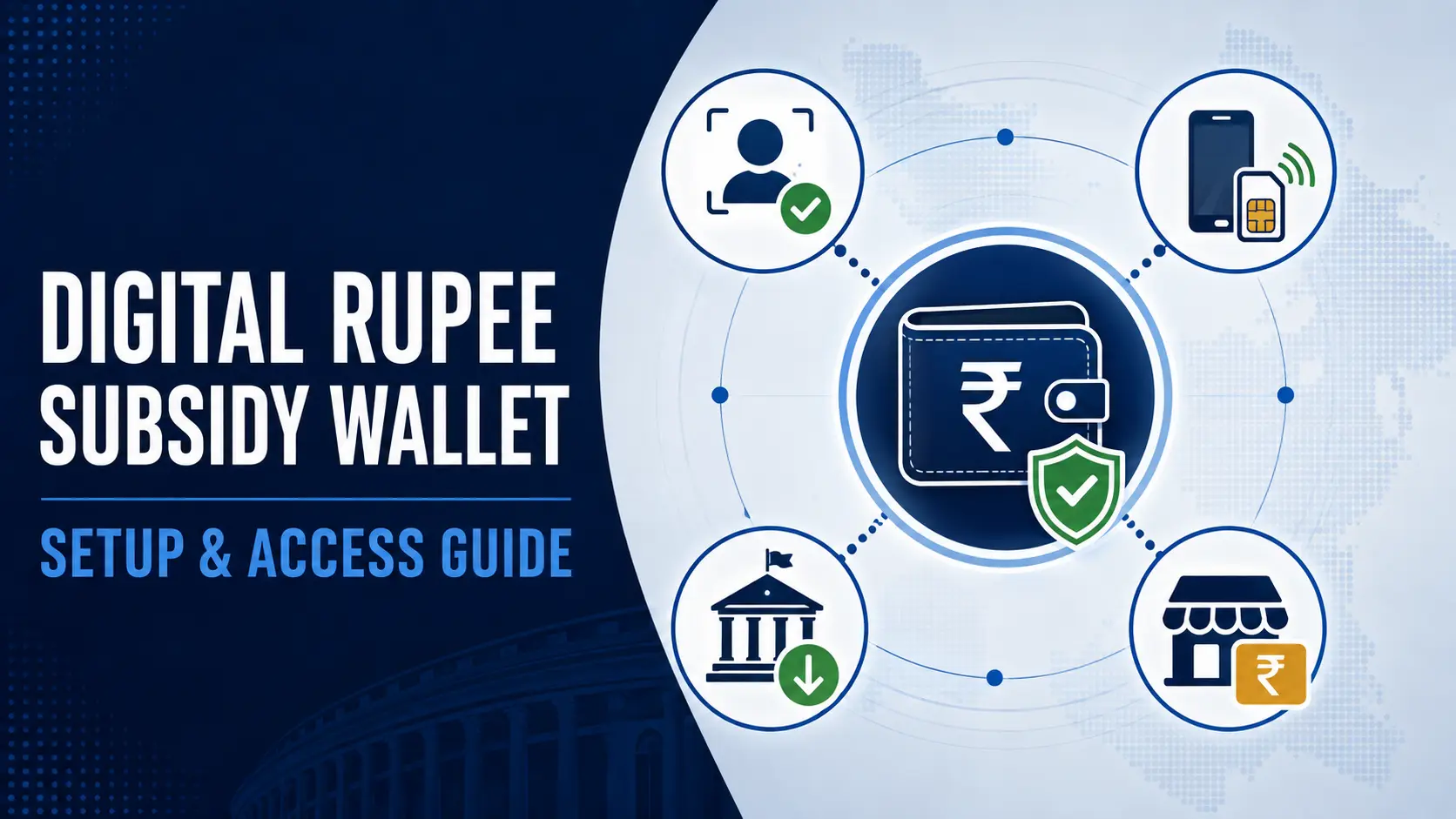
Digital Rupee subsidy wallet requirements are not identical for every government benefit. A normal retail e₹ wallet may be linked to a bank account, while a government programme can use a special-purpose wallet that receives programmable subsidy value under different conditions.
That distinction is important before downloading an app, opening another bank account or assuming a smartphone is always mandatory. The correct setup depends on three things: the government scheme, the designated wallet provider and the type of e₹ wallet being used.
Do you need a bank account for a Digital Rupee subsidy wallet?
For an ordinary retail e₹ wallet, the Reserve Bank of India’s published Digital Rupee guidance says wallet onboarding has generally been linked to a user’s savings account. That linkage allows existing bank KYC to support onboarding.
But government-subsidy wallets can work differently.
SBI’s current e₹ documentation, for example, describes two wallet routes: a normal savings-bank-linked wallet for regular CBDC transactions and an Aadhaar Special Purpose Wallet for receiving government grants and subsidies.
SBI also says a non-SBI customer can use its e₹ app for receipt and payment of government subsidy. The subsidy wallet’s use can then be restricted according to the end-use rules of the scheme.
Bank account, Aadhaar, SIM and phone: what may be required
| Requirement | What the evidence shows | What not to assume |
|---|---|---|
| Bank account | Normal retail e₹ onboarding has generally been bank-linked. Some subsidy-specific wallet models can support restricted government-benefit use without requiring an account with that particular wallet-provider bank. | Do not assume every government-benefit wallet requires a new bank account. |
| Aadhaar | SBI documents an Aadhaar-based Special Purpose Wallet for government grants and subsidies. | Do not assume every CBDC subsidy nationwide uses SBI’s Aadhaar workflow. |
| Registered mobile number / SIM | Mobile/SIM verification is an important part of ordinary app-based e₹ registration and wallet recovery. | Do not change or discard the registered SIM during onboarding unless the provider gives instructions. |
| Smartphone | Current mainstream retail e₹ wallets operate through mobile applications on supported devices. | Do not assume every welfare programme permanently excludes feature-phone users. |
| Internet | Most app functions depend on connectivity, while RBI is testing offline e₹ approaches. | Do not assume an offline feature described by RBI is already enabled in your particular subsidy wallet. |
What about beneficiaries without smartphones?
This is already a recognised policy problem. In the February 2026 PMGKAY CBDC rollout in Puducherry, the Department of Food and Public Distribution said special emphasis had been placed on inclusion of feature-phone users.
That is evidence of an inclusion objective, not evidence that every feature-phone process is already identical or available in every rollout.
RBI is separately testing offline e₹ approaches for locations with weak or no internet access. Its published guidance describes different approaches, including methods that can use telecom connectivity and others being explored through near-field communication.
How a Digital Rupee wallet is normally set up
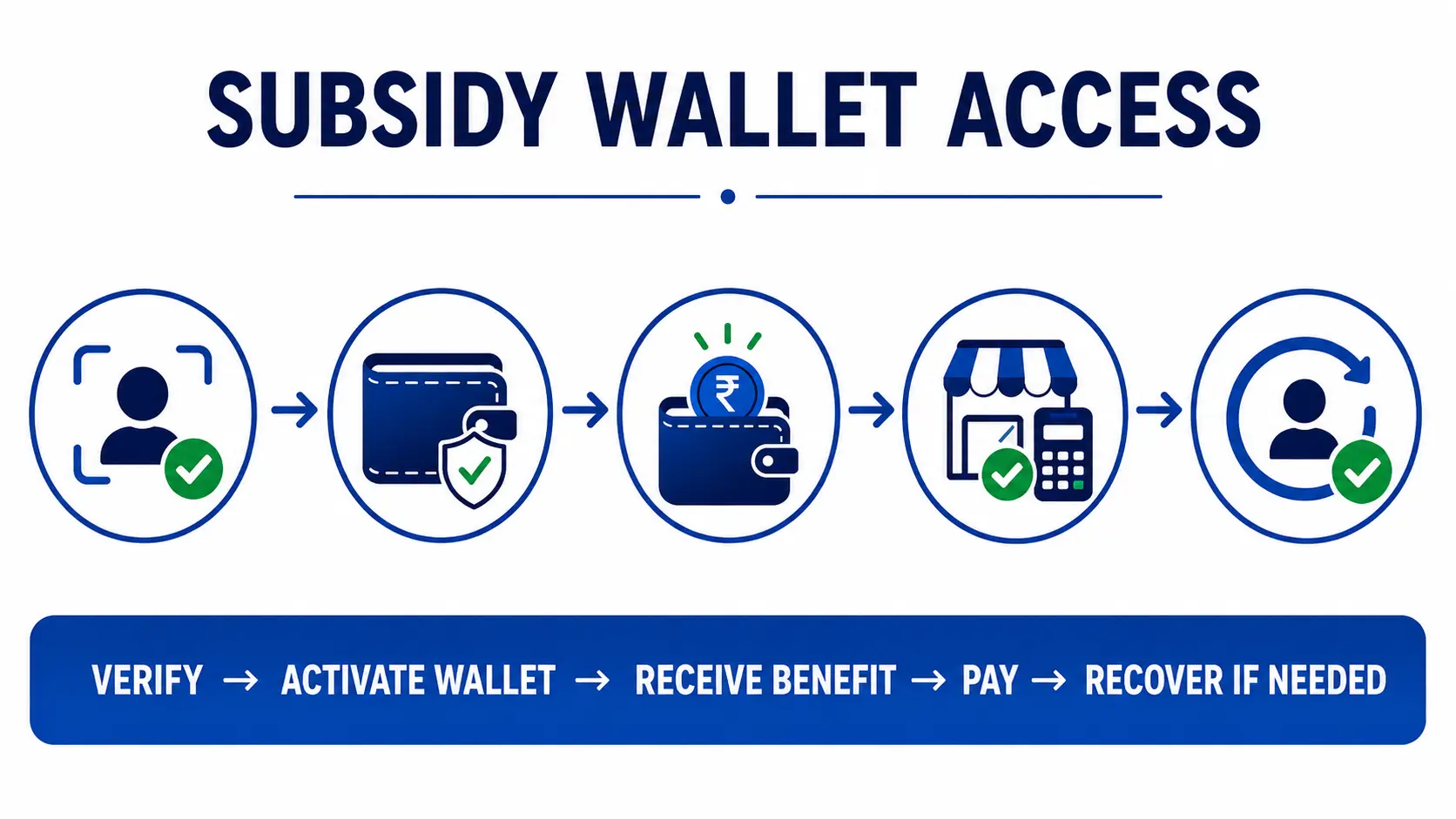
The exact screens vary by provider, but ordinary retail e₹ onboarding generally follows a recognisable sequence. SBI’s current app documentation illustrates the process.
- Use the official wallet app. Download only from the official app store listing identified by the bank, non-bank provider or government programme.
- Verify the mobile device and SIM. The provider may require the registered mobile number to be present in the phone.
- Create the app or wallet PIN. This protects access to the wallet.
- Select the appropriate wallet type. A provider may distinguish an ordinary bank-linked wallet from a government-subsidy special-purpose wallet.
- Complete the required identity verification. The route can depend on whether the wallet uses bank KYC, Aadhaar authentication or another approved method.
- Wait for programme credit where applicable. A government subsidy wallet should receive eligible programme value through the designated benefit mechanism rather than requiring the beneficiary to guess how to load it.
For a subsidy-specific wallet, the government or designated provider should control the onboarding instructions. The steps above explain the architecture; they are not a substitute for the programme’s own instructions.
How is a subsidy wallet different from an ordinary e₹ wallet?
An ordinary retail Digital Rupee wallet is designed for broader person-to-person and person-to-merchant payments. A programmable government-benefit wallet can be narrower.
RBI says programmability allows the sponsor — including a government — to ensure that CBDC funds are used for a designated purpose. Conditions can be set using parameters such as expiry, location, merchant category or merchant payment identifier.
SBI’s special-purpose subsidy wallet provides a concrete example. Its documentation says the wallet can receive government subsidy while payments are restricted according to the subsidy scheme’s permitted end use.
Can you withdraw a Digital Rupee subsidy as cash?
Do not assume that a programmable subsidy can be converted into unrestricted bank money or cash simply because ordinary retail e₹ can normally be loaded and redeemed against bank accounts.
A special-purpose subsidy can carry end-use restrictions. In the PMGKAY food-subsidy model launched in Puducherry, the government said the programmable tokens would be redeemable for eligible food purchases through authorised merchants and Fair Price Shops.
Whether a particular subsidy balance can be redeemed, transferred or used outside its authorised purpose therefore depends on the rules attached to that programme.
For the mechanics behind purpose-bound food benefits, see TPS’s guide to how CBDC food subsidy works.
Where can you spend a programmable subsidy?
The permitted merchant network depends on the scheme. A programme may restrict spending to a type of merchant, specified outlets, a geography or another approved use.
The Puducherry PMGKAY implementation, for example, directs eligible food-subsidy value towards authorised merchants and Fair Price Shops. The same government release said the application could help beneficiaries locate nearby authorised merchant establishments.
This means an unsuccessful payment does not automatically mean the wallet itself is broken. The merchant may be outside the permitted network or the transaction may not meet the subsidy conditions.
Common Digital Rupee wallet problems
Wallet-provider documentation is useful here because many failures occur at the app, SIM, transaction or device level rather than at the government-entitlement level.
Check that the mobile number and SIM match the provider’s onboarding requirement, that SMS/phone permissions are enabled where required, and that the official app is being used. If the subsidy programme uses a different onboarding route, follow that programme’s instructions rather than repeatedly registering through an ordinary retail wallet.
First separate entitlement from wallet delivery. Confirm that the government programme has actually identified you for the CBDC rollout and that the correct wallet has been activated. Preserve the beneficiary identifier and any programme acknowledgement before contacting the designated authority or provider.
SBI’s current e₹ guidance says failed merchant payments can trigger a refund and provides a complaint route through the app if the refund does not arrive within the stated resolution period. Other providers may use different timelines and channels.
RBI says e₹ stored in the wallet remains safe if the device is lost and the wallet can be recovered on another device using the same phone number or SIM. Provider-specific recovery steps still apply.
Check whether the merchant is authorised for that subsidy and whether the wallet supports the displayed payment method. A programmable government benefit can fail at an otherwise valid merchant if the programme’s spending rules do not permit that transaction.
Use the provider’s official PIN-reset or account-recovery process. Do not share the wallet PIN, OTP, Aadhaar OTP or screen-sharing access with someone claiming they can manually release a government subsidy.
What information should you save before raising a complaint?
- Government scheme or subsidy name.
- Beneficiary or application identifier where applicable.
- Name of the designated Digital Rupee wallet provider.
- Registered mobile number — but do not publicly share the full number.
- Transaction reference or wallet transaction ID.
- Date and approximate time of the failed transaction.
- Merchant or Fair Price Shop details if the problem occurred during payment.
- Screenshot of the error message, with sensitive information hidden before sharing publicly.
These details help distinguish an entitlement problem, wallet-registration problem and payment problem. They should be provided only through an official grievance channel.
How to avoid fake subsidy-wallet apps and messages
A rollout involving government benefits creates an obvious phishing opportunity because beneficiaries may expect a new app, OTP or registration request.
A genuine subsidy credit should not require a beneficiary to transfer money to an unknown account to “activate” the benefit. Where the programme requires onboarding or identity verification, the procedure should be traceable to the responsible authority or designated wallet provider.
Does Digital Rupee replace UPI or a normal bank account?
No. Digital Rupee is a different form of money and payment infrastructure. RBI describes e₹ as central bank digital currency, while UPI is a payment system that moves underlying bank-account money.
RBI also says the Digital Rupee is intended as an additional form of money rather than a replacement for existing payment choices. The existence of a subsidy-specific CBDC wallet therefore does not, by itself, mean a beneficiary’s bank account or UPI access is being closed.
What changes when the wallet is tied to a government subsidy?
The biggest change is that the wallet may no longer behave like unrestricted digital cash for the programme-funded amount. The benefit can be purpose-bound.
That can help a government direct a subsidy towards its intended use, but it also makes practical access more important. If a beneficiary cannot activate the wallet, has no usable merchant nearby or cannot resolve a failed transaction, the existence of a digital entitlement alone does not guarantee effective access to the benefit.
That is why TPS separates the technology from the outcome. Programme launch, successful wallet delivery and successful beneficiary use are three different things.
Current PMGKAY example in Chandigarh
The food-subsidy rollout is a current example of why the distinction matters. Chandigarh already uses food-subsidy DBT, and a CBDC-based PMGKAY implementation changes the payment mechanism rather than automatically changing the underlying benefit.
TPS is tracking that implementation separately in PMGKAY Digital Rupee Subsidy in Chandigarh: What Changes for Beneficiaries.
Related TPS guides
Verification notes
Confirmed
RBI’s retail e₹ framework uses wallets provided by participating banks and non-banks. RBI documents wallet recovery using the same phone number or SIM after device loss and confirms that programmability is being explored for Direct Benefit Transfer and other defined-purpose uses.
SBI currently documents an Aadhaar Special Purpose Wallet for government grants and subsidies and says non-SBI customers can use its e₹ app for government subsidy receipt and payment under the restricted subsidy workflow.
The Government of India’s Puducherry PMGKAY implementation confirms that programmable food-subsidy value can be credited directly into beneficiary CBDC wallets and restricted to eligible purchases through authorised merchants and Fair Price Shops.
Provider-specific
SBI registration screens, complaint procedures, refund timelines and wallet types are examples of one provider’s implementation. They should not be treated as universal rules for every bank, non-bank or government-benefit programme.
Not yet universal
Feature-phone inclusion and offline CBDC are active policy and technical directions, but TPS has not established that the same feature-phone or offline transaction method is currently available in every subsidy rollout.
Verification method
TPS reviewed the Reserve Bank of India’s Digital Rupee FAQ for wallet architecture, bank linkage, device recovery, offline functionality and programmability; SBI’s current e₹ FAQ for government-subsidy special-purpose wallet access, registration, recovery and payment troubleshooting; and the Government of India’s official Puducherry PMGKAY CBDC release for evidence of subsidy value being credited directly into beneficiary wallets and restricted to authorised food purchases.
Provider-specific procedures were kept separate from RBI-wide rules and government-programme rules. No wallet workflow documented by SBI was represented as automatically applying to Canara Bank, Chandigarh, Puducherry or another subsidy implementation unless separately established.
Sources checked
- Reserve Bank of India — Digital Rupee FAQ
- State Bank of India — Digital Rupee wallet and government-subsidy FAQ
- PIB — CBDC-based PMGKAY food-subsidy implementation in Puducherry
Limitations and unresolved facts
There is no single Digital Rupee subsidy-wallet procedure that applies to every government benefit. Wallet provider, identity method, bank-account requirement, feature-phone access, merchant restrictions, transaction limits, refund rules and grievance channels can vary by scheme and implementation.
RBI is still exploring new onboarding and offline-CBDC models, so current retail-wallet requirements may change. Beneficiaries should therefore use the latest programme-specific instructions rather than treating this guide as evidence that one bank’s current workflow applies universally.
Last verified: August 13, 2026, 5:53 PM IST.