






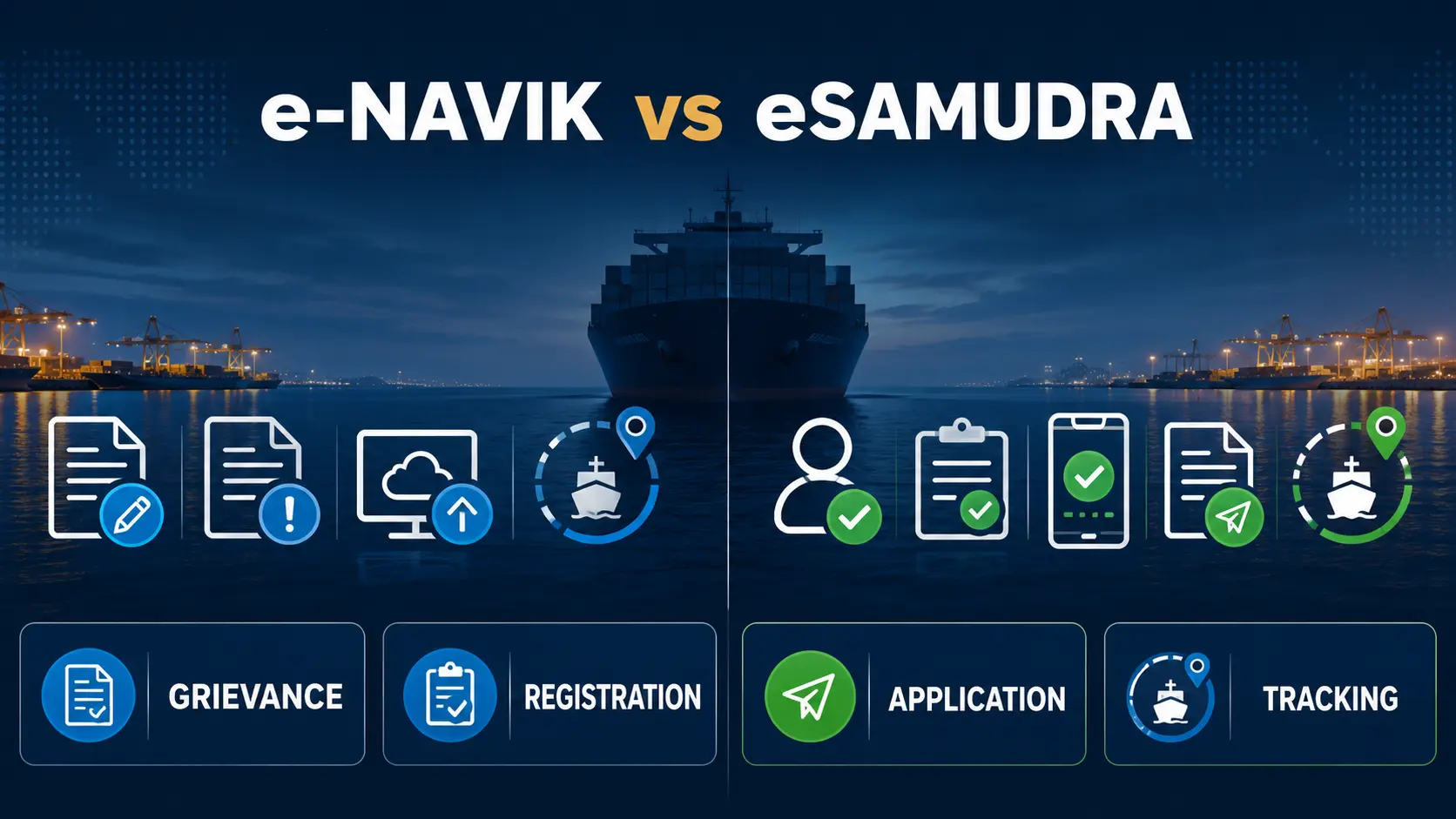
e-Navik vs eSamudra is not a choice between two versions of the same website. e-Navik is the grievance, tracking and appeal route; eSamudra is the unified maritime-services platform for seafarer registration, applications and status tracking. DGMA’s current nautical guidance identifies eSamudra as the online gateway for CoC applications, revalidation, INDoS updates and examination seat allotments, while some current FAQ text still points to the legacy e-Governance route for specific personal-detail corrections.
The safest rule is simple: use e-Navik when the problem is a grievance, use eSamudra for seafarer registration and current online services such as CoC or CoP processing, and use an older e-Governance route only when a current official instruction explicitly directs that narrow task there.
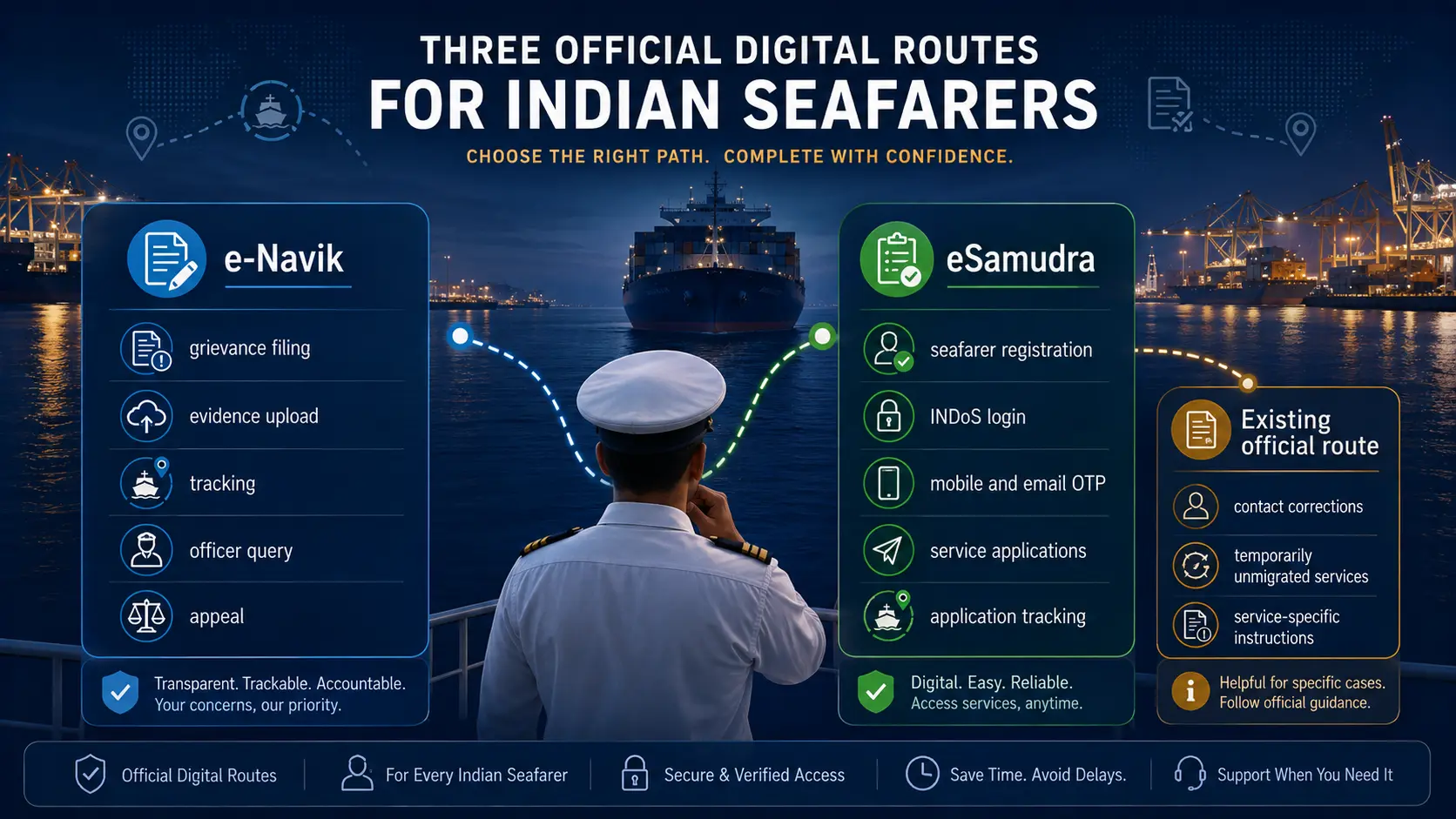
Use e-Navik for grievances
Complaint registration, supporting evidence, tracking, officer queries, resolution, rejection, feedback and appeal.
Use eSamudra for services
Seafarer registration, application submission, profile-linked services, CoC and CoP online workflows and application tracking.
Use legacy e-Governance only when instructed
Current DGMA material still contains limited e-Governance references for tasks such as personal-detail correction. Do not use the legacy route as the default for CoC or CoP applications.
Do not assume that “old portal,” “e-Governance,” “e-Samudra” and “eSamudra” always describe completely separate systems. Official pages still contain migration-era terminology. Follow the newest controlling instruction for the exact task you are completing.
In this e-Navik vs eSamudra guide
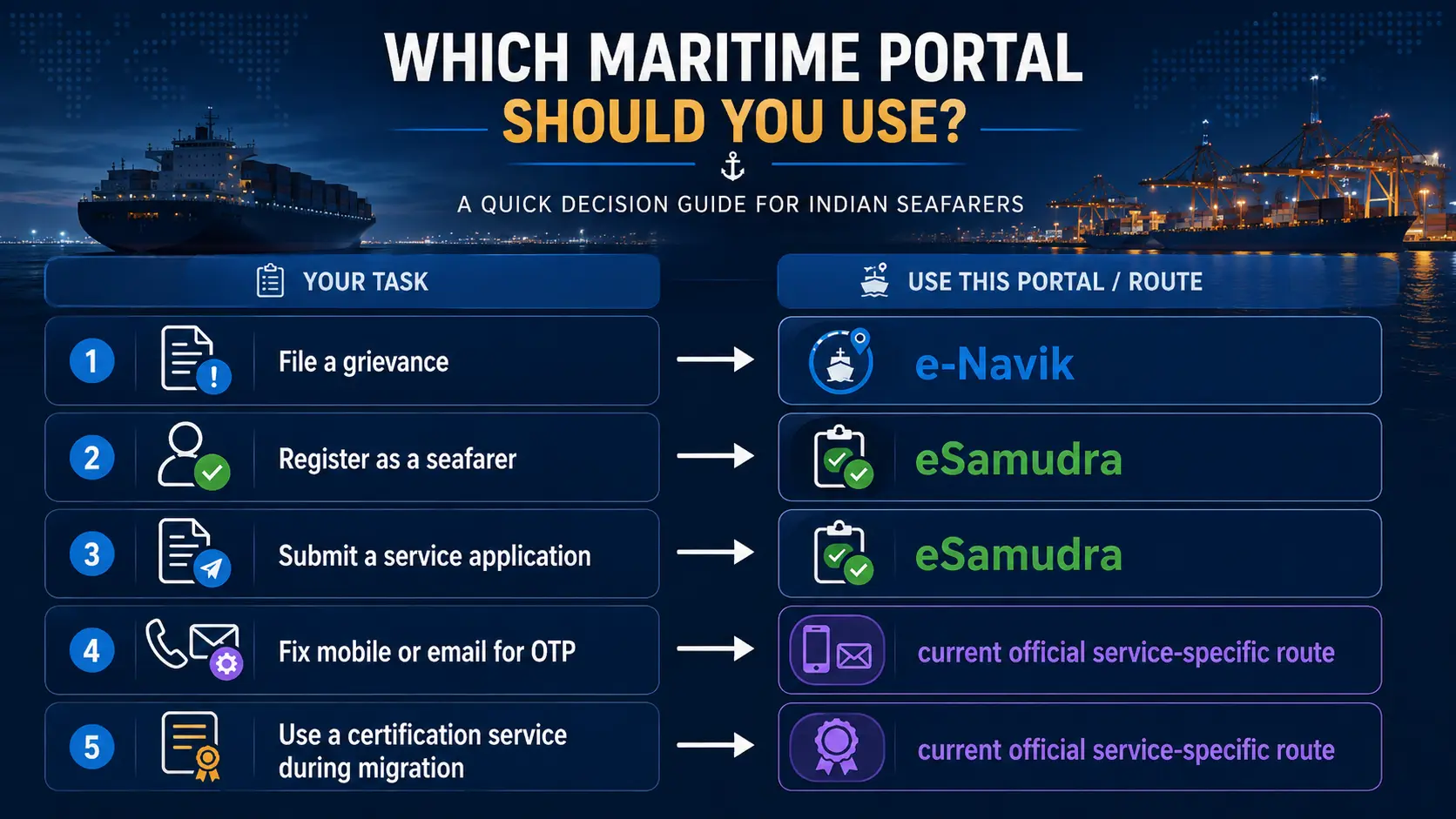
e-Navik vs eSamudra: which portal should you use?
| Your task | Best starting route | Why |
|---|---|---|
| File a complaint against an RPSL agency | e-Navik | RPSL grievances are expressly covered by the grievance mechanism. |
| Report unpaid wages, abandonment, detention or welfare concerns | e-Navik plus urgent support where needed | The grievance system preserves evidence and tracking; urgent cases may need parallel emergency assistance. |
| Register as a seafarer on the unified services platform | eSamudra | The registration workflow uses INDoS, mobile OTP, email OTP and a new password. |
| Submit a service application shown on eSamudra | eSamudra | The platform supports applications and status tracking. |
| Track a grievance | e-Navik | The grievance ID and correspondence history belong to the grievance system. |
| Track a service application | eSamudra or the route that generated the acknowledgement | Application status belongs to the service workflow, not the grievance system. |
| Correct personal details where the current FAQ still names e-Governance | Legacy e-Governance route named by the official instruction | The legacy route remains relevant only where current DGMA guidance explicitly directs the correction there. |
| Apply for CoC or CoP | eSamudra | Current DGMA nautical guidance identifies eSamudra as the online gateway for CoC applications, and the current examination FAQ points CoC and CoP online services to eSamudra. |
What is e-Navik used for?
e-Navik is the maritime grievance-redressal route. Its public documentation covers registered and unregistered complainants, supporting-document uploads, grievance tracking, officer queries, resolution, rejection, feedback and appeal.
Typical matters include complaints against RPSL agencies, recruitment and placement problems, wage disputes, illegal recruitment, abandonment, detention, repatriation, missing-seafarer cases, certification grievances and welfare complaints.
e-Navik does not replace a service application. A grievance can challenge delay, misconduct, denial or an unresolved problem, but it is not the normal route for registering a seafarer profile or filing a CoC or CoP application.
What is eSamudra used for?
eSamudra presents itself as India’s unified maritime-services portal. Its live landing page provides registration or login, application submission, digital document workflows, status tracking and support for maritime stakeholders.
Current DGMA nautical guidance goes further for certification: eSamudra is identified as the online gateway for CoC applications, eligibility assessment, revalidation, INDoS updates, photo or signature changes and examination seat allotment. The current examination FAQ also directs CoC and CoP online services to the eSamudra Portal.
For seafarer registration, the verified workflow uses an INDoS number, mobile OTP, email OTP, review of migrated profile information and creation of a new eSamudra password.
Important boundary: eSamudra has broad service scope, but the public landing page alone cannot prove that every service is available to every user category or account at the same time.
When does the existing DG Shipping e-Governance route still matter?
The legacy e-Governance route should no longer be treated as the default answer for certification applications. Current DGMA nautical guidance points CoC and CoP online services to eSamudra.
However, some current official FAQ text still names the e-Governance portal for a narrower task: requesting correction of personal details in the seafarer profile. That means legacy routing has not disappeared from every instruction.
Use the legacy route only for a task that a current official page still sends there. Do not rely on an old bookmark when current DGMA guidance points the service to eSamudra.
Detailed task-by-task portal map
| Task | Portal or route | Verified boundary |
|---|---|---|
| Register a formal grievance | e-Navik | Supports registered and specified unregistered complainants. |
| Upload grievance evidence | e-Navik | Supporting-document upload is part of the grievance workflow. |
| Reply to an officer query or appeal | e-Navik | The grievance manuals provide query-response and appeal functions. |
| Create a new eSamudra seafarer login | eSamudra | Uses INDoS, OTP verification and a new password. |
| Reset an eSamudra password | eSamudra Forgot Password | The public route verifies the username before reset. |
| Submit an application displayed on eSamudra | eSamudra | The platform supports online applications and status tracking. |
| Apply for CoC or CoP | eSamudra | Current DGMA nautical guidance and examination FAQs identify eSamudra as the online route. |
| Request a personal-detail correction where the current FAQ names e-Governance | Legacy e-Governance | Follow that specific current instruction rather than assuming all services use the legacy portal. |
| Urgent seafarer welfare assistance | e-Navik plus competent emergency authority | A portal grievance may not be sufficient for immediate safety risk. |
What if you use the wrong portal?
- Stop before creating duplicate records. Check whether the first action generated a grievance ID, application number or acknowledgement.
- Identify the task. Separate grievance, application, certification, profile correction and urgent welfare states.
- Open the newest official service page. Avoid using an old bookmark as authority during migration.
- Preserve references. Save screenshots, timestamps and acknowledgement numbers.
- Use official support. Explain the portal and service problem without sharing an OTP or password.
Are e-Navik and eSamudra credentials the same?
The public material does not establish one universal credential rule across the two systems. eSamudra’s seafarer-registration workflow uses INDoS and a newly created eSamudra password. e-Navik registered users follow the login process shown by the grievance portal, while eligible unregistered complainants have a separate grievance route.
Never disclose passwords or OTPs merely because two portals belong to the same maritime authority.
How to confirm that a maritime portal is official
- open service links from the DGMA or DG Shipping website;
- check the domain before entering credentials;
- avoid sponsored search advertisements for government logins;
- do not install remote-access software for portal support;
- never disclose an OTP or password through WhatsApp or an unsolicited call;
- use the newest service-specific instruction when portal names conflict.
How this e-Navik vs eSamudra guide was verified
Verification notes
ThePulseSignal checked the live e-Navik and eSamudra portals and current DGMA nautical examination, examination FAQ and seafarer FAQ pages on September 1, 2026.
The e-Navik material confirms grievance registration, evidence handling, tracking and support. The eSamudra landing page confirms registration, application submission and status tracking.
Current DGMA nautical guidance identifies eSamudra as the online gateway for CoC applications, revalidation, INDoS updates and examination seat allotments. The current examination SOP/FAQ points CoC and CoP online services to eSamudra.
A separate current nautical FAQ still points personal-detail correction to the e-Governance portal. That legacy reference is therefore treated as a narrow task-specific exception rather than the default certification route.
Official sources reviewed
Limitations and unresolved facts
Migration-era documentation is not completely uniform. Current certification guidance points to eSamudra, while some FAQ text still contains legacy e-Governance directions for specific corrections.
- No private account was used on either portal.
- No grievance, registration or service application was submitted for testing.
- The complete live eSamudra service catalogue was not exported.
- Account-specific service availability cannot be established from the public landing page.
- Some current FAQ text still names legacy e-Governance for personal-detail correction.
- Urgent welfare cases may require police, consular, port-state, flag-state or emergency intervention in addition to e-Navik.
Detailed ThePulseSignal guides
e-Navik seafarer grievance
Follow the grievance filing, evidence, tracking, query and appeal route.
eSamudra seafarer registration
Use INDoS, verify mobile and email OTP, check the migrated profile and create the portal password.
e-Navik vs eSamudra: frequently asked questions
Is e-Navik the same as eSamudra?
No. e-Navik is the grievance-redressal route, while eSamudra is the unified maritime-services platform.
Which portal should I use for an RPSL complaint?
Use e-Navik.
Which portal should I use for seafarer registration?
Use eSamudra and follow the INDoS and OTP registration workflow.
Where should I apply for CoC or CoP now?
Use eSamudra. Current DGMA nautical guidance identifies eSamudra as the online gateway for CoC applications, and the current examination FAQ points CoC and CoP online services to eSamudra.
Why does an official page still mention e-Governance?
Some narrow legacy instructions remain, including personal-detail correction guidance. Follow the newest official instruction for that exact task.
Where should I track a grievance?
Use e-Navik and the grievance reference generated by that system.
Where should I track a service application?
Use eSamudra or the official service route that generated the application acknowledgement.
Can I use the same password on both portals?
The public material does not establish one universal password rule. Follow the login process shown on each official portal.
Bottom line: use e-Navik for grievances, use eSamudra for current seafarer registration and online service applications including CoC and CoP workflows, and use a legacy e-Governance route only where a current official instruction still explicitly requires it.
Last verified: September 1, 2026.