






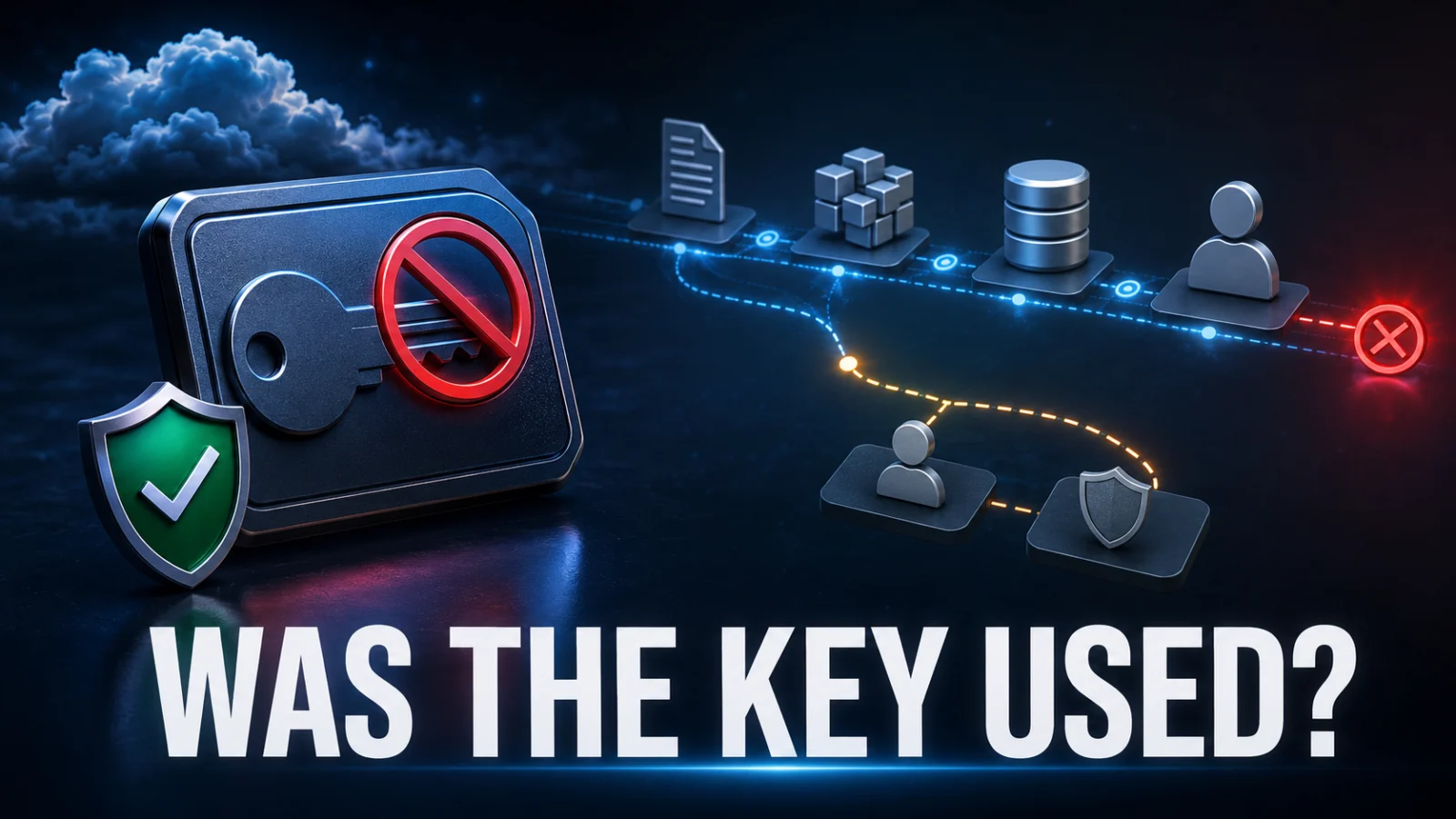
If an AWS access key exposed incident has occurred, disabling or rotating that key is containment — not proof that nothing happened before containment. To determine whether the credential was actually used, separate four questions: what could the key access, when was it last used, which API calls were recorded, and what changed in the AWS account as a result?
Direct answer
How do you check whether an exposed AWS access key was used?
Disable or rotate the exposed credential, preserve the access key ID and incident window, identify its IAM owner and permissions, check AWS IAM last-used information, and then search available AWS CloudTrail records for activity attributed to that credential. If the key invoked AWS STS or assumed roles, follow the resulting temporary sessions. Then inspect IAM changes, cloud resources, unexpected Regions and billing for downstream impact.
Do not rely on one signal alone. Permissions show potential access, last-used data gives a recent pointer, CloudTrail can show recorded API activity, and resource state shows actual consequences.
Critical distinction
Key disabled does not mean incident closed
Long-term credentials can be used to obtain temporary security credentials. AWS states that rotating the original IAM user’s access key does not automatically invalidate temporary credentials already obtained from it. If STS activity occurred, expand the investigation beyond the original key.
State 1
Key exposed
The credential may be available to an unauthorized party. Use is still unknown.
State 2
Key disabled
Future use of the long-term credential is contained, but historical use remains unresolved.
State 3
Last-used signal found
IAM identifies the most recent usage timestamp, service and Region when available.
State 4
API activity attributed
CloudTrail records show specific API activity associated with the credential or derived session.
State 5
Impact identified
Resource, IAM, network, storage or billing changes are connected to the suspicious activity.
State 6
Persistence removed
Unauthorized access paths and resources are remediated and legitimate access is restored safely.
In this guide
- Contain the exposed key first
- Identify the credential type and owner
- Map what the key could access
- Check AWS access-key last-used data
- Why last used is not a forensic timeline
- Define the incident window
- Search CloudTrail for recorded activity
- Read the important event fields
- Follow STS and temporary credentials
- Check IAM and account persistence
- Inspect resources that may have changed
- Check unfamiliar AWS Regions
- Check billing and usage anomalies
- Use the AWS evidence ladder
- Do not overinterpret missing evidence
- Replace the key safely
- Watch, investigate or escalate
- Worked example
- Related TPS cybersecurity diagnostics
- Verification boundaries
- Limitations
- FAQs
Contain the AWS access key before reconstructing the incident
An exposed key remains usable while it is active and valid. AWS’s incident guidance recommends invalidating compromised credentials, while also warning that applications legitimately using the key can break when it is disabled.
For an active incident, preserve the information needed for investigation before removing unnecessary copies of the secret:
- access key ID
- credential owner
- whether it belongs to an IAM user or root context
- known exposure source
- earliest plausible exposure time
- time the key was disabled or rotated
- systems that legitimately used it
- known permissions or attached policies.
Do not keep copying the secret access key into tickets, chat systems or investigation notes. The access key ID and associated metadata are normally the useful correlation identifiers.
Identify whether the credential belongs to root, an IAM user or a temporary session
Root access key
Root credentials represent account-level authority and require a higher-severity response. AWS recommends avoiding root access keys where possible.
IAM user access key
Map the IAM user’s effective permissions, group memberships and attached or inline policies to understand potential reach.
Temporary credentials require a different investigation path. AWS STS credentials are session-based and have expiration, while long-term IAM access keys remain valid until disabled or deleted.
Permissions tell you what the exposed key could do — not what it actually did
A compromised access key can perform actions allowed by its effective permissions. AWS’s primary guidance uses examples such as launching EC2 instances or accessing S3 when the credential’s policies permit those actions.
Potential access
IAM policies, resource policies, permission boundaries and role-assumption permissions define possible actions.
Observed activity
CloudTrail and other available logs can show recorded calls associated with the credential or sessions derived from it.
Observed impact
Resource inventory, IAM state and billing data show whether something material was created, modified, deleted or consumed.
Keep these states separate: POTENTIAL ACCESS ≠ LAST USE ≠ RECORDED API ACTIVITY ≠ RESOURCE IMPACT.
Use AWS IAM last-used information as an early investigation signal
AWS IAM’s GetAccessKeyLastUsed operation returns information about when a specified access key was most recently used. AWS documents three useful fields:
- last-used date and time
- AWS service used in that most recent request
- AWS Region associated with the most recent request.
This can quickly answer questions such as:
- Was the key recently used at all?
- Which service appears in the latest usage signal?
- Does the Region match the workload’s normal environment?
“Last used” is a pointer, not a forensic timeline
If IAM reports that the key was last used with one AWS service, that does not establish that the credential only accessed that service during the incident window. It is the most recent usage signal exposed by that IAM feature.
Example: a last-used record showing S3 does not prove that S3 was the only service touched. Search the broader available audit trail before drawing that conclusion.
AWS also documents circumstances where Region or last-used information can be unavailable or represented as not applicable. Treat missing data as a limitation of the signal rather than immediate proof of non-use.
Define the exposure window before judging AWS activity
Your investigation needs a time boundary. Establish:
- the earliest plausible moment the secret became exposed
- the time the key was disabled, deleted or rotated
- any period in which derived temporary sessions could remain valid
- normal legitimate usage patterns during the same window.
This makes it easier to separate known application behavior from suspicious calls.
Search available CloudTrail activity using the compromised access key
AWS incident-response guidance directs responders to review CloudTrail to understand actions that might have been performed using compromised credentials. A current AWS Builder Center playbook for compromised access keys also uses CloudTrail investigation as a central step.
Investigation chain
When available, correlate the key or resulting identity with activity inside the exposure window and distinguish known application calls from unexpected actions.
Read the event fields as evidence, not just the API name
Depending on the event and available telemetry, investigation can include:
- event name
- event source or AWS service
- event time
- AWS Region
- identity information
- access-key attribution
- source IP address
- user agent
- request parameters
- resource identifiers
- error or success state
- session context.
A single unfamiliar IP is not automatically proof of malicious use, and a familiar IP is not automatically proof of legitimate use. Interpret attributes together.
Follow STS activity because rotating the original key may not kill derived sessions
This is one of the most important AWS-specific branches.
AWS states that exposed long-term credentials can be used to obtain temporary security credentials. Rotating the original IAM user’s long-term credential does not automatically invalidate temporary credentials that were already obtained using it.
Derived-session branch
Look for relevant STS behavior such as role assumption or other temporary-credential issuance supported by your environment and logs. If temporary sessions were issued, investigate the resulting identity rather than stopping at the original key.
Containment trap: “The access key is disabled now” does not necessarily mean every session created from it is already invalid.
Check whether the credential created another access path
Credential theft becomes more serious when the attacker establishes persistence. Depending on the compromised permissions, investigate for unexpected:
- IAM users
- additional access keys
- roles
- role trust-policy changes
- managed or inline policy attachments
- permission changes
- federation or session-related changes
- automation that can create future credentials or resources.
The goal is not to search every AWS feature indiscriminately. Prioritize changes that the compromised identity actually had permission to make and actions supported by available evidence.
Inspect cloud resources for downstream impact
AWS warns that compromised credentials can result in unauthorized resource creation and unexpected usage. Depending on permissions and observed API calls, investigate relevant resource families such as:
Compute
Unexpected EC2 instances, Spot requests, Lambda functions or other compute resources.
Data and secrets
S3 changes, Secrets Manager access, KMS activity or data-related API operations where supported by logs.
Network and identity
Security-group changes, IAM changes, role trust changes or other configuration that can extend access.
Do not infer that any of these occurred merely because the key was exposed. Use the credential’s permissions and recorded activity to choose where to investigate.
Check for activity and resources in unexpected AWS Regions
A compromised credential may be used somewhere your normal workload never operates. Compare:
- the key’s last-used Region
- CloudTrail event Regions
- existing legitimate deployment Regions
- new resources in unfamiliar Regions.
An unfamiliar Region is an investigation lead, not standalone proof of compromise.
Billing and usage can reveal a different layer of impact
AWS Support guidance warns that exposed keys can result in excessive charges and recommends checking account usage for unauthorized resources.
Security evidence
CloudTrail may show calls such as creating or modifying resources.
Financial evidence
Billing and usage can show whether those resources generated unexpected consumption or cost.
Check for:
- unexpected compute consumption
- unfamiliar services
- spend spikes
- resources continuing to accrue cost after the original key was disabled
- usage in Regions or services your organization does not normally operate.
Use an AWS access-key evidence ladder
| Evidence | What it tells you | What it does not prove |
|---|---|---|
| Access key ID | Identifies the credential under investigation | Whether it was abused |
| IAM owner | Identity associated with the long-term credential | Which actions actually occurred |
| Effective permissions | What the identity could potentially perform | What an attacker actually performed |
| Last-used timestamp | Most recent usage signal exposed by IAM | Complete historical activity |
| Last-used service / Region | Service and Region associated with the most recent request | All services and Regions touched |
| CloudTrail event | Specific recorded API activity in available telemetry | Universal proof that no other unlogged activity occurred |
| STS activity | Possible creation or use of temporary sessions | Full downstream session activity without following the new identity |
| IAM/resource change | Observable impact or possible persistence | Attribution without supporting identity evidence |
| Billing anomaly | Possible financial impact or unexpected consumption | Which credential caused it without correlation |
No event found is not the same as proving the key was never used
Your conclusion must stay within the telemetry you actually have.
Safer conclusion: “No suspicious use was identified in the available logs and investigation window.”
Avoid: “The key was definitely never used.”
Audit availability can depend on event type, CloudTrail configuration, retention and the historical period being investigated. Some service activity may require data-event or other logging that was not enabled for the relevant resource.
Restore legitimate access without recreating the same credential risk
After containment and investigation, restore required application access carefully.
- Prefer temporary credentials through roles or federation where appropriate.
- Reduce unnecessary permissions.
- Do not simply recreate a long-lived key with the same broad access without reviewing why it was needed.
- Update legitimate applications and secret stores.
- Verify the old credential is no longer being used by production workloads.
- Remove temporary containment controls only after understanding their effect.
If the exposure came from a broader credential-stealing incident rather than one isolated key leak, use ThePulseSignal’s infostealer credential-rotation guide to expand the credential inventory beyond AWS.
Watch, investigate or escalate
1
WATCH
The key is disabled, available telemetry shows only known legitimate activity, no suspicious STS or IAM persistence is found, resource state is expected and billing remains normal.
2
INVESTIGATE
Last-used service or Region is unexpected, CloudTrail contains unfamiliar calls, STS activity appears, or the exposure window is wider than initially believed.
3
ESCALATE
You find unauthorized IAM changes, temporary sessions, new infrastructure, data-access evidence, destructive actions, substantial billing impact or root-credential exposure.
Worked example: the key was disabled, but STS activity appears first
| Evidence | Interpretation | Next action |
|---|---|---|
| Access key ID belongs to an application IAM user | Long-term credential under investigation identified | Map effective permissions |
| Key disabled at 14:00 UTC | Future direct use of that long-term key is contained | Investigate earlier activity |
| Last-used data shows STS in an unfamiliar Region | Potential derived-session activity | Search CloudTrail inside incident window |
| CloudTrail shows role assumption before 14:00 | A temporary session may have been created | Follow role/session identity |
| Derived session creates an EC2 instance | Observed resource impact | Contain session and inspect instance |
| New IAM key also appears | Possible persistence | Disable unauthorized credential and investigate creator |
| Billing shows unexpected compute cost | Financial impact corroborates resource misuse | Terminate unauthorized usage and document impact |
The key lesson is that disabling the original credential at 14:00 would not, by itself, close this incident.
Where this fits in the TPS credential-compromise cluster
GitHub token exposed: check what it accessed
Use this when the compromised credential is a GitHub token and the investigation centers on repositories, workflows and GitHub persistence.
Infostealer infection: what must be rotated?
Use this when credential theft may span passwords, tokens, API secrets, cloud credentials and other secret classes.
CISA KEV: does exploited mean your system is compromised?
Use this when known exploitation exists but you still need to separate vulnerability status from system-specific compromise evidence.
Security patch installed: verify the vulnerability is really fixed
Use this when remediation has been applied but you need evidence that the vulnerable state is actually gone.
Verification notes: confirmed, observed, interpretation and not established
Confirmed by AWS
- An exposed credential can perform actions permitted by its policies.
- AWS recommends invalidating exposed credentials and reviewing account activity.
- Temporary credentials can be derived from long-term credentials.
- Rotating a long-term IAM user’s access key does not automatically invalidate already issued temporary credentials.
GetAccessKeyLastUsedcan provide last-use time, service and Region.
Observed evidence
- CloudTrail activity can provide recorded API events.
- IAM and resource state can show unauthorized changes.
- Billing can reveal unexpected consumption.
TPS interpretation
- Permissions are potential access, not observed attacker activity.
- Last-used data is a pointer, not a full forensic timeline.
- Resource impact requires correlation with activity and identity evidence.
Not established by exposure alone
- that the key was actually abused
- which API calls occurred
- whether temporary sessions were created
- whether data was accessed
- whether persistence remains
- whether financial loss occurred.
Needs account telemetry
- incident window
- CloudTrail coverage
- IAM owner and policies
- resource inventory
- billing data
- normal workload behavior.
High-severity branch
- root access key exposure
- privileged IAM identity
- STS session creation
- new IAM persistence
- unexpected infrastructure or data actions.
Verification method
ThePulseSignal reviewed AWS primary guidance on exposed access keys, AWS IAM documentation for GetAccessKeyLastUsed, AWS credential-report behavior, AWS security guidance on compromised credentials and temporary sessions, AWS Support guidance on unauthorized usage, and AWS Builder Center’s June 2026 compromised-access-key response playbook.
The article deliberately separates credential permissions, IAM last-used signals, recorded CloudTrail API activity, derived sessions, resource impact and billing impact.
Limitations and unresolved facts
No general article can determine whether a specific AWS access key was abused without the affected account’s telemetry and resource state.
- CloudTrail coverage depends on configuration, event type and retention.
- Some resource-level activity may require specific data-event logging.
- IAM last-used data is not a full sequence of historical actions.
- A missing last-used value does not justify an unlimited historical claim about non-use.
- Temporary credentials may outlive disabling or rotating the original long-term key.
- Legitimate automation can resemble suspicious activity unless normal usage is understood.
- Source IP, Region or user-agent anomalies are investigation signals rather than standalone proof.
- The exact containment procedure depends on whether the credential is root, an IAM user key, a role session or another credential type.
- Billing anomalies can corroborate unauthorized usage but do not independently identify which credential caused it.
AWS access key exposure: frequently asked questions
What should I do first if an AWS access key is exposed?
Contain the credential promptly by disabling, rotating or otherwise invalidating it according to your operational situation, while preserving the access key ID and incident metadata needed for investigation.
How do I check whether an AWS access key was used?
Use IAM last-used information as an initial signal, then review available CloudTrail activity, derived sessions, IAM changes, resource state and billing inside the exposure window.
What does GetAccessKeyLastUsed show?
AWS documents that it can return the most recent use time, AWS service and Region associated with the specified access key.
Does AWS access key last used show every API call?
No. It describes the most recent usage signal. Use CloudTrail and other account telemetry to investigate individual recorded actions.
Does rotating an AWS access key invalidate temporary credentials?
Not necessarily. AWS states that temporary credentials already obtained from an IAM user’s long-term credentials are not automatically invalidated merely by rotating the original access key.
How do I check what an exposed key could access?
Identify the owning IAM identity and review its effective policies, role-assumption capabilities and relevant resource permissions.
Should I search CloudTrail by access key ID?
The compromised access key ID is an important correlation value for available audit activity, but follow-on temporary sessions may require tracking the derived role or session identity as well.
What persistence should I look for?
Prioritize unauthorized IAM users, access keys, roles, trust-policy changes, policy attachments and infrastructure changes that the compromised identity had permission to create.
Can an exposed AWS key create unexpected charges?
Yes. AWS warns that unauthorized use of exposed credentials can create resources and excessive charges, so account usage and billing should be part of the investigation.
If CloudTrail shows nothing suspicious, am I safe?
You can state that no suspicious activity was identified in the telemetry you reviewed, but avoid claiming universal proof of non-use unless your logging coverage and investigation evidence support that conclusion.
Bottom line
For an AWS access key exposed incident, do not stop after rotation.
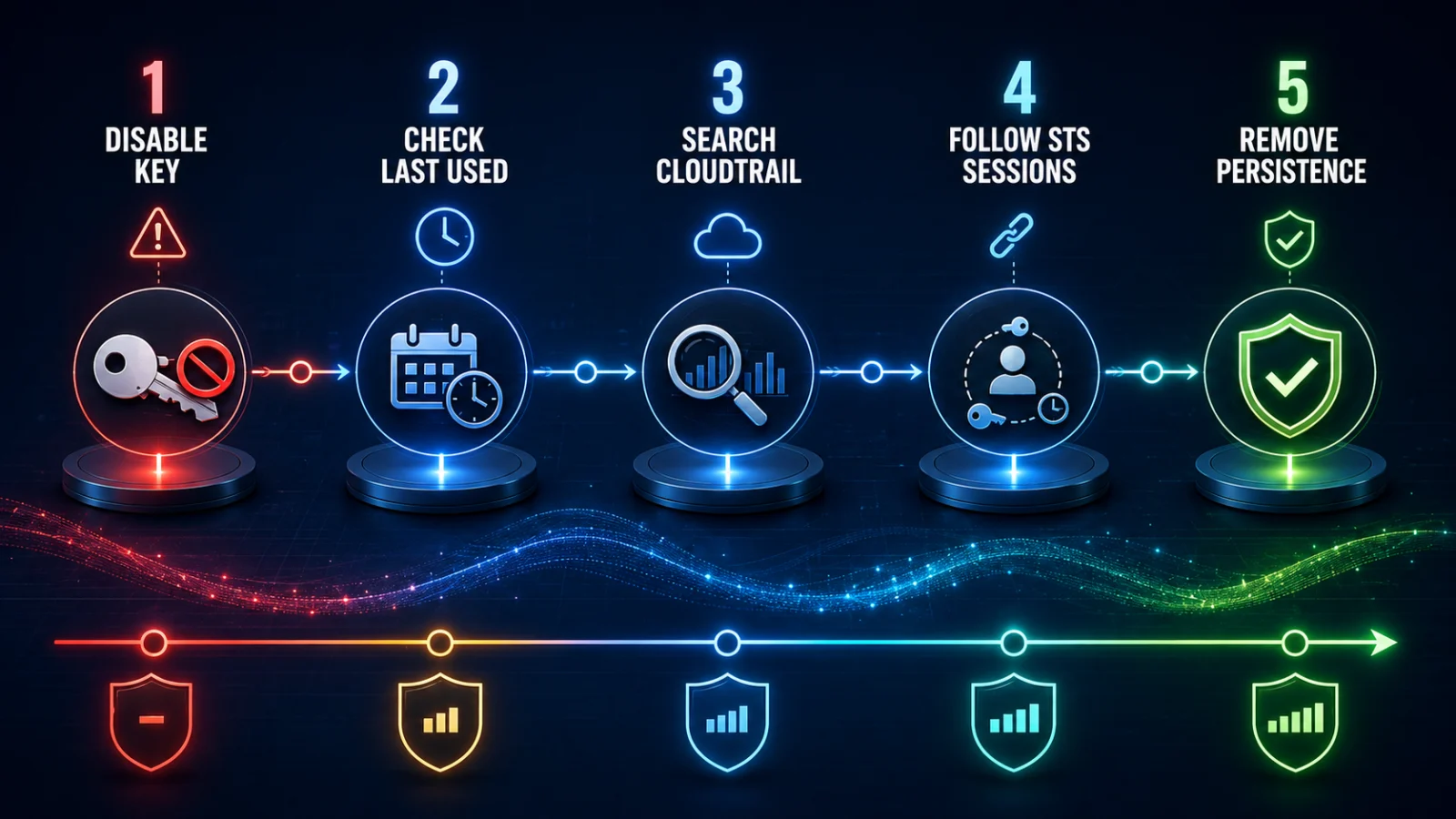
Best evidence chain: exposed key → contain key → identify owner → map permissions → check last-used signal → define incident window → search CloudTrail → follow STS sessions → inspect IAM persistence → inspect resources → check billing → restore least-privilege access.
Disabling the key answers whether that long-term credential can continue authenticating. It does not answer what happened before containment or whether another session or persistence path survives.
Last verified: August 22, 2026. This guide reflects current AWS documentation and AWS’s June 14, 2026 Builder Center compromised-access-key response guidance.