






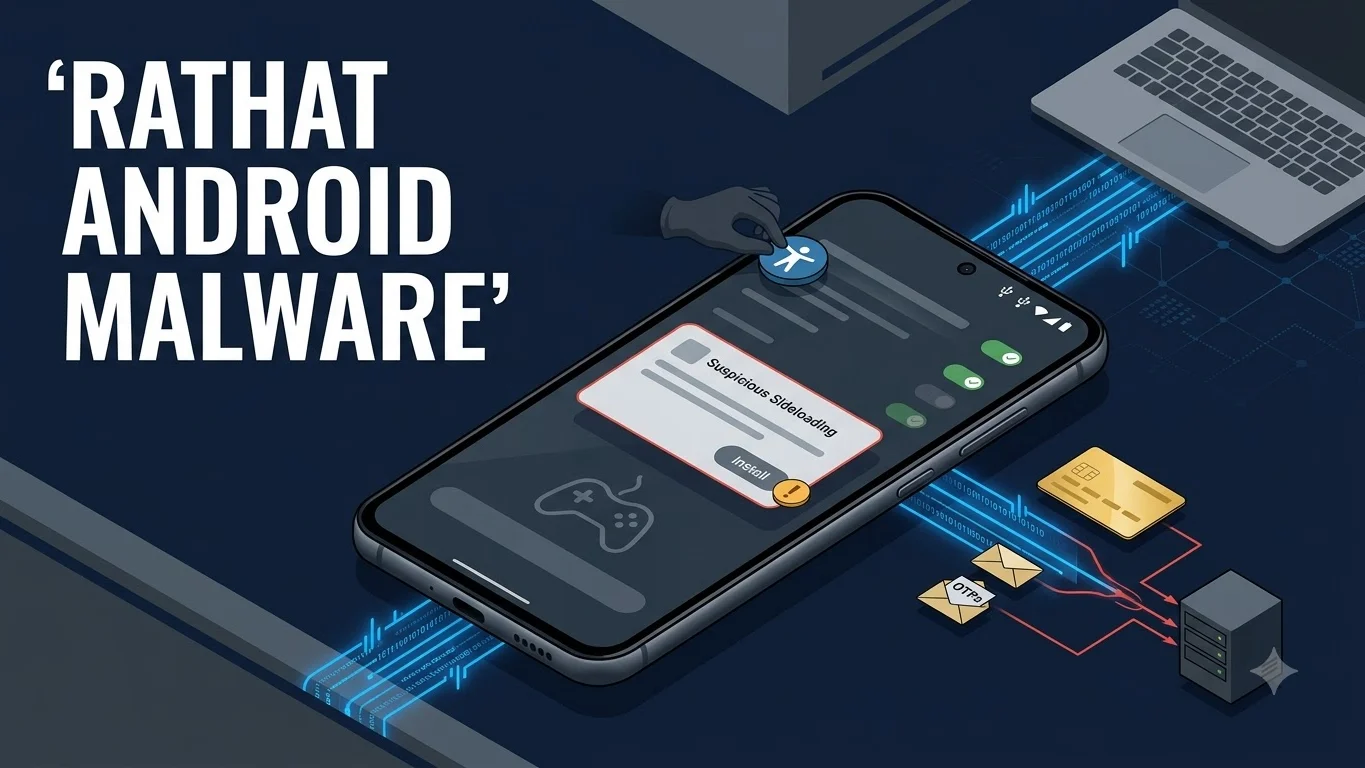
RatHat Android malware is a newly documented banking trojan that Zimperium says combines malicious APK installation, Android Accessibility abuse, local Wireless Debugging and ADB self-pairing, shell-level execution, credential theft and AI-assisted interface navigation. The important boundary is that the documented RatHat chain is not a zero-click attack and does not show generative AI independently breaking Android security.
In the analyzed infection path, a victim is first pushed toward a malicious APK through targeted smishing, malvertising or a deceptive third-party download page. After installation, the malware seeks powerful Accessibility access. Zimperium says RatHat then uses that control to manipulate Android settings, enable Wireless Debugging, locally pair with Android Debug Bridge and deploy native components with shell-level capabilities.
What RatHat Android malware actually requires
RatHat becomes most powerful only after several important prerequisites are met. The user must install the malicious application, and the documented chain then depends on Accessibility access that lets the malware inspect and interact with the Android interface. RatHat can use that access to automate settings changes rather than requiring the attacker to manually guide every screen.
This distinction matters because reports describing RatHat as an AI-powered Android threat can make the infection sound remote or automatic. The primary research instead describes a socially engineered installation and permission-abuse chain that later reaches stronger device-control capabilities.
How the ADB self-pairing step works
Zimperium says RatHat can automate the process of enabling Developer Options and Wireless Debugging, obtain the information needed for local pairing from the device interface and pair with the phone’s own ADB service without requiring an external computer.
Android’s Wireless Debugging feature is legitimate platform functionality. Google documents wireless ADB support on Android 11 and later. RatHat’s significance is that it automates abuse of that feature after earlier stages of the infection have already given the malware enough control to manipulate the required settings.
The resulting execution context should be described carefully. Zimperium documents shell-level ADB execution. That gives the malware capabilities beyond an ordinary Android application, but it is not the same as unrestricted root access. TPS therefore does not describe RatHat as a root exploit.
What the generative AI component does
Zimperium says RatHat serializes live interface information obtained through Accessibility and sends that context to a generative AI assistant that helps identify screen elements, interpret visible text and produce navigation actions. This can make the malware more adaptable to changing application layouts than automation based only on hard-coded screen coordinates.
The AI component should not be confused with the privilege-acquisition mechanism. The documented path to stronger control comes from deceptive installation, Accessibility abuse and local ADB pairing. Generative AI assists navigation after those capabilities are available.
What RatHat can steal
Zimperium says RatHat can place fake interfaces over banking and payment applications to capture credentials. It can also intercept authentication codes exposed through SMS or notifications and collect information from the device interface.
The research additionally describes native shell-side monitoring of raw touch events. Those coordinates can be correlated with known keypad or unlock-pattern layouts, creating a path to reconstructing PIN or device-unlock information under the conditions described by the researchers.
That combination raises the consequence beyond a single malicious application. A compromised phone can expose banking credentials, account authentication codes and local device secrets at the same time, reducing the value of security controls that rely on the same device as the second factor.
Can RatHat survive app uninstall?
Zimperium documents native components deployed from the shell context that can remain outside the ordinary lifecycle of the visible Android APK. In the analyzed samples, those components can support reinstallation of the malicious application after the user removes it.
This does not mean that every RatHat infection will always survive every cleanup method. It does mean that a user who reached the Accessibility-plus-ADB stage should not assume that uninstalling the visible application alone proves that the device is clean.
Which Android versions are affected?
Google documents Wireless Debugging support on Android 11 and later, which establishes the platform prerequisite for the specific local wireless-ADB technique described in the RatHat research. Zimperium has not published a complete affected-version matrix proving that every Android 11-or-later device is equally susceptible to the entire RatHat chain.
Device-maker changes, Android security controls, configuration, Play Protect state and enterprise management policy can all affect what the malware can do. TPS therefore does not use a blanket statement that all Android phones are vulnerable.
What Android users and security teams should check
The documented RatHat chain begins with a malicious application obtained through deceptive external distribution rather than a confirmed zero-click compromise.
Unexpected Accessibility permission granted to an unfamiliar application is a major warning sign because RatHat uses that capability to inspect and control the interface.
If those settings became enabled unexpectedly after a suspicious app installation, treat that as a more serious compromise indicator requiring trusted security review.
Zimperium documented shell-side components that can remain outside the ordinary APK lifecycle, so removal of the visible application may not prove complete containment.
If banking credentials, device PINs or on-device authentication codes may have been exposed, account recovery should be handled independently of device cleanup using trusted channels and a known-clean device where possible.
The reviewed evidence does not support one universal cleanup procedure for every handset. Follow current Google, device-vendor, enterprise or qualified incident-response guidance for containment and rebuild decisions.
How users can reduce initial infection risk
Avoid installing APKs from unexpected SMS links, advertisements or unfamiliar third-party download portals. Google Play Protect should remain enabled; Google says it checks applications from Google Play and other sources and can warn about, disable, block or remove potentially harmful applications.
An unexplained Accessibility request should also be treated as high risk, especially for an application that does not clearly need accessibility functionality. Enterprise administrators can additionally evaluate whether sideloading, Accessibility services, Developer Options or debugging features should be restricted on managed devices.
What is known about the RatHat operators
Zimperium assesses that the actors behind RatHat appear to operate in China. That is research attribution, not confirmation that the malware is operated by the Chinese government or another state entity. No named threat group or confirmed state sponsor was established in the reviewed evidence.
What remains unknown
No reliable total for RatHat victims, financial losses or compromised bank accounts was established in the reviewed evidence. TPS also did not verify a complete country or banking-target list, a full Android-version matrix, a named threat actor, universal Play Protect detection or a RatHat-specific Google or device-maker mitigation.
Those unknowns should not be converted into assumptions. The evidence strongly supports the technical capabilities Zimperium observed in analyzed samples, but it does not establish how widely every capability has been deployed against real victims.
What happens next
This same RatHat canonical should be updated if Zimperium publishes additional samples or indicators, if Google or device manufacturers announce RatHat-specific mitigations, if banks issue customer alerts, or if credible evidence establishes campaign geography, victim numbers, losses or stronger actor attribution.