






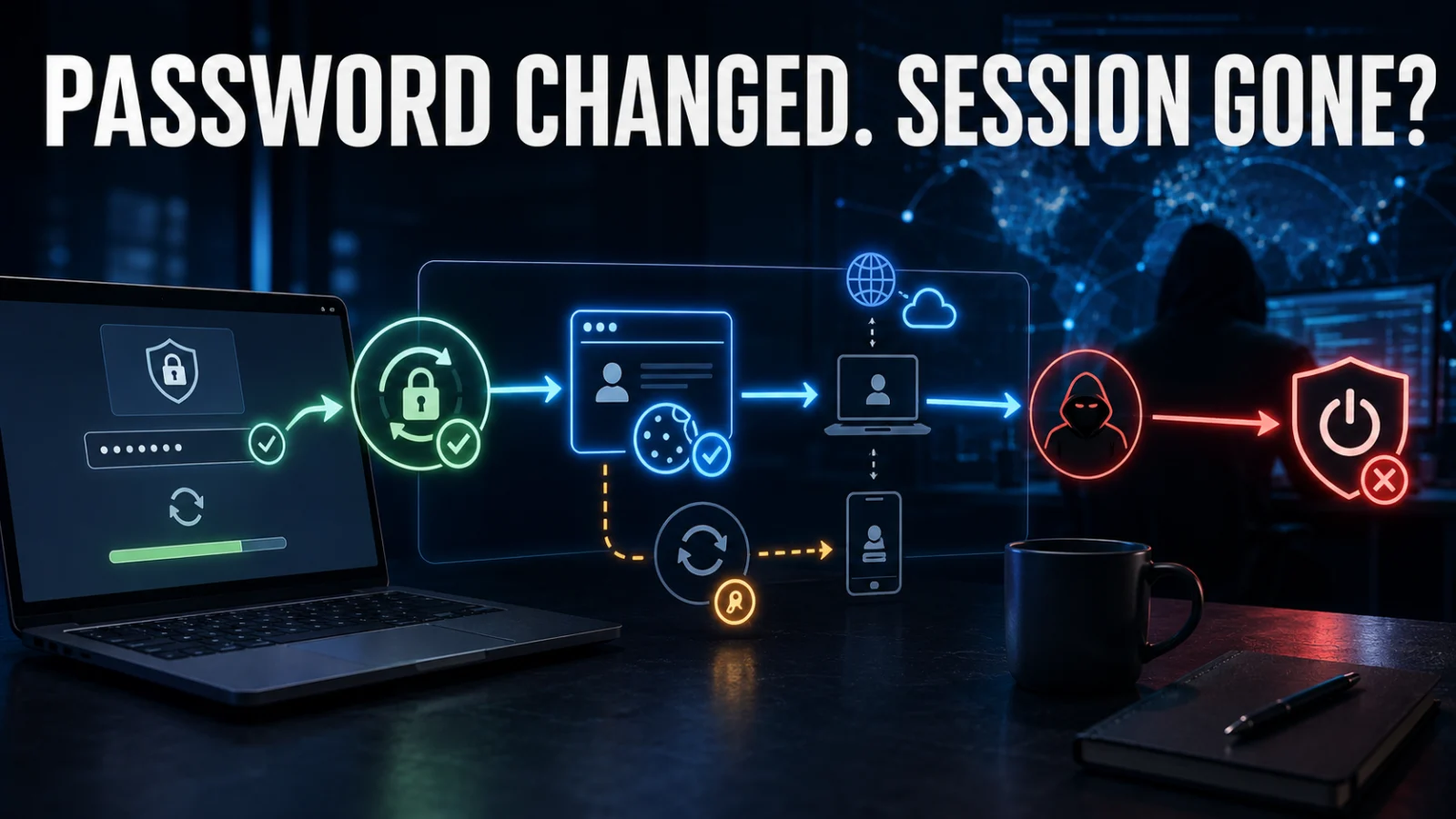
If a stolen session token may be giving someone access to your account, changing the password is important when the password itself could also be exposed — but do not assume that action automatically kills every existing authenticated session. Password change, session revocation and device cleanup solve different parts of the incident.
Direct answer
Is changing your password enough after session-token theft?
Not reliably across every service. Some services invalidate some or all sessions after a password change; others expose separate controls to revoke active sessions, browser cookies or refresh tokens. If session theft is suspected, review current sessions or devices, explicitly revoke untrusted access where supported, check connected applications and security-setting changes, and secure the device that may have leaked the token before establishing a fresh session.
Critical distinction
A session can already be past the login step
A valid session identifier represents authenticated state. Reusing a stolen valid session can therefore allow an attacker to impersonate the user without entering the password again while that session remains accepted.
State 1
Credential exposure suspected
Password and session status are both unresolved.
State 2
Password changed
Future authentication with the old password may be blocked, but existing-session status must still be checked.
State 3
Unfamiliar session found
A provider-recognized device or session does not match expected account use.
State 4
Sessions revoked
Known sessions, refresh tokens or provider-controlled sign-in sessions have been explicitly invalidated where supported.
State 5
Persistence reviewed
Recovery details, MFA methods, connected apps and other security changes have been checked.
State 6
Trusted session rebuilt
The likely theft source is remediated and a new authenticated session is established from a trusted device.
In this guide
- What a stolen session token means
- Password and session are different
- Session cookies, access tokens and refresh tokens
- What a password change actually does
- Why session invalidation is service-dependent
- Why MFA still matters
- Review active sessions and devices
- Explicitly revoke untrusted sessions
- Follow refresh tokens and derived access
- Identity-provider vs application sessions
- Why clearing your own cookies is not enough
- Reauthentication is a separate control
- Check for persistence and security changes
- Secure the device that leaked the token
- Session-theft evidence ladder
- Watch, investigate or escalate
- Worked example
- TPS credential-compromise cluster
- Verification boundaries
- Limitations
- FAQs
A stolen session token is an already-authenticated access problem
Web applications use session identifiers to connect subsequent requests with an authenticated user. OWASP notes that once an authenticated session exists, the session identifier can temporarily become equivalent to the authentication strength used to create that session.
If an attacker obtains a valid session identifier and the server still accepts it, the attacker may be able to impersonate the user for that session’s valid lifetime.
This is why session theft is not simply another password leak. The attacker may already possess the artifact that tells the application, “this user has authenticated.”
Password change and session revocation are different security actions
Password change
Changes the credential used for subsequent password-based authentication.
Session revocation
Invalidates already-authenticated access represented by an existing session.
Device remediation
Removes the source that may have stolen the original session and could steal the replacement.
Core TPS distinction: PASSWORD CHANGED ≠ ALL EXISTING SESSIONS VERIFIED REVOKED.
Do not treat every token as the same thing
| Access artifact | What it generally represents | Why it matters during recovery |
|---|---|---|
| Password | Credential used during authentication | Rotate if it may be compromised. |
| Session cookie / session identifier | Existing authenticated application session | May continue working until expired or invalidated according to the application’s rules. |
| Access token | Authorization to access defined resources for a limited period | May remain usable until expiry or revocation behavior takes effect. |
| Refresh token | Credential used to obtain new access tokens | Can extend access if not revoked according to the identity system’s controls. |
| Application-issued session | Session maintained by a specific application | May be controlled independently of an upstream identity provider. |
A password change does not answer the session-status question by itself
Changing a password can be an essential response when the password itself may be exposed. But the correct next question is:
What does this particular service do to active sessions and refresh tokens after a password change?
Do not use a universal assumption. Some providers may terminate sessions automatically in specific circumstances; others expose separate sign-out-everywhere or session-revocation controls.
Google’s compromised-account guidance, for example, combines password change with reviewing signed-in devices rather than treating the password change as the only recovery action.
Session invalidation is controlled by the service architecture
The exact behavior depends on how authentication and sessions are implemented.
Microsoft Entra documentation distinguishes:
- access tokens
- refresh tokens
- browser or application session tokens.
Microsoft also documents that applications can maintain their own sessions. An identity provider cannot necessarily directly revoke every application-issued session simply because it revoked one upstream token.
TPS interpretation: identity-provider revocation and application-session revocation can be separate layers. Check the affected service’s actual sign-out and session controls instead of assuming one button terminates every type of access.
A valid stolen session may already be past the MFA challenge
MFA remains one of the most important protections against account takeover because it makes credential-only login harder. But session theft targets a different stage.
OWASP’s cookie-theft guidance explains that reuse of an already-authenticated session can bypass the protection provided during the original authentication flow. MITRE ATT&CK likewise documents stolen web session cookies being used to access services as an authenticated user.
Do not conclude “MFA is useless.” The correct distinction is that MFA protects authentication, while a valid stolen session may represent authentication that has already occurred.
Review every session or device the provider exposes
If the account provider offers a session or device-management page, inspect it after containment.
Look for:
- devices you do not recognize
- sessions from unexpected locations
- unexpected browsers or platforms
- sessions created during the suspected compromise window
- multiple sessions that cannot be explained by normal use.
Google, for example, allows users to review devices and sessions where the account is currently or recently signed in and to sign out unfamiliar access.
Absence of an unfamiliar device is not universal proof that session theft never occurred. Provider visibility differs, and not every session system exposes the same metadata.
Explicitly revoke suspicious sessions when the provider supports it
OWASP recommends server-side invalidation of sessions. That matters because removing the token only from your local browser does not invalidate a copy already held by an attacker.
Containment sequence
If the provider offers “sign out everywhere,” “revoke sessions,” “terminate all sessions,” or a comparable security control, use the provider-supported control appropriate to the incident.
Do not forget refresh tokens or derived access
Modern identity systems often distinguish short-lived access tokens from refresh tokens that can obtain new access tokens.
Microsoft’s compromised-account and Entra guidance explicitly includes revoking active sign-in sessions and refresh-token access as part of incident response.
Microsoft Graph’s revokeSignInSessions documentation also notes that revocation can require a short propagation period before it becomes effective.
Recovery trap: killing one visible browser session does not automatically prove every refresh token, application session or connected authorization has been invalidated.
An application-issued session can outlive an identity-provider action
Some applications authenticate through an identity provider and then issue their own local session token.
Identity-provider session
Controlled through the provider’s token and sign-in policies.
Application session
May be controlled by the application’s own authorization, expiration and logout behavior.
This means an enterprise responder should check both layers where applicable.
Identity-provider logout ≠ every application session necessarily dead.
Clearing cookies on your own browser does not revoke the attacker’s copy
Deleting a local cookie removes that token from your browser. It does not inherently tell the server to reject another copy already held elsewhere.
OWASP emphasizes server-side session invalidation as the important security action when sessions expire or are actively terminated.
Clear local cookie
Removes your browser’s copy.
Server-side revoke
Causes the application to stop accepting the session according to its session-management design.
Reauthentication is not the same as changing the password
OWASP recommends reauthentication after high-risk security events such as password changes, account recovery or suspicious activity.
Password reset
Changes an authentication credential.
Session revocation
Invalidates an existing authenticated state.
Reauthentication
Requires the user to prove identity again before a new trusted session continues.
Check whether the attacker changed other account-security surfaces
If a stolen session had sufficient privilege, the attacker may have been able to modify account settings before the session was revoked.
Depending on the service, inspect provider-supported evidence for unexpected changes to:
- recovery email or phone
- MFA methods
- trusted devices
- connected applications or OAuth grants
- mail forwarding or rules where relevant
- API or app credentials
- administrator or account roles
- security-notification settings.
These are investigation targets, not claims that every session-theft incident creates persistence.
Secure the device that may have leaked the stolen session token
Revoking the old session is incomplete if malware, an infostealer or a malicious browser extension remains able to steal the replacement session.
Reinfection loop
If infostealer activity is suspected, use ThePulseSignal’s infostealer credential-rotation guide to inventory other exposed passwords, tokens and secrets before rebuilding trusted access.
If a broader token compromise involves GitHub, use the TPS GitHub-token investigation guide. For exposed AWS long-term credentials, use the TPS AWS access-key investigation workflow.
Use a session-theft evidence ladder
| Evidence or action | What it establishes | What it does not prove |
|---|---|---|
| Password changed | Old password is no longer the current password | That every existing session is revoked |
| Provider session list | Sessions or devices the provider exposes | Universal visibility into every possible access artifact |
| Explicit session revocation | Provider has been instructed to invalidate targeted or all sessions | That unrelated application-issued sessions are also dead unless integrated |
| Refresh-token revocation | Stops supported refresh credentials from obtaining new access according to provider behavior | Instant invalidation of every already-issued access token in every architecture |
| Reauthentication | User must establish fresh authentication | That the originating device is clean |
| Security-setting review | Checks for persistence or account modifications | That no invisible abuse occurred |
| Trusted-device remediation | Reduces risk of the replacement session being stolen again | Historical proof of what the attacker did |
Watch, investigate or escalate
1
WATCH
Password changed where necessary, expected sessions remain, untrusted sessions are revoked, no suspicious security-setting changes appear and the device used for new authentication is trusted.
2
INVESTIGATE
An unfamiliar session remains, refresh-token behavior is unclear, sessions reappear, a suspicious browser extension or malware is suspected, or the provider’s revocation scope is uncertain.
3
ESCALATE
Security settings were altered, new MFA or recovery methods appear, privileged connected apps were added, sensitive actions occurred, enterprise tokens remain active or account access returns after revocation.
Worked example: password changed but an unfamiliar session remains
| Evidence | Interpretation | Next action |
|---|---|---|
| Password changed at 10:00 | Password credential has been rotated | Do not assume session incident is closed |
| Session page shows an unfamiliar browser session | Provider-recognized authenticated access remains suspicious | Revoke the session |
| Provider offers sign-out-all or session revocation | Server-side containment is available | Terminate untrusted sessions |
| Connected application added during compromise window | Possible persistence path | Review and remove unauthorized authorization |
| Browser device contains suspected infostealer | Token-theft source may remain active | Use a trusted device and remediate the compromised system |
| Fresh session established after cleanup | New authenticated state created from a trusted environment | Continue monitoring account activity |
The important conclusion is that the password change was one containment step, not the proof that existing authenticated access had disappeared.
Where session-token theft fits in the TPS cybersecurity cluster
Infostealer infection: what must you rotate?
Use this when the compromise may include many passwords, session artifacts, API keys and other secrets.
GitHub token exposed: what did it access?
Use this when the compromised token is a GitHub credential and repository or workflow activity must be reconstructed.
AWS access key exposed: was it used?
Use this when a long-term AWS credential is compromised and CloudTrail, STS and resource impact need investigation.
Security patch installed: is remediation verified?
Use this when a technical fix has been deployed but evidence of complete remediation is still required.
Verification notes: confirmed, service-dependent, interpretation and not established
Confirmed
- Session identifiers represent authenticated application state.
- Valid stolen sessions can support session hijacking.
- OWASP recommends server-side session invalidation.
- Reauthentication is appropriate after high-risk security events.
- Major providers expose explicit session-review or revocation controls.
Service-dependent
- whether password change automatically revokes sessions
- which refresh tokens are revoked
- how quickly revocation propagates
- whether application sessions follow identity-provider logout
- which sessions or devices are visible to users.
TPS interpretation
- Password change = credential rotation.
- Session revocation = termination of existing authenticated access.
- Device cleanup = removal of the likely theft source.
- All three may be required in one incident.
Not established by token theft alone
- that the attacker used the token
- which account actions occurred
- whether persistence was created
- whether other credentials were stolen
- whether the device remains compromised.
Needs provider evidence
- session inventory
- revocation behavior
- refresh-token handling
- account activity
- security-setting history
- application-specific sessions.
Higher-risk branch
- privileged account
- enterprise administrator
- financial account
- recovery details changed
- sessions return after revocation
- malware remains present.
Verification method
ThePulseSignal reviewed OWASP session-management and cookie-theft guidance, Microsoft Entra and Microsoft Graph documentation on access, refresh tokens and session revocation, Microsoft compromised-account response guidance, Google account session and compromised-account guidance, and MITRE ATT&CK’s stolen web session cookie technique.
The article deliberately avoids claiming that every provider handles password changes, session cookies, access tokens and refresh tokens identically.
Limitations and unresolved facts
No universal rule determines exactly which sessions survive a password change across every website, identity provider and application architecture.
- Password-change behavior varies by provider.
- Session expiration and server-side invalidation rules vary by application.
- Refresh-token revocation does not necessarily describe every already-issued access token.
- Applications can maintain sessions independently of an upstream identity provider.
- Provider session lists may not expose every access artifact.
- A familiar IP address or device name is not universal proof that a session is legitimate.
- An unfamiliar session does not by itself prove how the token was stolen.
- Clearing local browser cookies does not invalidate another copy unless server-side session state is also terminated.
- Malware can steal a newly established session if the device remains compromised.
- The recovery procedure for banking, enterprise, developer and consumer accounts can differ substantially.
Stolen session token: frequently asked questions
Does changing my password log a hacker out?
It may invalidate sessions on some services, but do not assume universal behavior. Review the provider’s active-session controls and explicitly revoke suspicious sessions where supported.
What should I do if a session cookie was stolen?
Use a trusted device, rotate exposed login credentials where necessary, review sessions, revoke untrusted authenticated access, check refresh or connected access and remediate the device that may have leaked the cookie.
Can a stolen session token bypass MFA?
A valid stolen session may already represent authentication that included MFA, so replaying that accepted session can bypass the need to complete the original login challenge again. MFA still remains important protection against credential-based login attacks.
Is logging out enough?
Only if the application’s logout action performs effective server-side session invalidation for the relevant session. Check whether the provider also offers sign-out-all or explicit session revocation.
Does clearing browser cookies log the attacker out?
No. It clears your local copy. The attacker’s copy must stop being accepted by the server through expiration or server-side invalidation.
What is the difference between a session token and refresh token?
A session token commonly represents an authenticated application session, while a refresh token is generally used to obtain new access tokens. Exact implementation varies by identity system.
Why should I review connected apps after session theft?
An attacker with sufficient privileges may authorize another application or change account settings before the stolen session is revoked.
Should I sign out every session?
For suspected compromise, a provider-supported global sign-out can be appropriate when you cannot confidently distinguish legitimate and malicious sessions, but consider operational consequences for enterprise or shared-service accounts.
Can malware steal the new session after I log back in?
Yes, if the original theft source remains on the device. Remediate suspected infostealer malware or malicious extensions before rebuilding trusted authenticated sessions.
If I cannot see an unfamiliar device, does that mean I am safe?
No. Treat the session list as one evidence source. Provider visibility, token architecture and available account telemetry differ.
Bottom line
A stolen session token should be treated as an authenticated-access incident, not only a password incident.
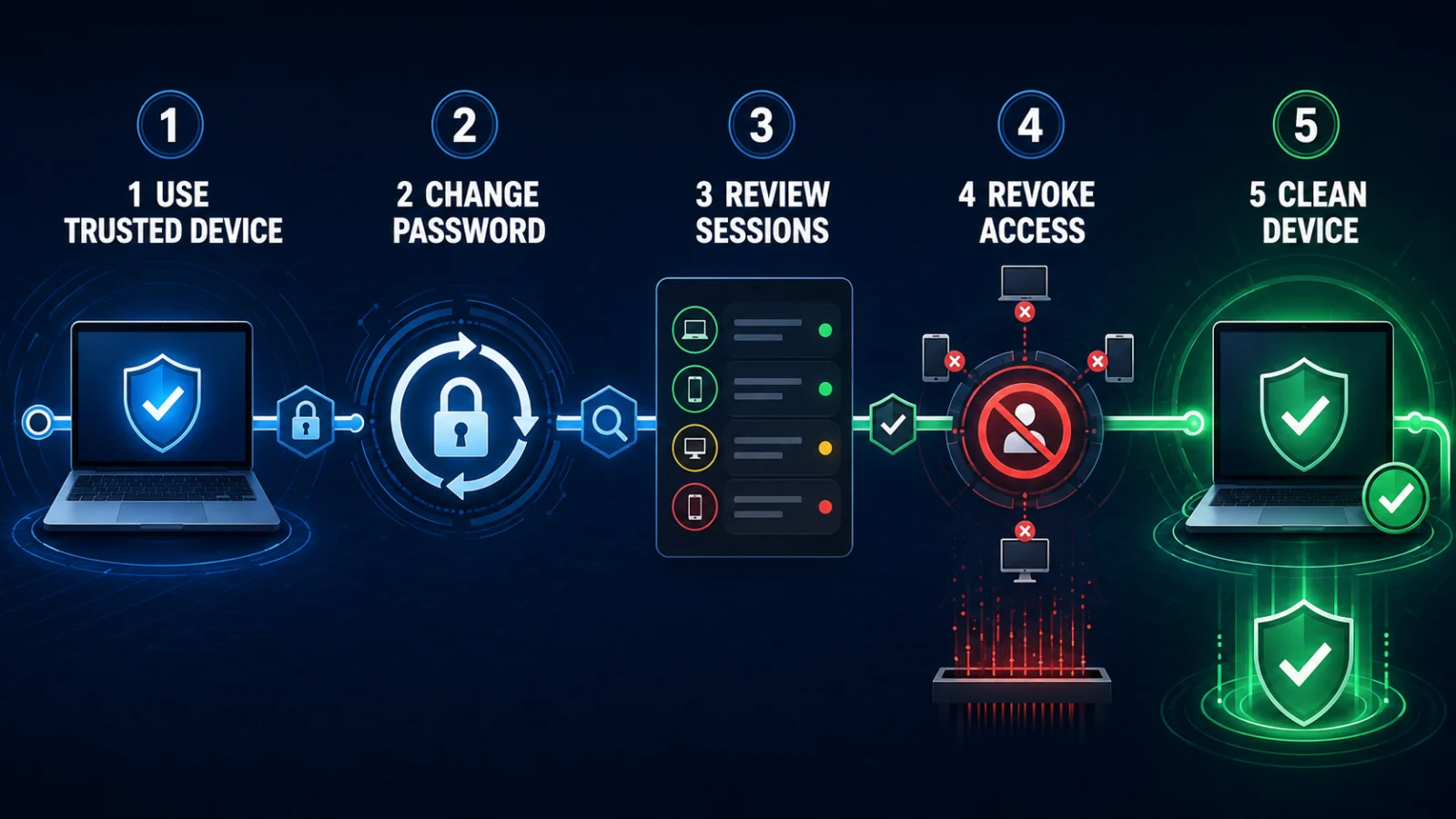
Best recovery chain: trusted device → password rotation if needed → review sessions → revoke untrusted sessions → revoke refresh or connected access where supported → review security changes → remove persistence → remediate the theft source → reauthenticate → verify access does not reappear.
Changing the password changes the credential used for future authentication. Session revocation terminates existing authenticated access according to the provider’s implementation. Device remediation prevents the same compromise source from simply stealing the replacement session again.
Last verified: August 22, 2026. This guide reflects current OWASP session-management guidance and Microsoft, Google and MITRE documentation reviewed for session revocation and stolen-session behavior.