






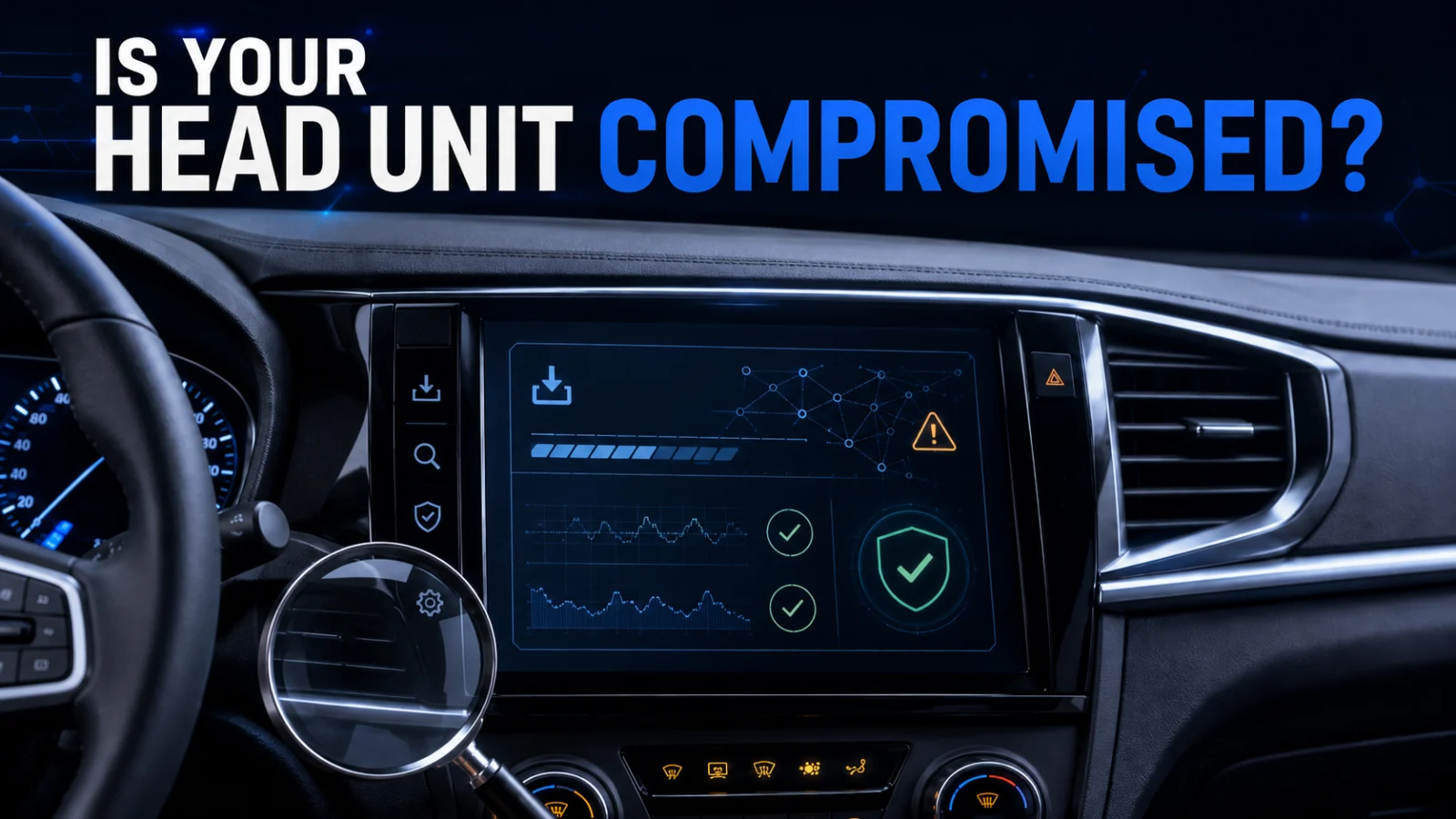
Android car head unit malware does not mean every Android infotainment system is infected. Kaspersky documented a specific supply-chain infection path involving investigated DoFun Android automotive head units and the legitimate TWCore updater. The useful question for an owner, installer or fleet administrator is whether a device belongs to that software path and whether there is evidence of exposure or actual compromise.
Direct answer: first establish whether the head unit is a relevant DoFun/TWCore device. The presence of TWCore or package com.tw.core identifies a software path worth investigating but does not prove compromise. Stronger evidence includes known JarService artifacts, malicious-stage hash matches or communication with published malicious infrastructure. The vendor reportedly fixed the distribution security issue, but that does not by itself prove that a device infected earlier has been cleaned.
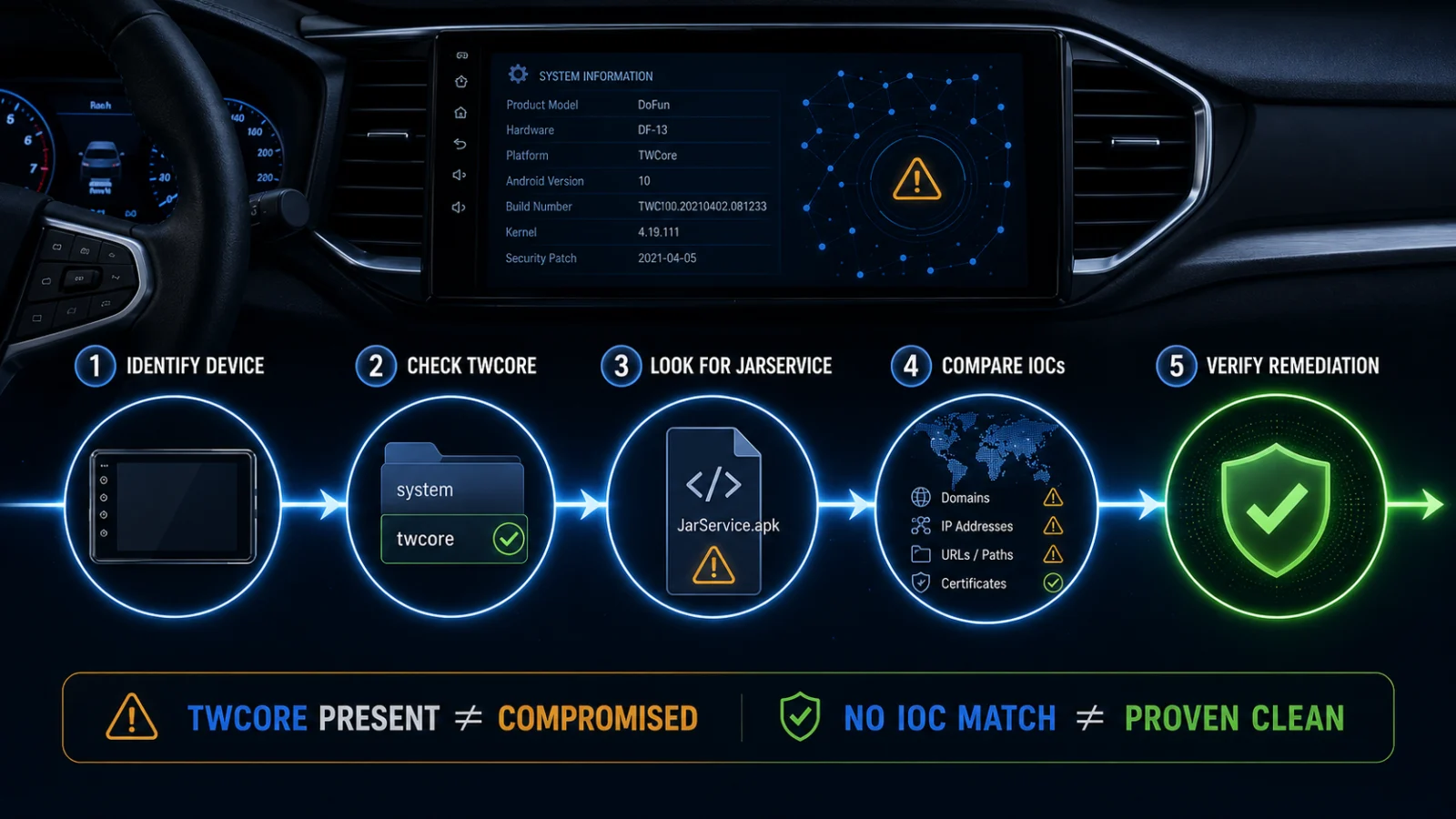
TWCORE PRESENT ≠ DEVICE COMPROMISED
VENDOR FIXED DISTRIBUTION ≠ EXISTING DEVICE VERIFIED CLEAN
NO IOC MATCH ≠ DEVICE PROVEN CLEAN
What Kaspersky found in Android automotive head units
Kaspersky’s Aug. 21 research describes a malware infection chain tailored to Android automotive head units. In the investigated DoFun devices, the legitimate TWCore system application was responsible for analytics and software-update functionality. Kaspersky observed malicious APK installation through that trusted update path.
The infection chain progressed through multiple stages. The first malicious application was identified as JarService, a component without a visible user interface. It decrypted and launched additional payloads. Later stages supported advertising fraud and reverse-proxy or proxy-botnet activity and could retrieve additional code.
Kaspersky associated the activity with the MoYu Group and infrastructure linked to the wider BADBOX ecosystem. That attribution does not mean every DoFun device or every TWCore installation is infected.
What the malware was reported to do
Proxy activity
An infected head unit could be used as part of proxy infrastructure, allowing third-party traffic to be routed through the device’s internet connection.
Advertising fraud
The later-stage malware could perform browser or WebView activity associated with click and advertising fraud.
Additional payloads
The malware chain included capability to retrieve and execute further modules, which means the original first-stage artifact is not the only evidence that may matter during investigation.
Reported capabilities also included collecting device information and performing HTTP, JavaScript/WebView and clipboard-related operations.
Important safety boundary: the reviewed research did not establish that this malware controlled steering, braking, the engine or other safety-critical driving systems. The documented impact is on the Android head-unit computing environment and its network activity.
Step 1: determine whether your head unit belongs to the relevant software path
Do not start by assuming that any Android infotainment display is part of this incident.
Collect the device’s basic identity:
- head-unit manufacturer or supplier
- model number
- Android version
- firmware or build version
- whether the unit is factory-installed or aftermarket
- installer or vendor details
- whether DoFun software is identified
- whether TWCore or
com.tw.coreis present
If the vendor, installer or device information shows no relationship to DoFun/TWCore, the specific infection path researched by Kaspersky is less directly relevant. That does not establish that the device has no other security issues.
Step 2: check whether TWCore is present
Kaspersky identified the legitimate package com.tw.core as the TWCore component involved in the observed delivery path.
Do not label TWCore itself as malware. It is the legitimate updater through which the researched malicious installation occurred.
If an administrator can legitimately inspect installed packages or obtain that information from the vendor, the presence of com.tw.core helps establish that the device belongs to the relevant software environment.
That evidence should be interpreted as:
TWCore present → exposure path is relevant → investigate further.
It should not be interpreted as:
TWCore present → malware confirmed.
Step 3: look for JarService or later malicious-stage evidence
Kaspersky’s infection chain used a malicious first-stage app called JarService. Because it did not expose a normal user interface, simply checking the launcher for an unfamiliar icon is not a reliable clean-device test.
For technically managed devices, stronger investigation can include:
- installed-package and application inventory
- file or application hashes where the administrator can collect them safely
- security-product detections
- network logs
- DNS or proxy logs
- vendor diagnostic output
Ordinary vehicle owners should avoid installing random scanner APKs or using destructive Android commands merely to investigate this incident. Where device-level inspection is not exposed safely, vendor or installer support is the more reliable route.
Step 4: compare evidence with published indicators of compromise
Kaspersky published hashes and network indicators associated with the researched malware chain. An exact match to a known malicious-stage hash, malicious download location, domain or IP address is substantially stronger evidence than simply finding TWCore.
| Evidence state | What it establishes | What it does not establish |
|---|---|---|
| Android head unit | The device uses Android | That it is related to the DoFun/TWCore incident |
| DoFun device | The device is within the vendor/software population investigated | That malware was installed |
TWCore / com.tw.core |
The relevant updater path is present | That the updater delivered malware to this device |
| Known TWCore sample/hash | A software sample matches a TWCore version associated with the investigated environment | That the file itself is malicious |
| JarService artifact | Evidence consistent with the researched malicious first stage | That every later-stage module is still active |
| Malicious-stage hash match | Strong match to a known researched malware artifact | That the full scope of activity is known |
| Known malicious domain/IP communication | Strong network evidence requiring investigation | That every other connected device is compromised |
| No known IOC found | No reviewed historical indicator was observed | That the device is proven clean |
Why an IOC non-match does not prove the head unit is clean
Indicators of compromise are historical evidence. Attack infrastructure, payloads and versions can change. A device can also have been exposed earlier without continuing to contact an old domain or IP at the moment it is inspected.
This means the correct interpretation is:
IOC match → strong investigation evidence.
IOC non-match → no known indicator found, not a clean-device certificate.
Step 5: examine network evidence carefully
The researched malware included proxy-botnet and advertising-fraud functionality, so network telemetry can help distinguish a relevant software environment from active suspicious behaviour.
Useful evidence can include:
- communication with a published malicious domain or IP
- requests matching a known malicious delivery location
- security-tool detections tied to the head unit
- persistent unexplained outbound activity corroborated by stronger indicators
Generic background traffic is not enough. Android head units can legitimately communicate with map, media, analytics, telemetry and software-update services.
UNUSUAL TRAFFIC ≠ CONFIRMED COMPROMISE. Network behaviour becomes much more useful when it can be tied to a known malicious indicator, application artifact or security detection.
What does the vendor-reported fix mean?
Kaspersky says it notified the vendor and that the vendor subsequently reported fixing the security issue in the distribution mechanism.
That is important because it addresses the path through which malicious software was delivered. But the available research does not establish a universal rule that every head unit infected before the fix automatically removed the malware afterward.
DISTRIBUTION FIXED ≠ PREVIOUS INFECTION REMOVED. A device that already received JarService or later payloads needs its own remediation evidence.
The reviewed research does not provide a complete public list of:
- all affected head-unit models
- all affected firmware versions
- the exact fixed firmware/build version for every product
- the number of infected devices
- the geographic distribution of infected devices
- a universal consumer recovery procedure
How should an ordinary owner respond?
If you own an Android car head unit and only know that this incident exists, start with identification rather than destructive remediation.
- Record the head-unit manufacturer, model and firmware/build information
- Determine whether DoFun/TWCore is relevant to your device
- Ask the vendor or installer whether your exact model/software version used the affected distribution path
- Apply a confirmed vendor-provided update when one is available for your unit
- Use security or network evidence if you have legitimate technical access
- Escalate if JarService, a known malicious hash, a known malicious network indicator or another strong compromise signal is found
Do not sideload unverified “cleaner” APKs, flash unrelated firmware or dismantle the unit solely because it runs Android.
What if there is strong evidence of compromise?
If an IOC or malicious artifact is confirmed, the response should focus on both the device and the network environment around it.
- disconnect unnecessary network access where operationally safe
- preserve relevant application, network and security evidence
- contact the head-unit vendor, installer or fleet support team
- use a vendor-supported update, firmware recovery or reflash procedure where available
- review the Wi-Fi or network segment for related proxy/C2 activity
- escalate to security staff when the device is connected to a business, fleet or managed network
Credential rotation should be evidence-driven. The reviewed research establishes malware and network-abuse capabilities, but it does not prove that every infected head unit captured every account credential used near the device.
Why fleet and business environments need a wider check
A compromised infotainment unit does not need control of vehicle steering or braking to create a meaningful security problem. A device acting as a proxy node can abuse the internet connection assigned to a vehicle, home, office or fleet environment.
Fleet administrators should therefore consider both:
- the head unit as an Android endpoint
- the network path through which that endpoint communicates
Where vehicle Wi-Fi is segmented from business systems, preserve that separation. Where head units share broader corporate or operational networks, the network relationship deserves review if compromise evidence appears.
Evidence ladder: possible exposure vs actual compromise
Identify the device
Confirm manufacturer, model, Android build and firmware. Android alone is not evidence of this campaign.
Confirm DoFun/TWCore relevance
Finding DoFun software or com.tw.core moves the device into the relevant investigation population but does not prove infection.
Look for malicious artifacts
JarService or a known malicious-stage hash is substantially stronger evidence than the legitimate updater alone.
Corroborate with network evidence
Known malicious domain/IP communication or security detections strengthen the compromise case.
Verify remediation
A vendor-side distribution fix is not enough for a previously infected device. Confirm a supported update/recovery path and verify that compromise evidence is no longer present.
What this article does not establish
- that every Android car head unit is affected
- that every DoFun device is infected
- that TWCore itself is malware
- that every installation of
com.tw.coreis compromised - that BADBOX-linked malware controlled steering, braking or other safety-critical vehicle systems
- that any specific Indian vehicle or head-unit model is confirmed infected
- that the vendor’s distribution fix automatically cleaned previously infected devices
- that one missing historical IOC proves a device is clean
- that a generic factory reset or arbitrary reflash universally removes every stage
Frequently asked questions
Is every Android car stereo or head unit affected?
No. The reviewed research concerns a specific infection path identified in investigated DoFun Android automotive head units using TWCore.
Is TWCore malware?
No. TWCore is the legitimate system/update component that Kaspersky observed being abused as part of the malware distribution path.
Does finding com.tw.core prove my head unit is infected?
No. It establishes that the relevant updater is present. Stronger compromise evidence would include JarService, known malicious-stage hashes, security detections or communication with published malicious infrastructure.
Can I tell whether the device is clean just by checking the app launcher?
No. The researched JarService first stage had no normal visible interface, so absence of a suspicious icon is not sufficient evidence.
Did the malware take control of the car?
The reviewed research did not establish control of steering, braking, engine or other safety-critical driving systems. The documented activity involved the Android head-unit environment, ad fraud, proxy functionality and additional payload execution.
If the vendor fixed the update server, is my device automatically safe?
Not necessarily. Fixing the distribution mechanism prevents or reduces future delivery through that path, but it does not by itself prove that malware already installed on a device was removed.
Should I factory-reset or reflash the head unit immediately?
Do not use a generic destructive procedure solely because the device runs Android. Identify the exact device and software path first and prefer vendor-supported recovery or firmware instructions if strong compromise evidence exists.
Verification note
The core infection chain, TWCore package role, JarService stages, BADBOX-linked attribution, published indicators and vendor-reported distribution fix were checked against Kaspersky’s primary technical research published on August 21, 2026. Specialist reporting was used to cross-check the operational description and the important limitation that the disclosed malware was not reported to interfere with safety-critical driving controls.
Last verified: August 24, 2026.